

How do I link a completed ride to a planned workout?
On the TrainerDay website's My Calendar, use Pair in a planned workout's 3-dots menu (or drag the workout onto the ride's day) to link a completed ride to it.
- On the TrainerDay website, open My Calendar from the left sidebar (app.trainerday.com/calendar).
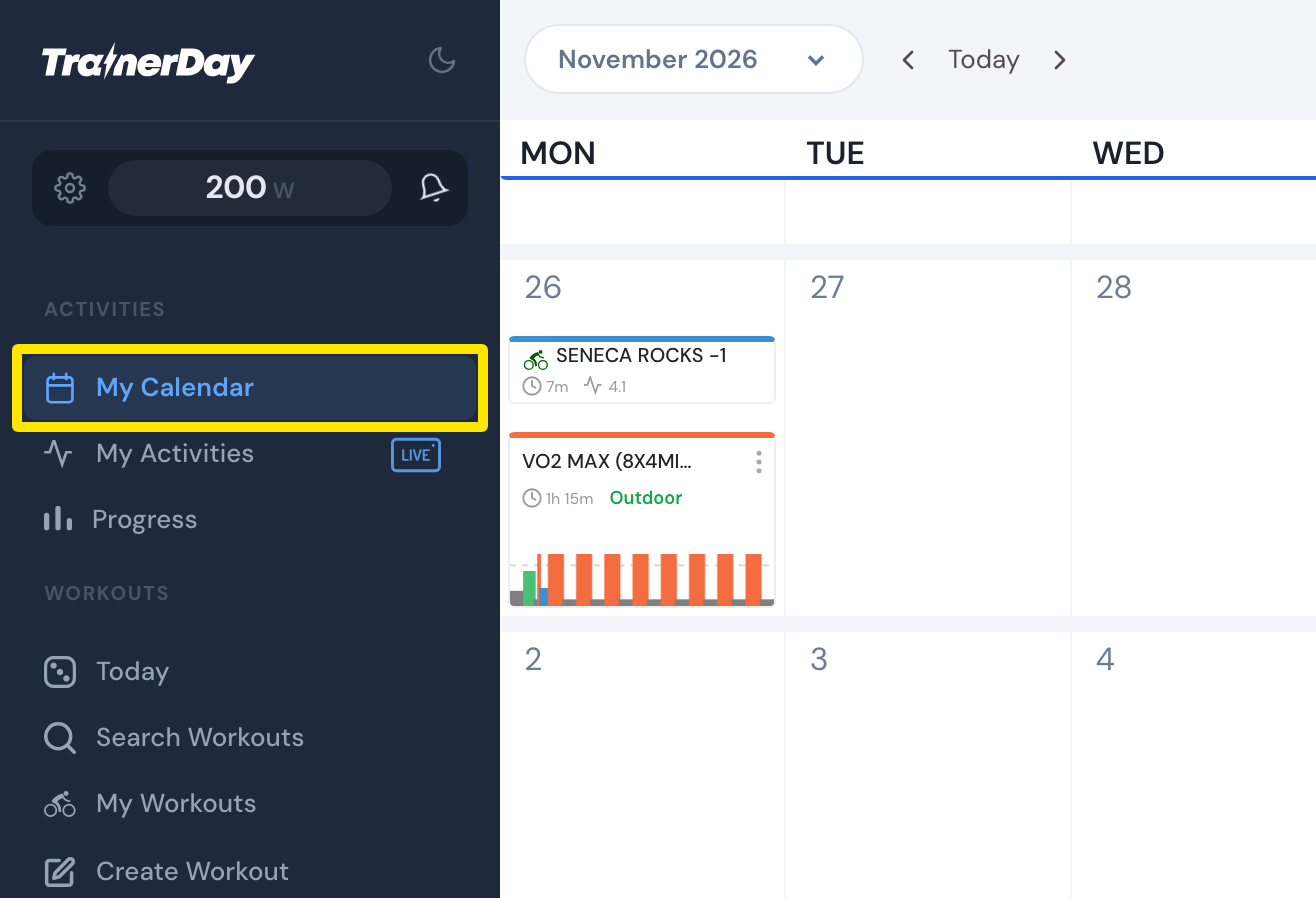 Where: Website · My Calendar · open it
- On the day that has both the planned workout and the ride, click the 3-dots button on the planned workout and choose Pair.
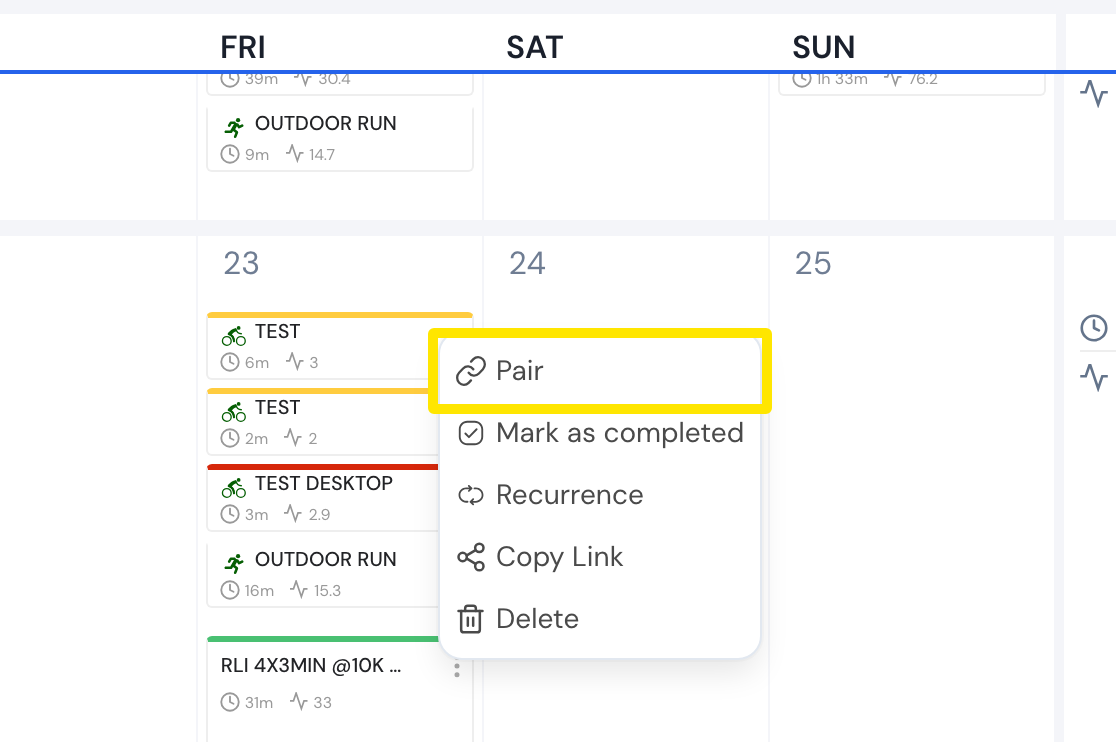 Where: Website · My Calendar · open it
- If there are several rides, pick the right one, then click Yes, pair. The workout and ride now show as one calendar item.
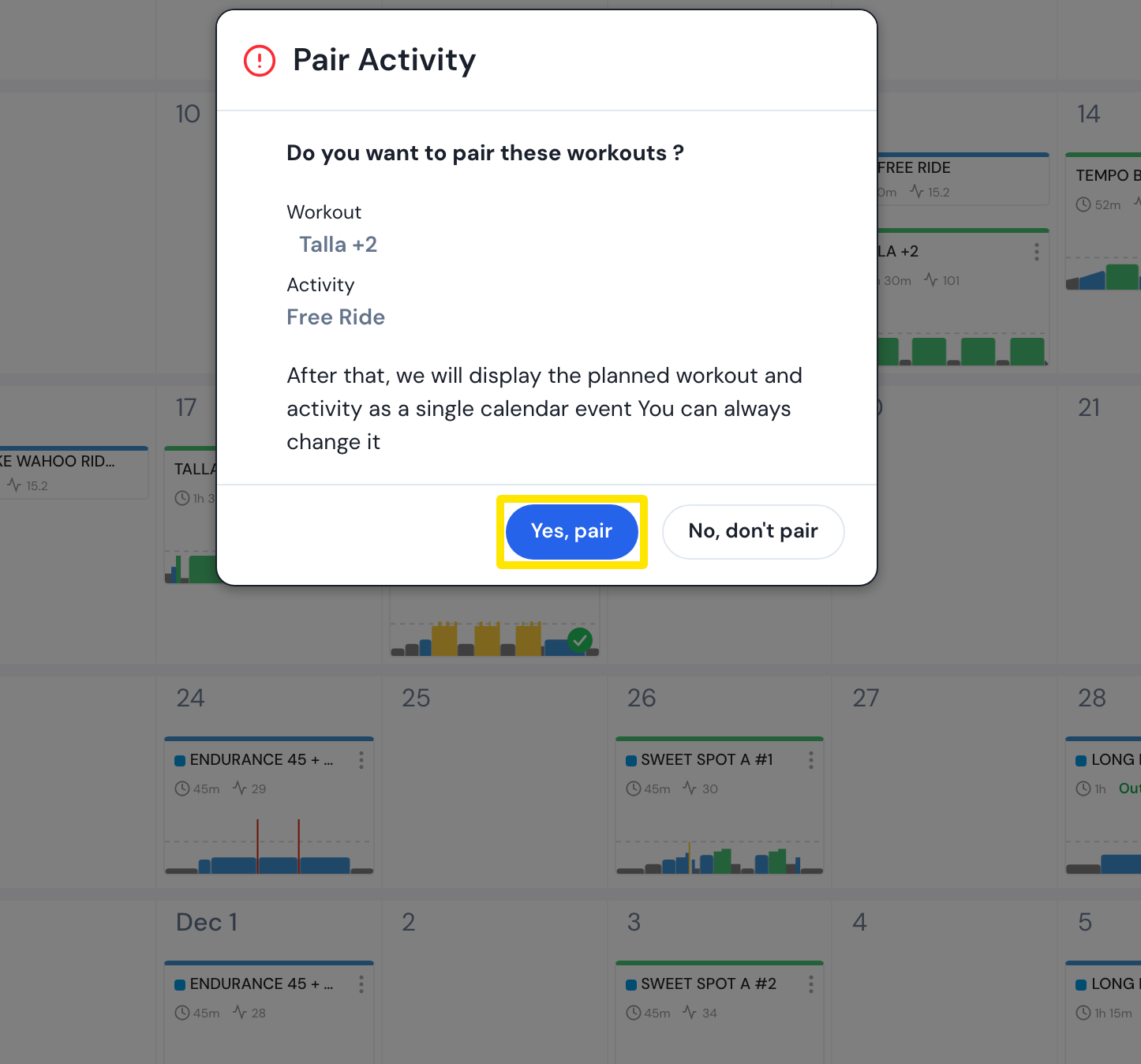 Where: Website · My Calendar · open it
- Or drag the planned workout onto the day of the ride: the same pair question opens.
- To undo a wrong link, open the paired workout's 3-dots menu, choose Unpair and click Yes, unpair.
Good to know: Pair shows only when there is a ride that day and the workout is not marked as completed. Pairing is a premium feature. Strava and Garmin rides must be paired by hand; a workout ridden in TrainerDay is linked by itself.
Works on: Website only (rides done in the mobile or desktop app link to the plan automatically).