

How do I mark a workout as completed on the calendar?
On the TrainerDay website's My Calendar, open a planned workout's 3-dots menu and choose Mark as completed to give it a green check mark.
Rides done in the TrainerDay app, or synced from Garmin or Strava, show as completed on their own: see How do I get my completed rides to show on my calendar? To mark a planned workout done by hand:
- On the TrainerDay website, open My Calendar from the left sidebar (app.trainerday.com/calendar).
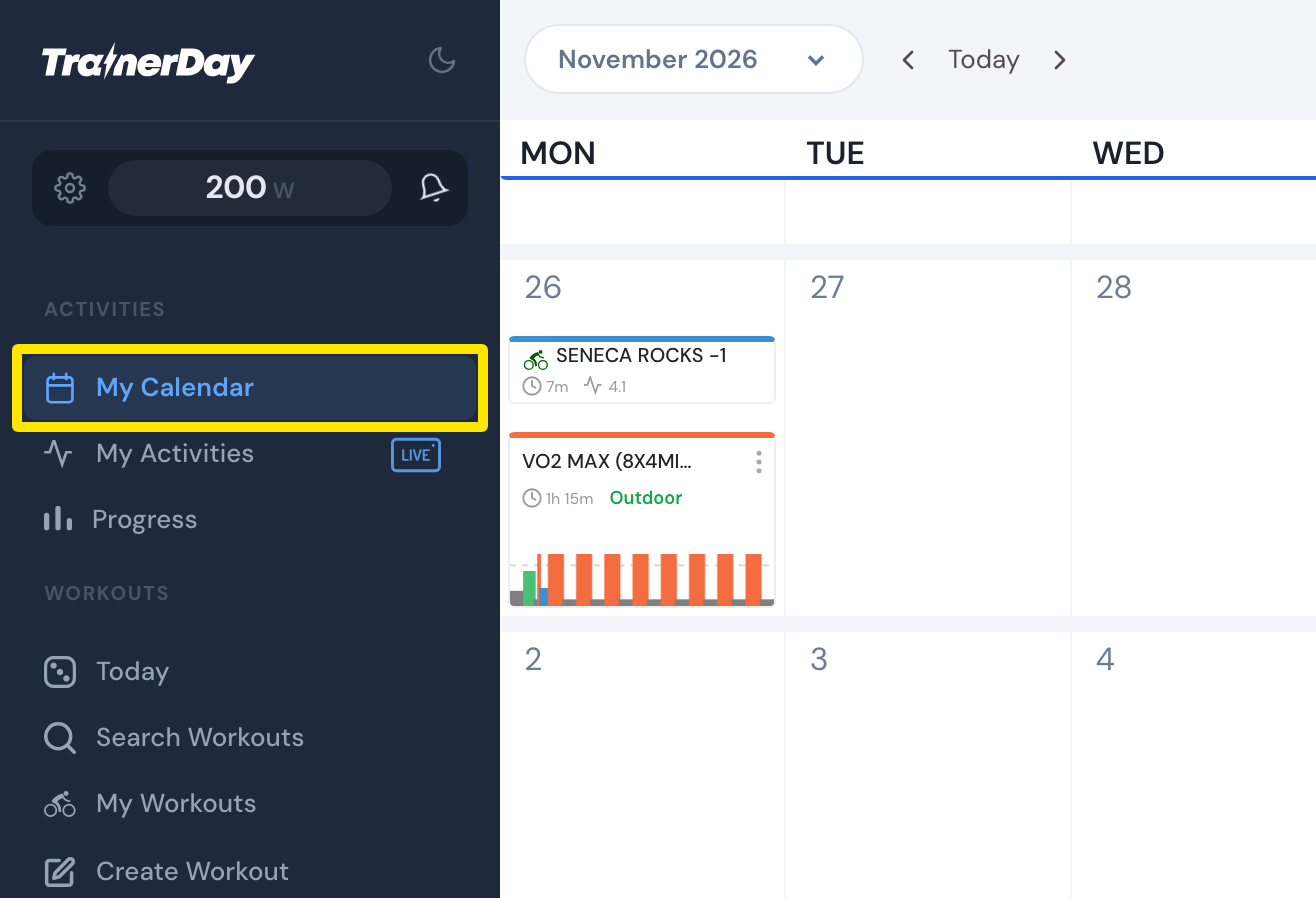 Where: Website · My Calendar · open it
- Click the 3-dots button on the planned workout and choose Mark as completed (premium).
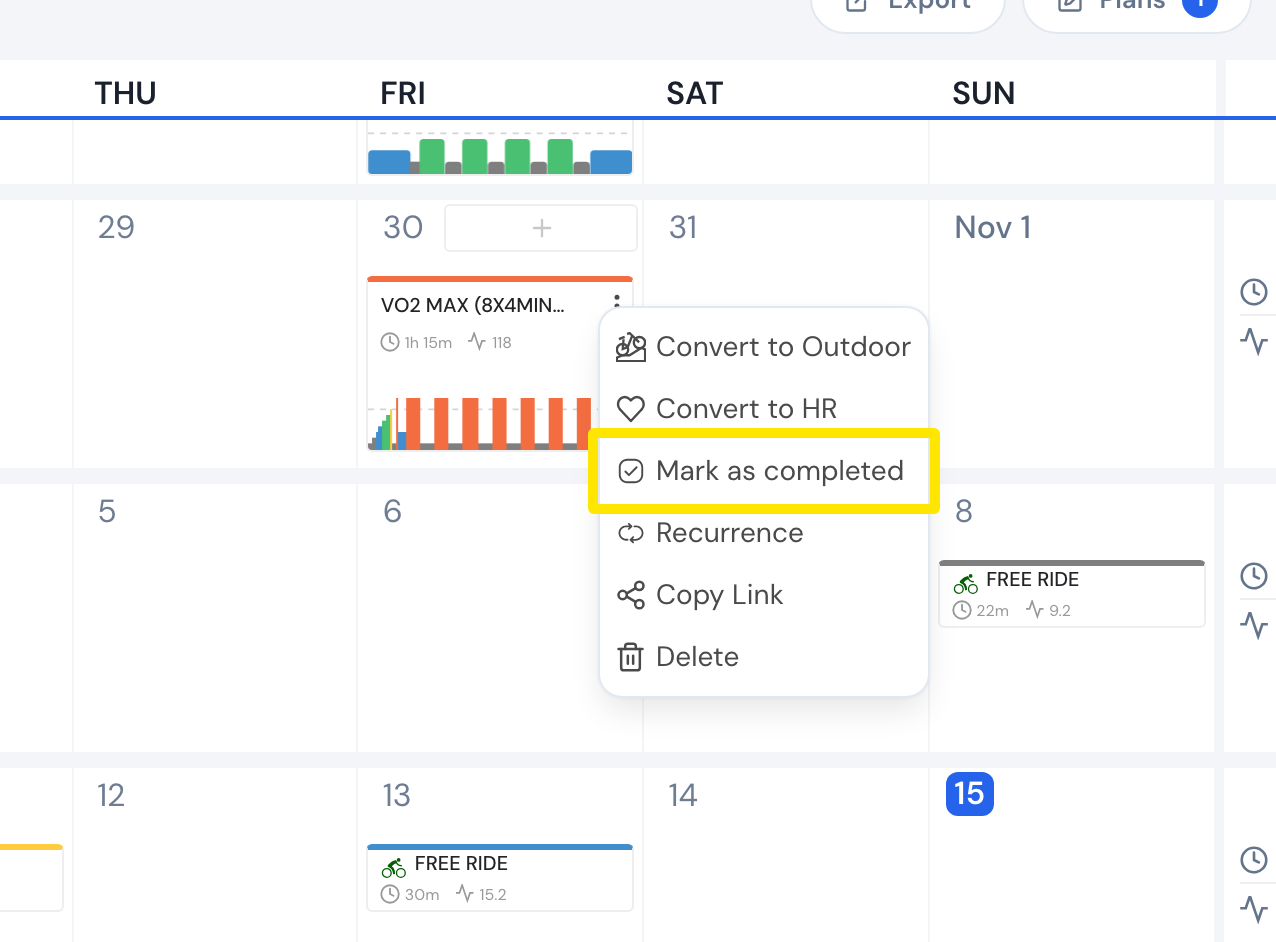 Where: Website · My Calendar · open it
- The workout gets a green check mark. To undo it, open the same menu and choose Mark as not completed.
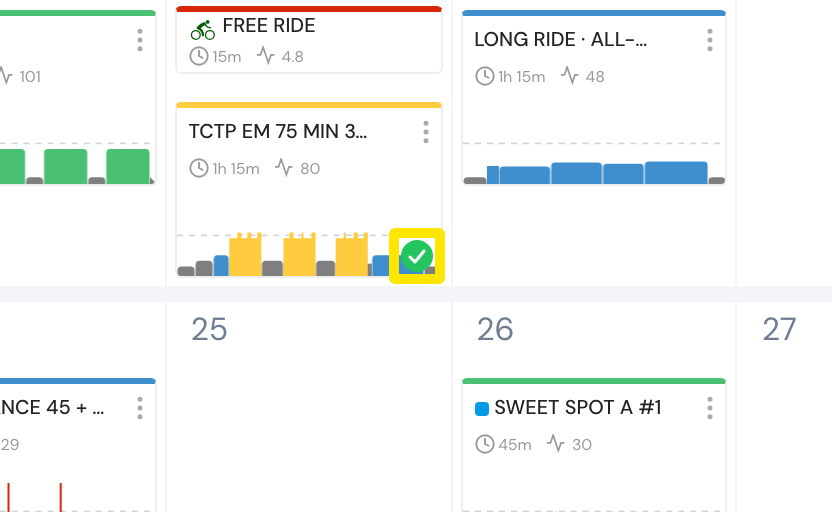 Where: Website · My Calendar · open it
Good to know: A workout marked as completed still counts in the week's planned time and stress, not in the completed Time and Stress totals.