

How do I delete a workout from my calendar?
On the website, open My Calendar, click the workout's 3-dots menu and click Delete; in the mobile app, open the workout's menu and tap Delete.
If you want to clear all the workouts a training plan added, remove the plan instead: see How do I remove a plan from my calendar?
- On the website, open My Calendar at https://app.trainerday.com/calendar.
- Click the workout's 3-dots menu (or right-click the workout).
- Click Delete. For a repeating workout, choose This event, This and all following events or All events, then Delete.
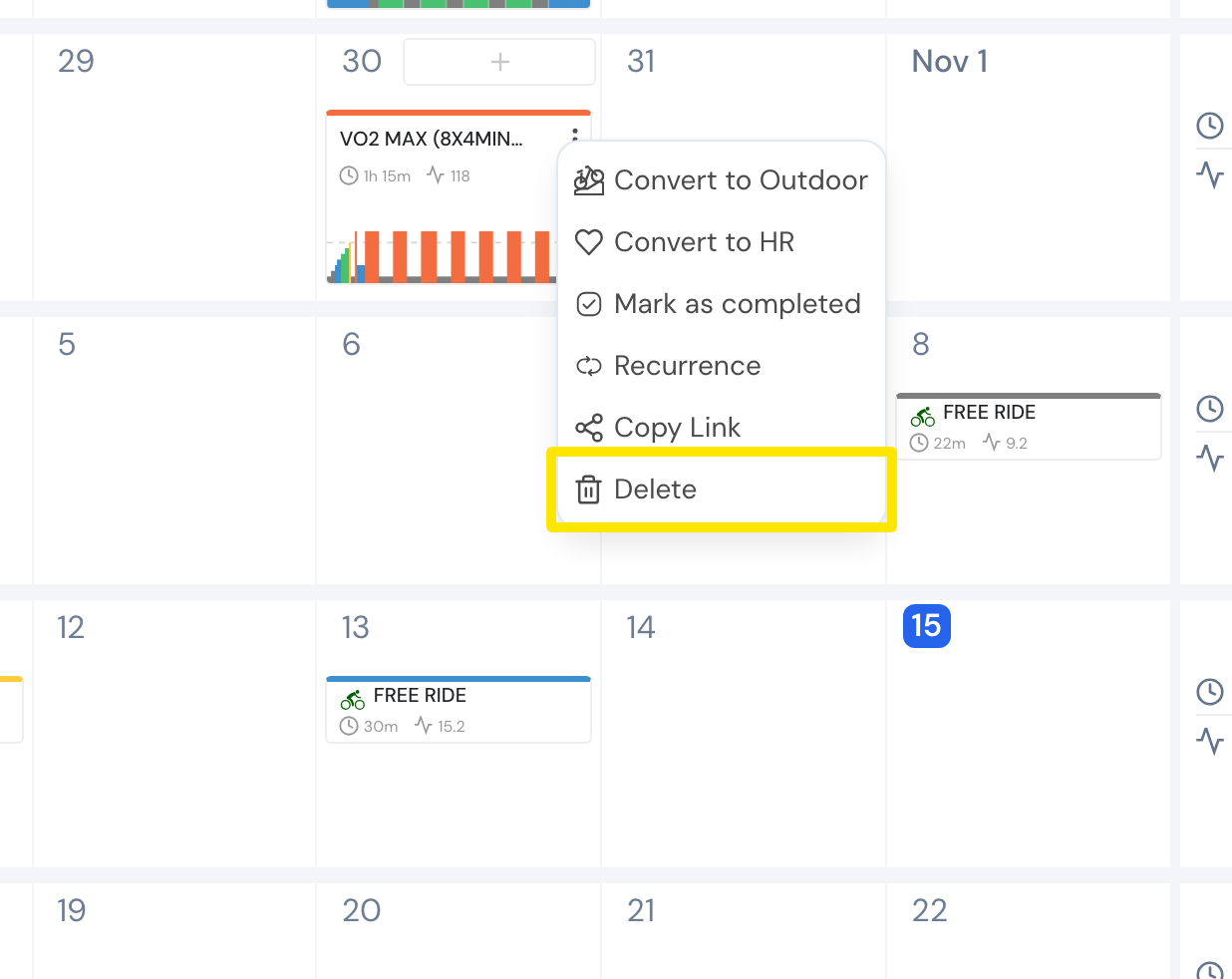 Where: Website · My Calendar · open it
- Deleted the wrong one? Click Undo in the message that appears. It stays for 10 seconds.
Good to know: On the website, My Calendar is a premium feature. On a free account, Delete is disabled.
Works on: website and mobile app (workout's menu → Delete). The desktop app has no calendar editing.