

How do I copy and paste workouts on my calendar?
On the website's My Calendar, hold Alt (Option on a Mac) and drag a workout to copy it to another day, or use Copy week and Paste week in a week's 3-dots menu to copy a whole week.
- On the website, open My Calendar.
- Hold Alt (Option on a Mac) and drag the workout to another day. A copy is put there and the original stays. Without Alt, the workout moves.
- To copy a whole week, open the 3-dots menu at the right edge of the week and click Copy week.
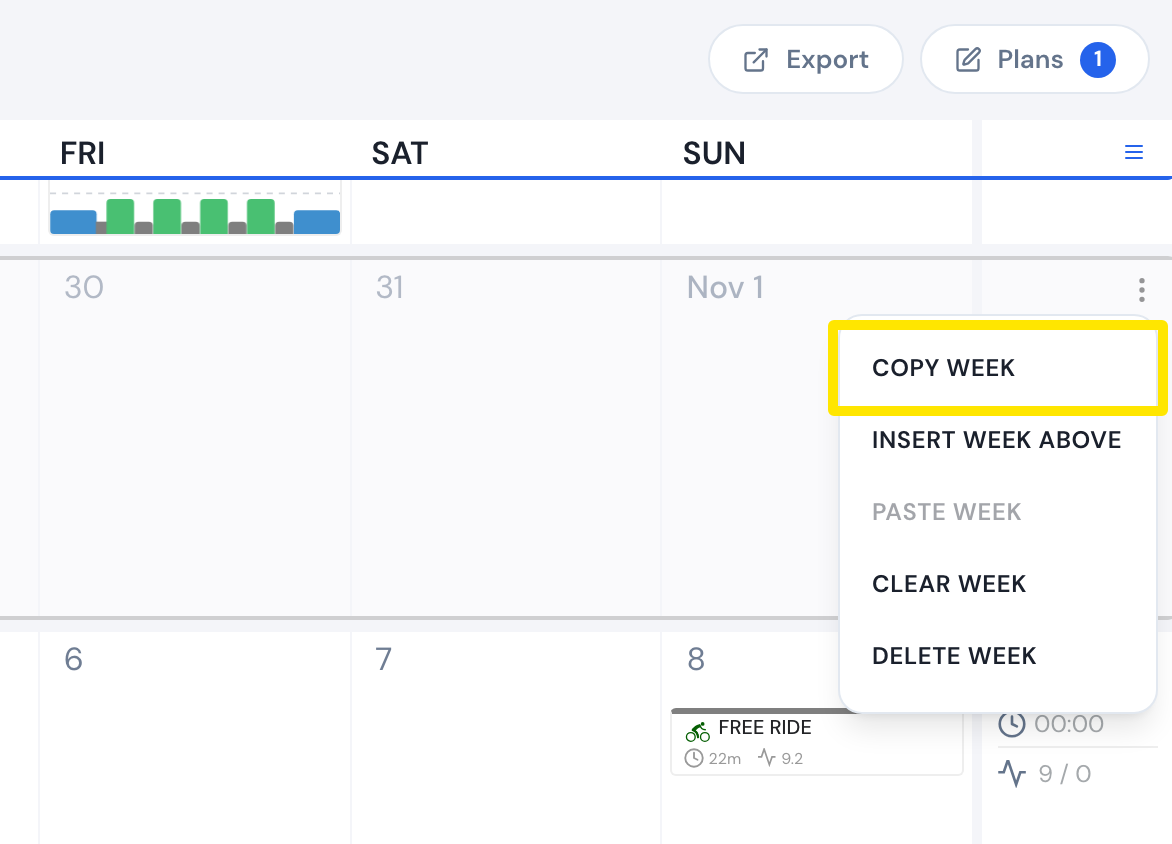 Where: Website · My Calendar · open it
- Open the 3-dots menu of the week to copy into and click Paste week. Workouts and notes are copied day by day; completed workouts are left out.
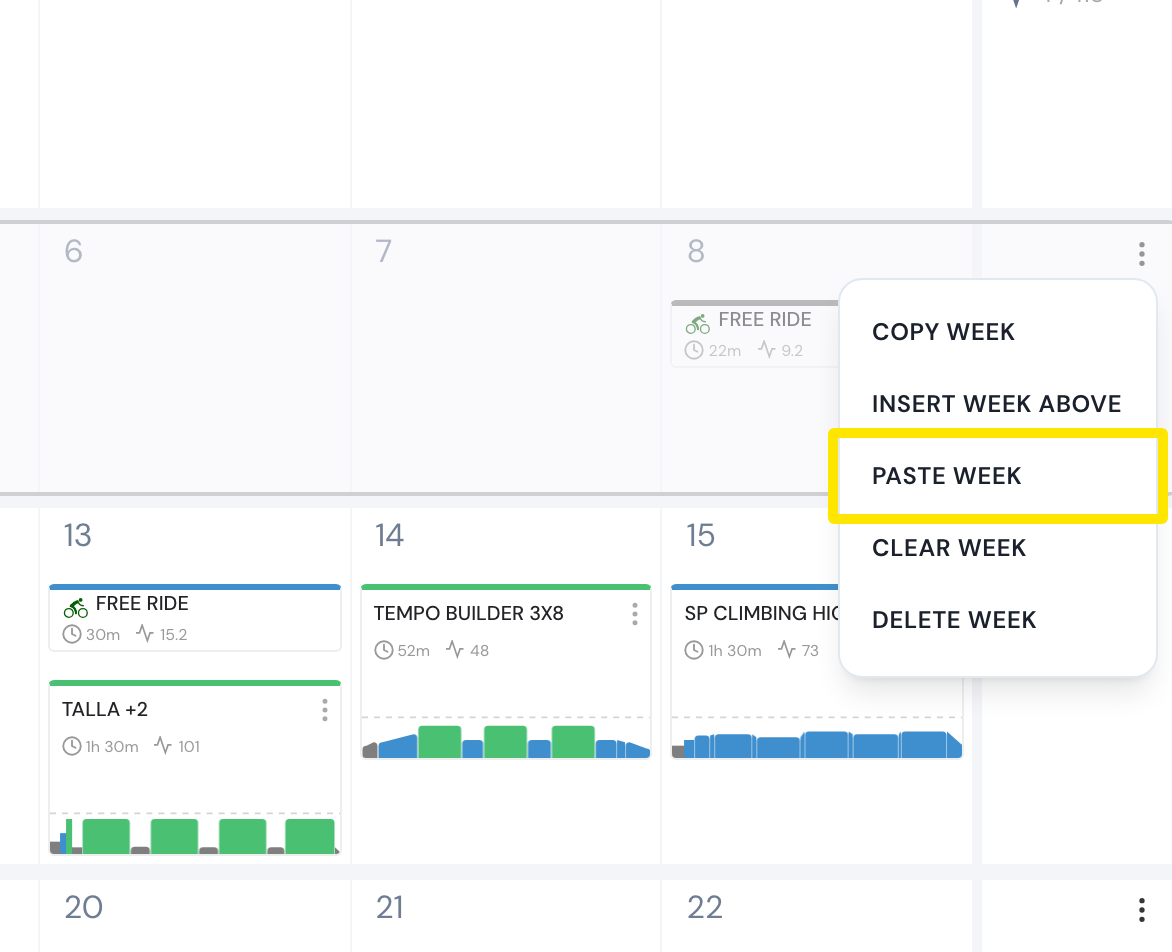 Where: Website · My Calendar · open it
Good to know: Dragging workouts is premium only, and you can copy one workout or one whole week, not a range of days.
Works on: Website (Alt-drag, Copy week, Paste week); mobile app (a workout's menu → Copy to…, then pick the day); not the desktop app, which has no calendar editing.