

How do I switch which plan the app uses for my workouts?
On the TrainerDay website, open App Plan source from the gear icon in the left sidebar and choose where the mobile app gets your workouts: My Plans, My calendar, TrainingPeaks WOD or Intervals.icu WOD.
If you want to replace your current training plan with another one, see How do I switch to a different training plan? This page covers choosing where the mobile app gets your workouts (a plan, your calendar, TrainingPeaks or Intervals.icu).
- On the website, go to My Calendar. Click the gear icon at the top of the left sidebar and choose App Plan source.
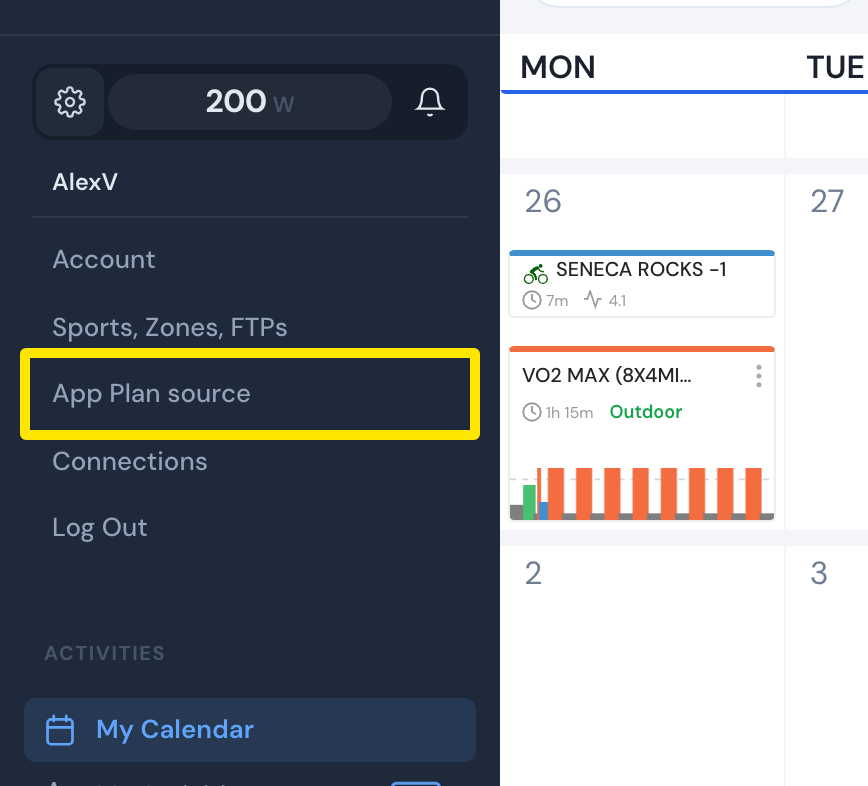 Where: Website · My Calendar → gear icon in the left sidebar · open it
- In the Mobile App Plan Source window, open Select plan source and choose My Plans, My calendar, TrainingPeaks WOD or Intervals.icu WOD. The last two only work when connected.
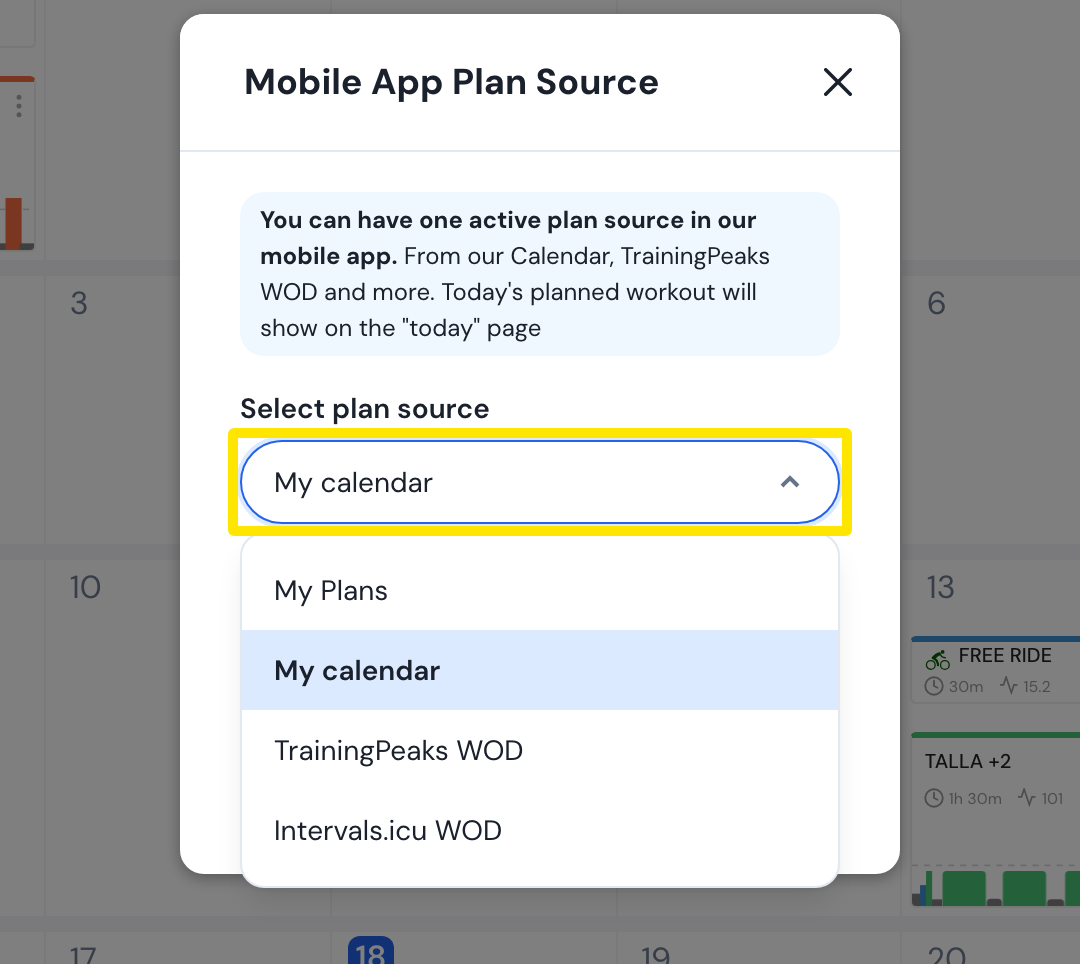 Where: Website · My Calendar → gear icon → App Plan source → Mobile App Plan Source window · open it
- For My Plans, choose the plan from the Last 5 plans list. Then click Save.
- In the mobile app, open the Today tab and pull it down or tap the refresh button.
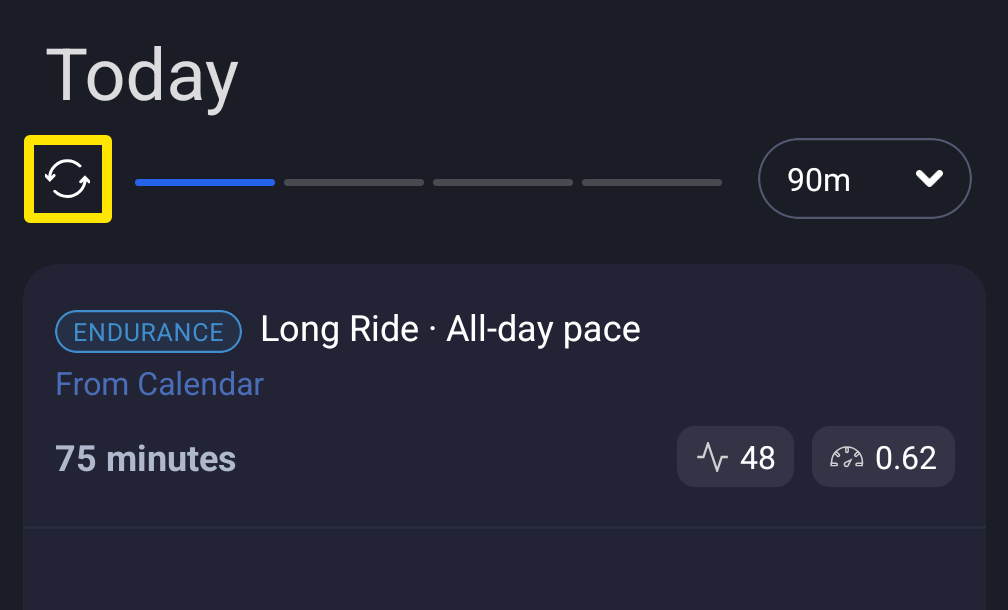 Where: Mobile app · Today tab
Good to know: Only one source can be active at a time, and My calendar is the default. A plan from My Plans runs in order as Day 1, Day 2… and moves on only after you confirm each workout as completed.
Works on: Website only. The mobile app has no switch for this; its Today tab tells you to set it on the website.