

How do I change the language of TrainerDay?
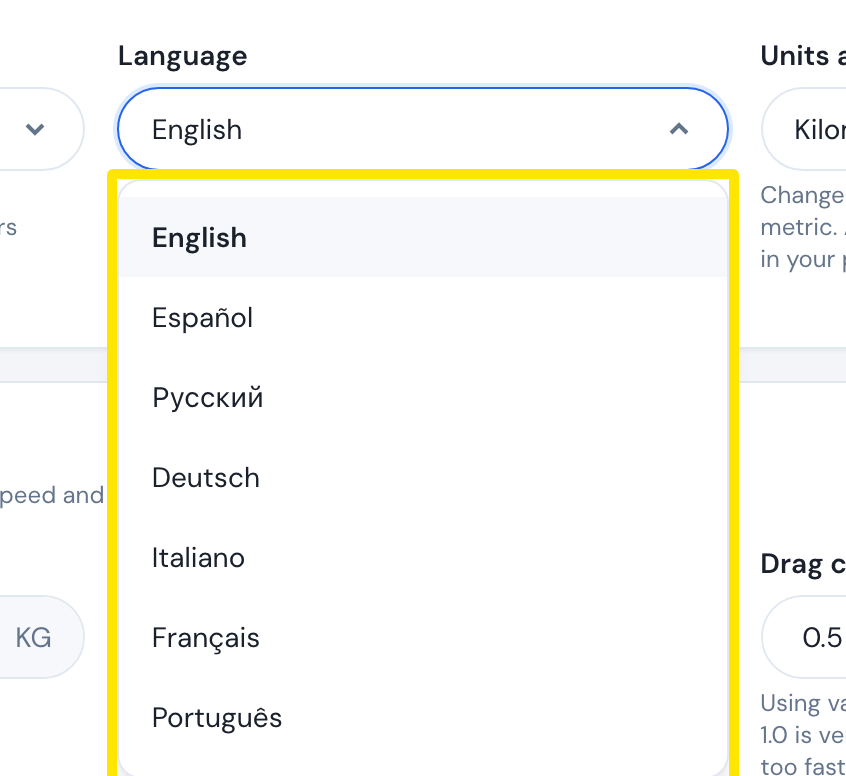
Change TrainerDay's language on the website under Account → Preferences → Language, or in the Settings tab of the mobile or desktop app.
- On the website, click the gear icon at the top of the left menu, then Account (app.trainerday.com/account/settings).
- Under Preferences, open Language and pick your language.
 Where: Website · Account · open it
- Click Update Profile, then Confirm.
- In the mobile app, go to the Settings tab → Language and tap a language. It is saved to your account too.
- In the desktop app, go to the Settings tab → User Profile → Language, or pick System default. It is saved to your profile, so the website uses it too.
Good to know: The website and desktop app offer English, Spanish, Russian, German, Italian, French, Portuguese, Polish, Chinese (Simplified and Traditional) and Japanese. The mobile app also offers Korean.
Works on: Website, mobile app and desktop app. Korean is available only in the mobile app.