

How do I send a plan to my Intervals.icu calendar?
Send a whole training plan from My Plans on the TrainerDay website to your Intervals.icu calendar.
- On the website, connect Intervals.icu: click the gear icon in the left menu, then Connections → Intervals.icu → Connect.
- In the left menu under Training Plans, click My Plans (app.trainerday.com/plans). Open the plan's ⋯ menu and click Send or Download.
- Choose the Start Week Date and tick the weeks you want under Weeks of Plan.
- Open the destination list, choose TO INTERVALS (greyed out until Intervals.icu is connected), then click Send. This needs a paid membership.
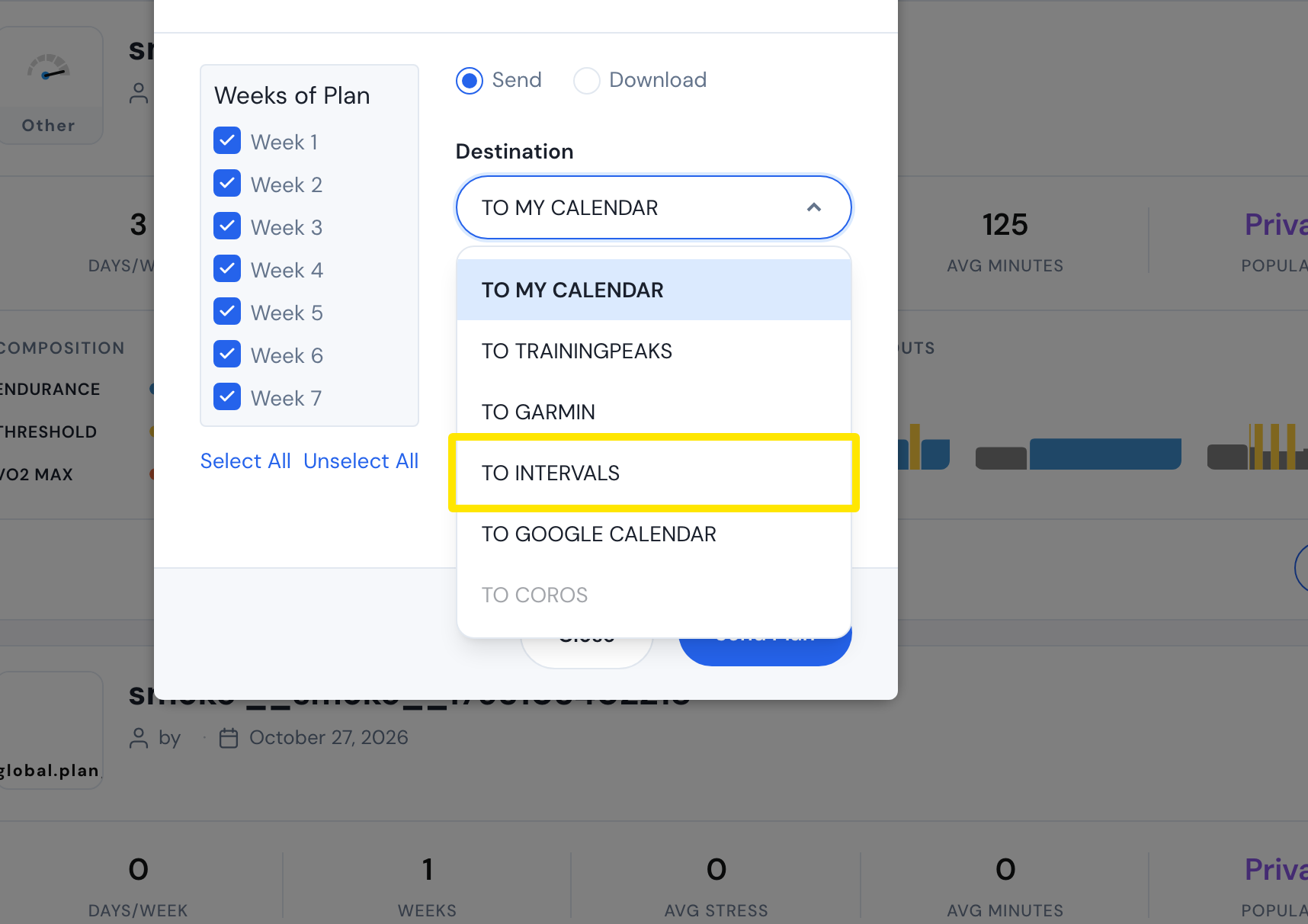 Where: Website · My Plans · open it
Good to know: To avoid duplicates, turn off calendar sync and bulk delete those workouts first. Later plan edits do not update Intervals.icu automatically. The plan goes with power targets in its indoor form. Running plans cannot go to Intervals.icu.
Works on: Website only. The mobile and desktop apps cannot send plans to Intervals.icu.