

How do I delete a plan I sent to Intervals.icu?
Delete a plan you sent to Intervals.icu in your Intervals.icu calendar, or, if the plan is on your TrainerDay calendar with Calendar Sync on, remove it from My Calendar on the TrainerDay website.
- If you sent the plan with Send Plan → TO INTERVALS, open your calendar on intervals.icu and delete the workouts there. TrainerDay keeps no link to them, so it cannot remove them.
- If the plan is on your TrainerDay calendar with Intervals.icu Calendar Sync on, go to the website. In the left sidebar, click My Calendar.
- Click Plans at the top of the calendar. Point at the plan and click its trash icon.
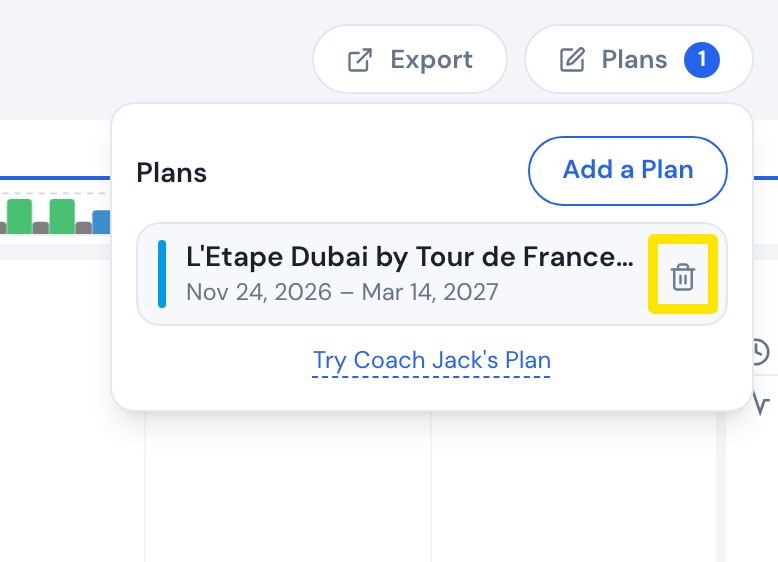 Where: Website · My Calendar · open it
- Confirm Delete. The plan's workouts are removed from your calendar and from Intervals.icu.
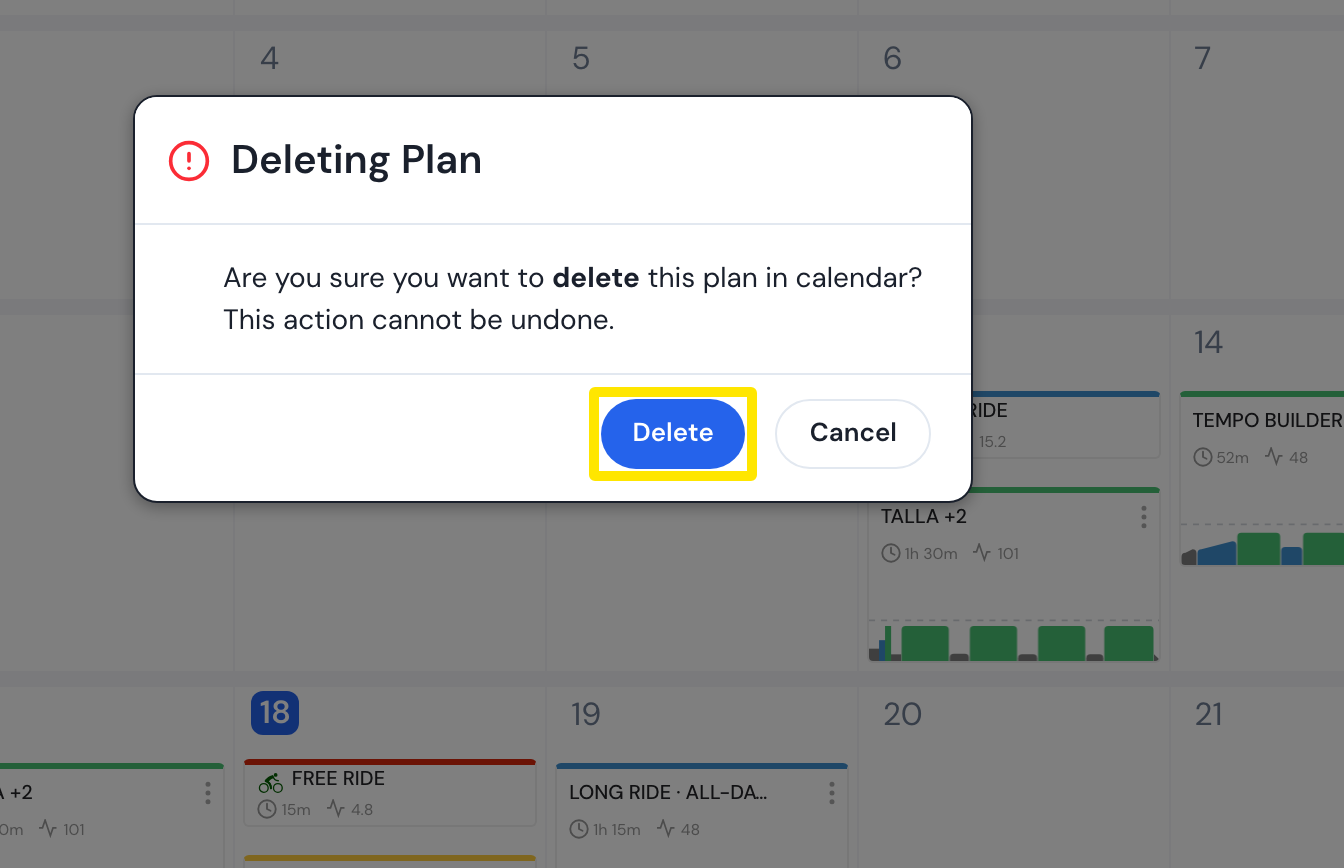 Where: Website · My Calendar · open it
Good to know: Later edits to a sent plan do not update Intervals.icu automatically.
Works on: Website only. The mobile and desktop apps cannot send or delete it.