

How do I fix the app showing double or too-high watts?
Turn off Double Single Side Power in the TrainerDay app's settings (Settings → Other Options on mobile, Settings → Workout Controls on desktop) unless you ride a left-only power meter, then check which device supplies your power.
If TrainerDay shows different watts than your bike's screen or app and the reading isn't close to double, start with Why does TrainerDay show different watts than my bike's own screen or app?
On the desktop app (Mac/Windows), go to the Settings tab → Workout Controls → Double Single-Side Power. It never doubles a smart trainer's reading.
On the mobile app:
- In the TrainerDay mobile app, open the Settings tab and tap Other Options.
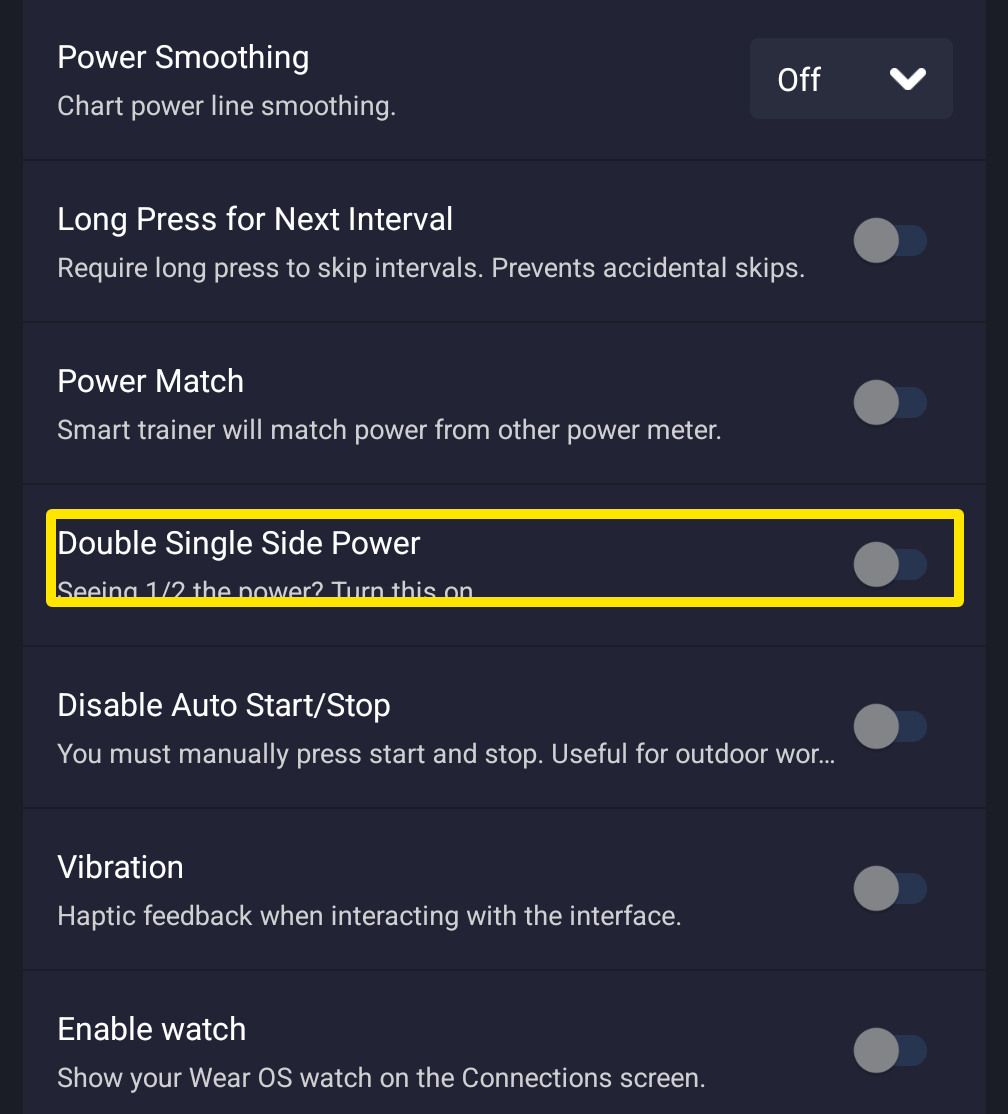 Where: Mobile app · Settings tab → Other Options
- Look at Double Single Side Power. Turn it off if you ride dual-sided pedals or your watts come from the smart trainer. Leave it on only for a left-only power meter that does not already double its reading in its own app.
- Go back to the Settings tab and tap Add Devices. Check which device has Power selected on its card. The watts you see and save come from that device.
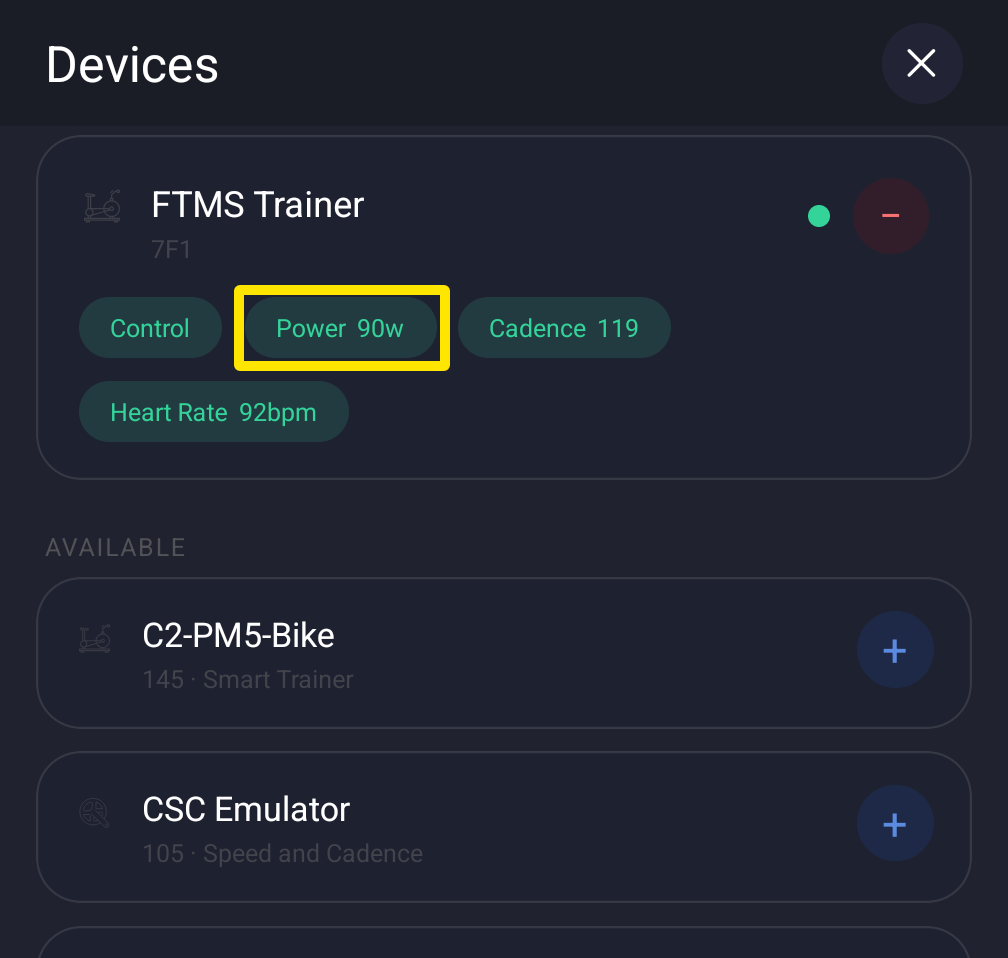 Where: Mobile app · Settings tab → Add Devices
Good to know: For a single-sided power meter, doubling in the pedal's own app (for example, the Assioma app) is recommended instead of doubling in TrainerDay.
Works on: mobile and desktop apps. The website has no power doubling setting.