

How do I turn off PowerMatch?
Turn off PowerMatch with the Power Match switch in the Settings tab: under Other Options in the mobile app, or under Workout Controls in the desktop app.
Mobile app (iPhone, Android)
- In the TrainerDay mobile app, open the Settings tab and tap Other Options.
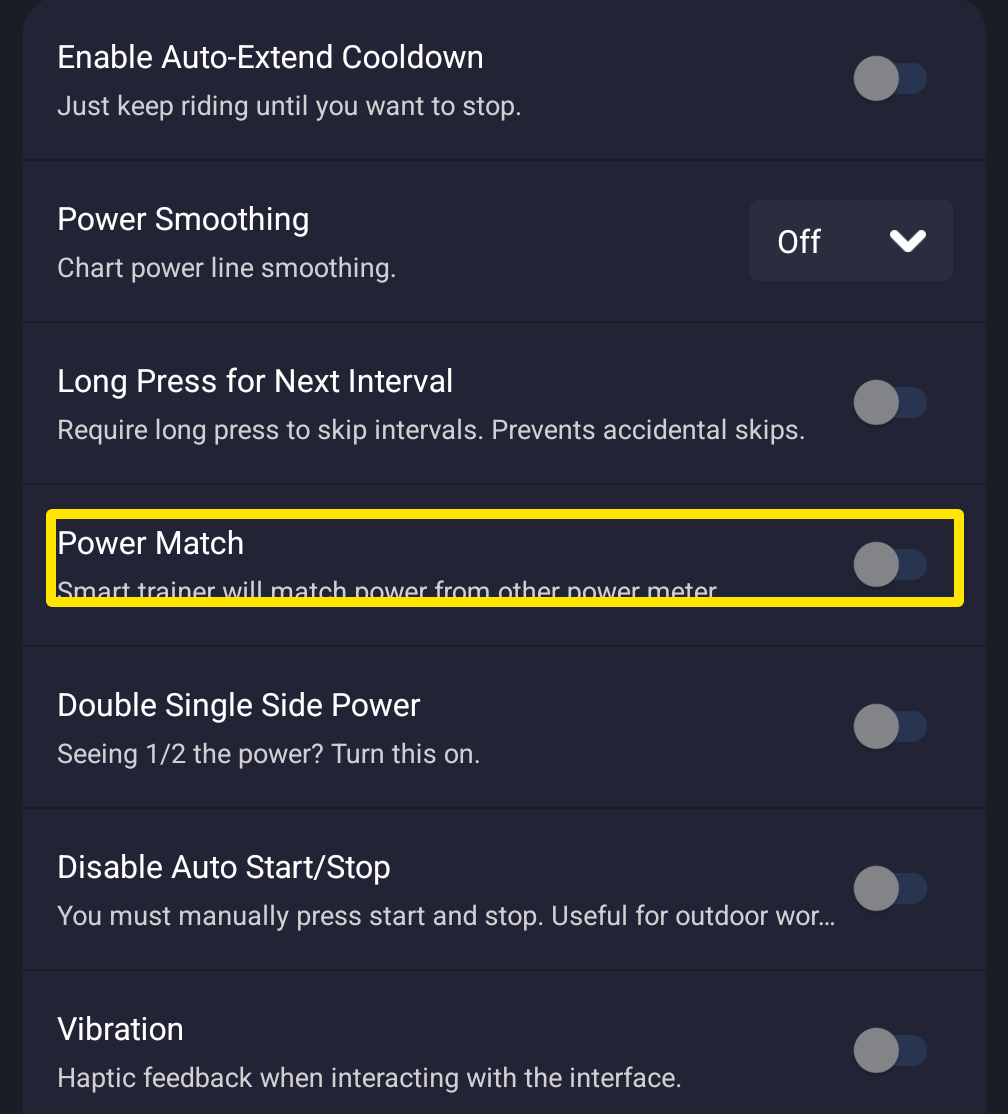 Where: Mobile app · Settings tab → Other Options
- Turn off the Power Match switch. The trainer then gets the workout's targets unchanged.
Desktop app (Mac, Windows)
- In the TrainerDay desktop app, open the Settings tab and go to Workout Controls.
- Turn off the Power Match toggle.
Good to know: Power Match changes only the target sent to the trainer. The watts shown and saved always come from the device that has Power, whether Power Match is on or off.
Works on: mobile app and desktop app. The website has no Power Match.