

How do I turn off power smoothing?
Turn off power smoothing by setting Power Smoothing to Off in the Settings tab of the TrainerDay mobile app (Other Options) or desktop app (Workout Controls).
- In the TrainerDay mobile app, open the Settings tab and tap Other Options.
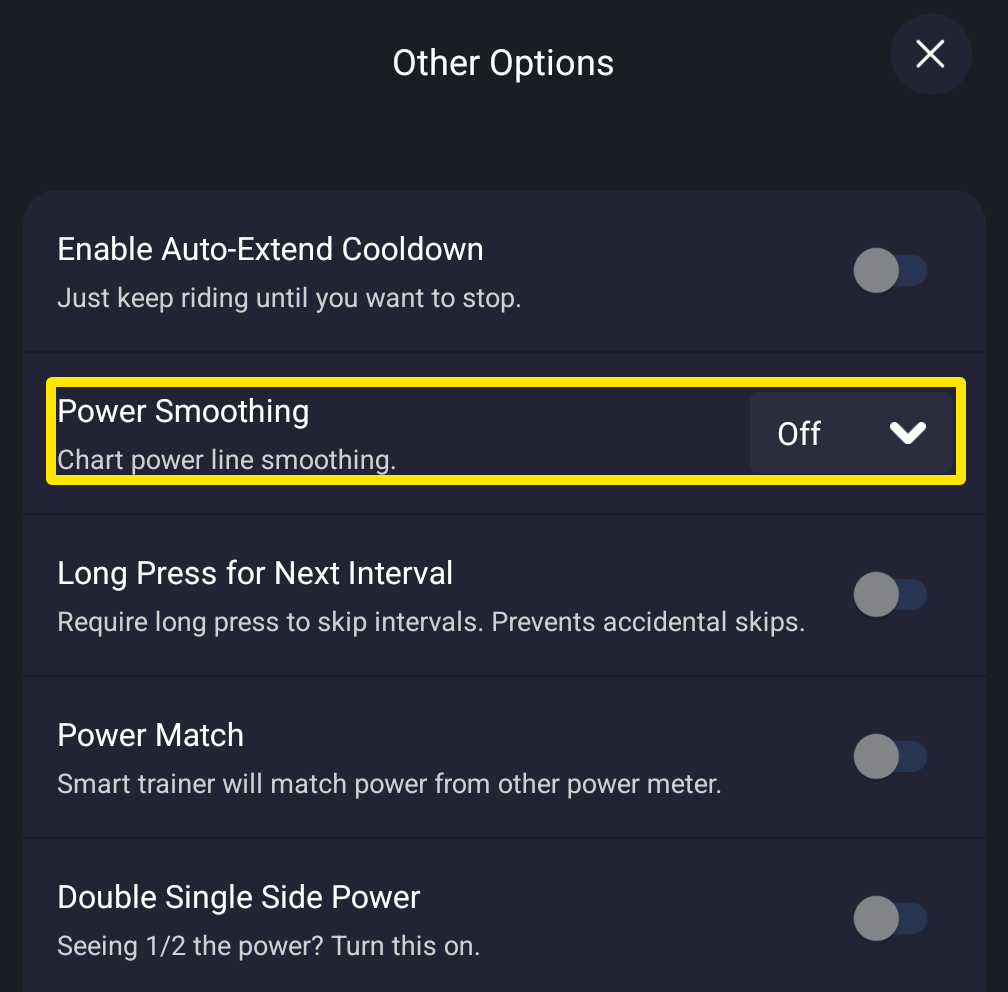 Where: Mobile app · Settings tab → Other Options
- Next to Power Smoothing, pick Off. The setting is kept for later rides until you change it.
- On the desktop app, open the Settings tab, go to Workout Controls, and set Power Smoothing to Off.
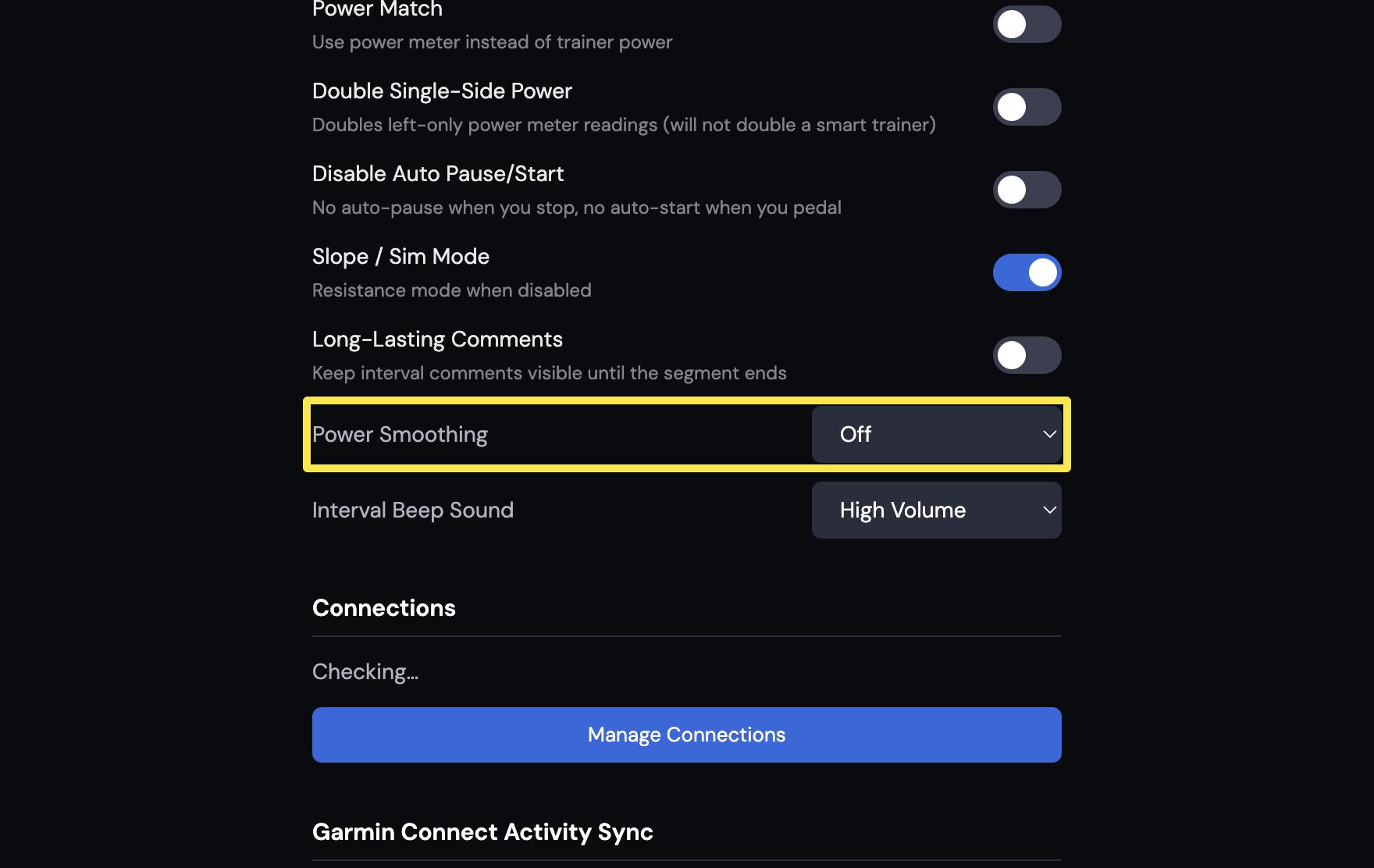 Where: Desktop app · Settings tab → Workout Controls
Good to know: Wahoo trainers (such as the KICKR V1, KICKR Core and KICKR V5) smooth power data themselves, especially in ERG mode, and TrainerDay cannot change that.
Works on: mobile app and desktop app; the website has no power smoothing setting.