

How do I smooth the power number and graph during a ride?
Turn on Power Smoothing in the TrainerDay mobile app (Settings tab → Other Options) or desktop app (Settings tab → Workout Controls) and pick Smart or 5 sec to steady the power number and chart during a ride.
- In the TrainerDay mobile app, open the Settings tab and tap Other Options.
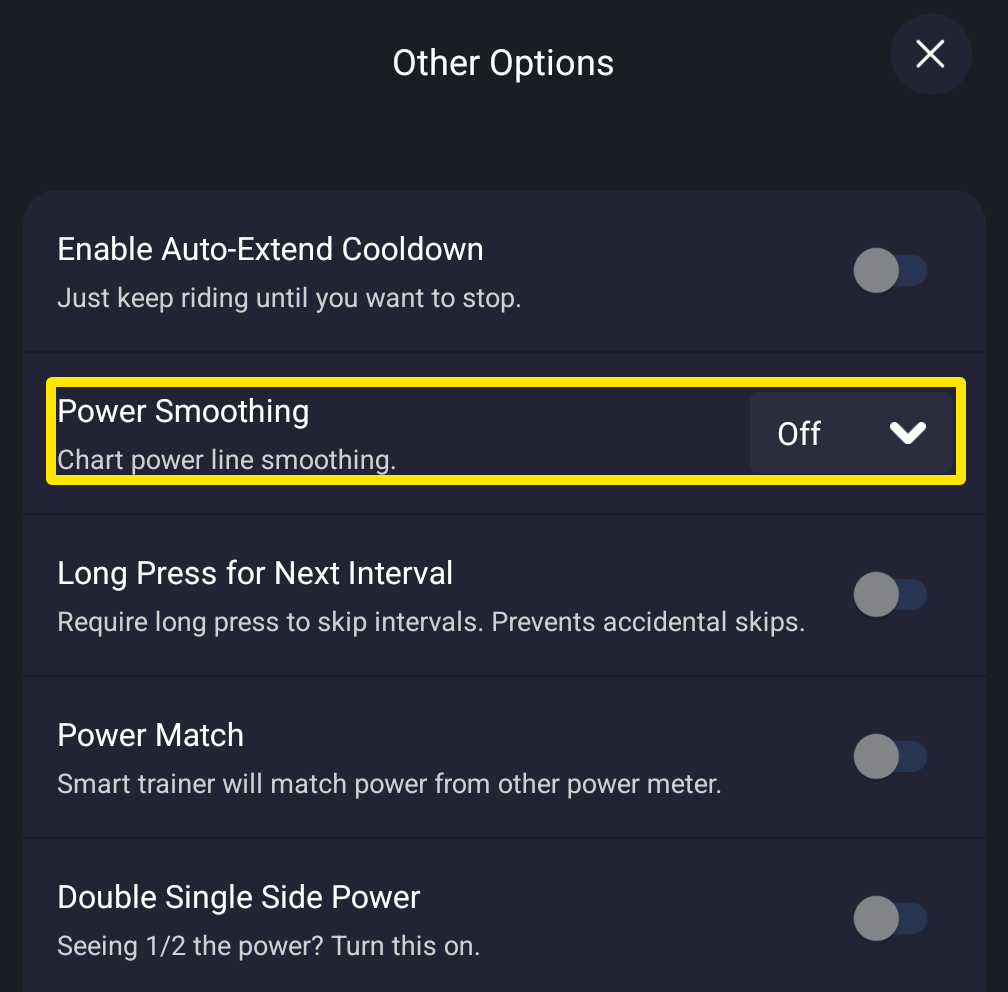 Where: Mobile app · Settings tab → Other Options
- Next to Power Smoothing, pick Smart or 5 sec. It applies right away, also during a ride.
- In the desktop app, open the Settings tab and go to Workout Controls. In the Power Smoothing menu, pick Smart or 5 Seconds.
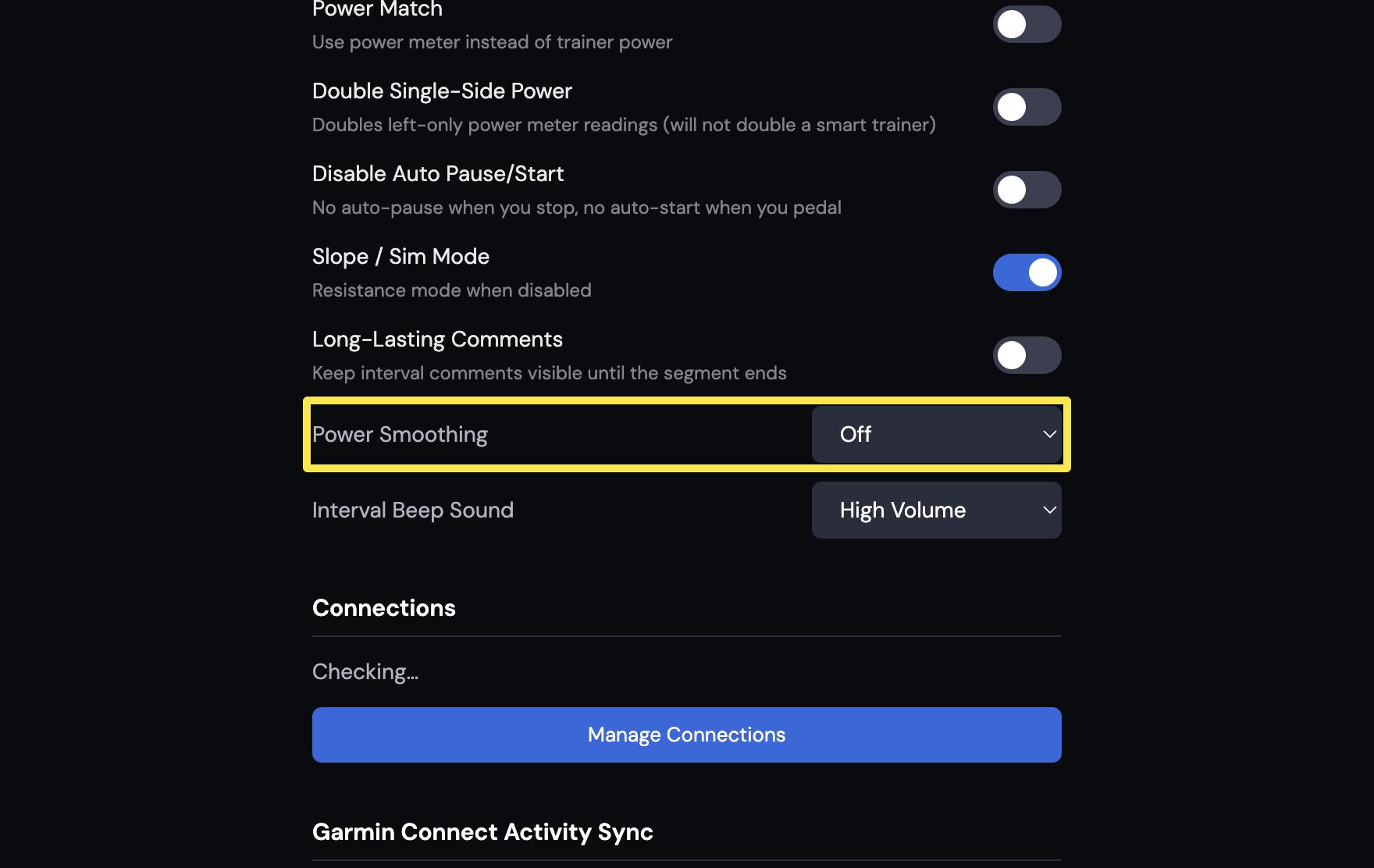 Where: Desktop app · Settings tab → Workout Controls
Good to know: Smoothing changes only the power shown. Your recorded activity, averages and stress numbers use the unsmoothed watts. 5 sec is a 5-second average. Smart uses 3 seconds when power is steady and 5 seconds when it is rough.
Works on: mobile app (iPhone, Android) and desktop app. Not on the website.