

How do I tell if I'm on my power target during a ride?
During a ride in the TrainerDay mobile or desktop app, compare the Target field (what you should ride) with the Watts field (what you ride now) on the workout screen.
- In the mobile app, start a ride and look at the two bottom fields on the workout screen: Target (with its zone badge) is what you should ride, Watts is what you ride now. Tap either one to see both as % of FTP.
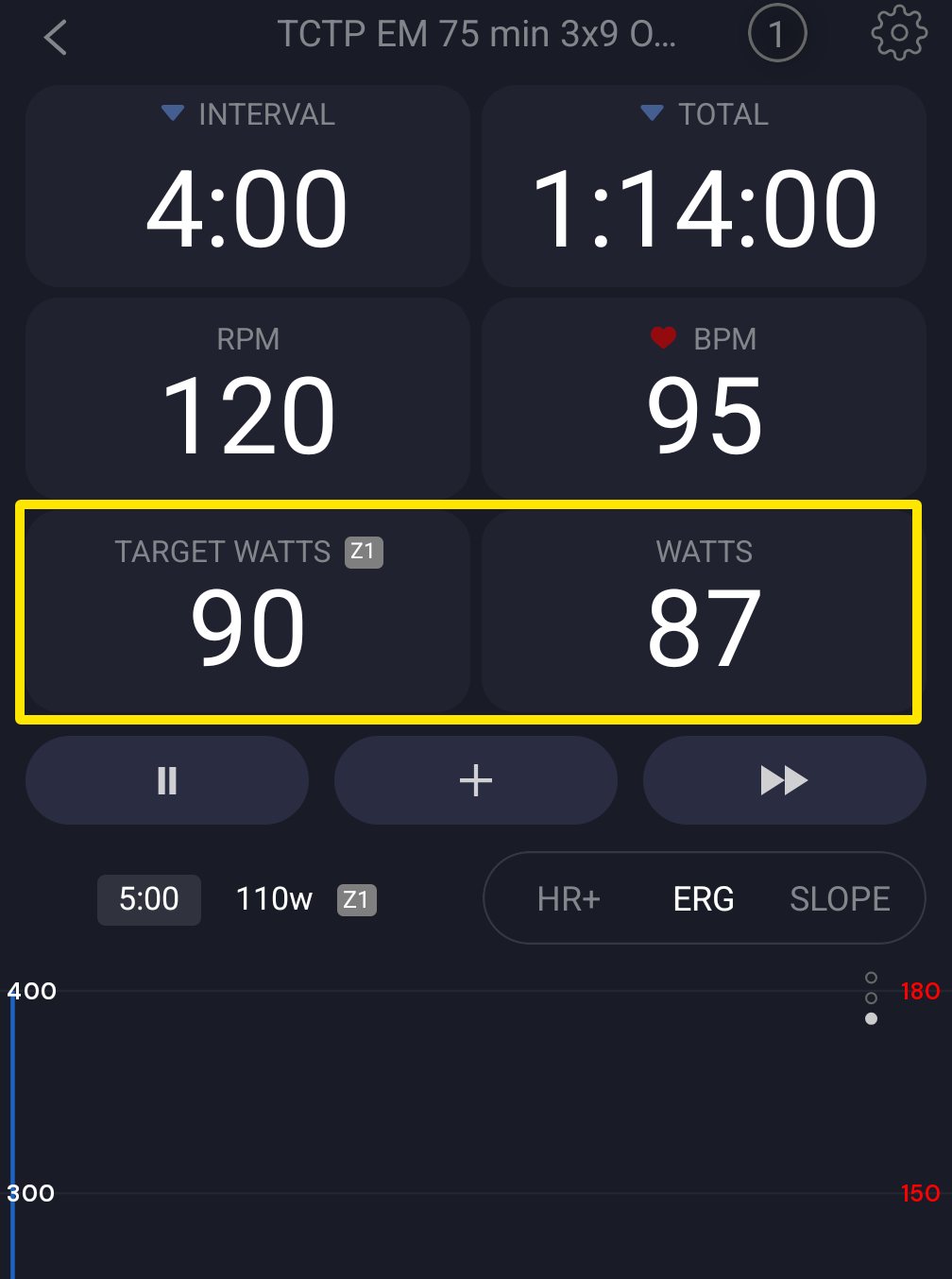 Where: Mobile app · the workout screen during a ride
- In ERG mode the trainer holds the target for you. In SLOPE mode you match it with your gears and cadence.
- In the desktop app, open the Today tab and click Ride Now. On the workout screen, compare the TARGET field with WATTS. In HR+ mode, WATTS also shows the current target as "WATTS (T: …)".
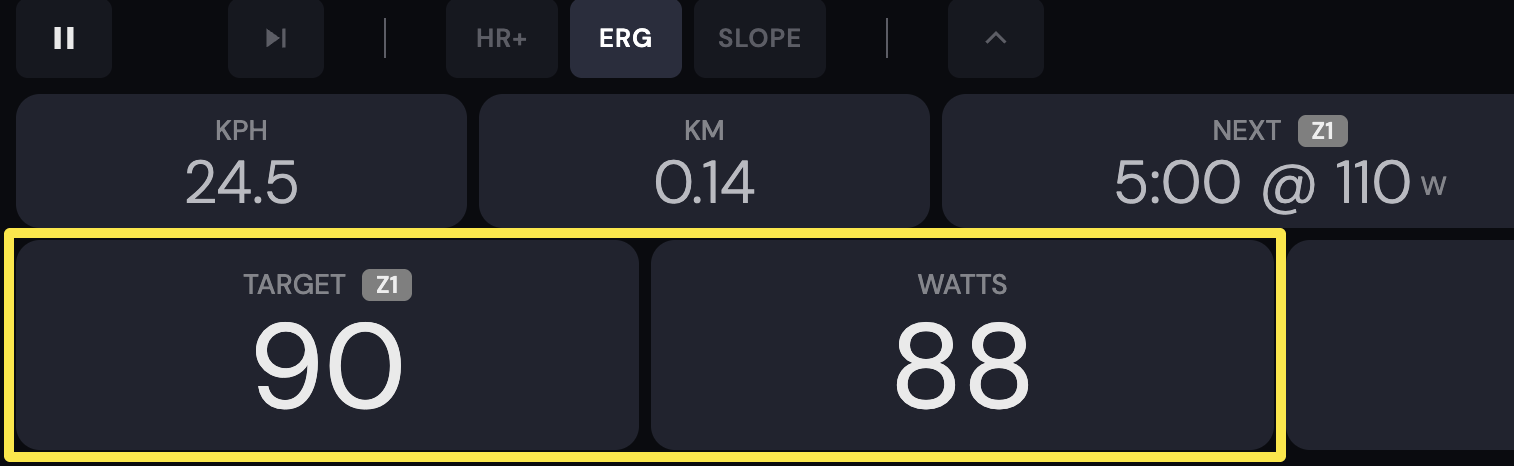 Where: Desktop app · the workout screen during a ride (Today tab → Ride Now)
Good to know: The target is one number, not a range. The power number never turns red and there is no bar or triangle under the watts. Only cadence turns red when it is outside the interval's cadence target.
Works on: Mobile app and desktop app. The website has no ride player.