

How do I see the target watts for an interval during a workout in the mobile app?
In the TrainerDay mobile app, start a workout and read the TARGET WATTS tile on the ride screen for the current interval, or tap any interval on the lower half of the workout chart to see its target.
- In the TrainerDay mobile app, start a workout. On the ride screen, the TARGET WATTS tile shows the current interval's target watts and its zone.
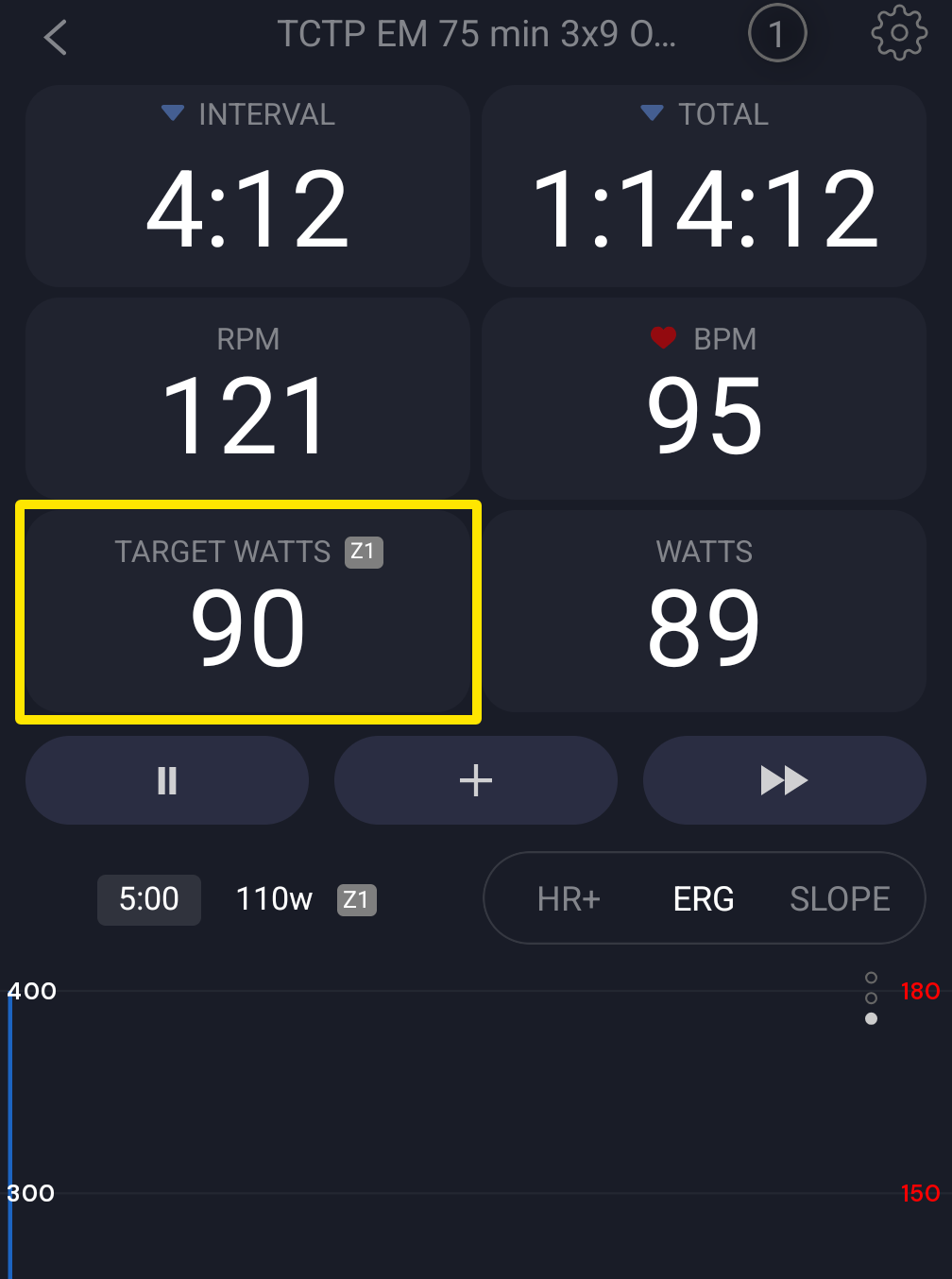 Where: Mobile app · the workout screen during a ride
- Tap the TARGET WATTS tile to switch it to TARGET % of FTP. Tap it again to go back to watts.
- To see the target of another interval, tap that interval on the lower half of the workout chart. A popup shows its duration and target watts for 3 seconds.
Good to know: For a past or the current interval, the popup also offers a Repeat button to ride it again, and stays for 5 seconds.
Works on: Mobile app (iPhone and Android). The desktop app shows the current target in the TARGET tile and the next interval in the NEXT tile. The website has no ride screen.