

How do I show target power instead of target heart rate during a ride?
In the TrainerDay mobile app, switch the riding mode to ERG so the target tile shows TARGET WATTS instead of TARGET BPM, even with a heart rate monitor connected.
- Start a ride in the TrainerDay mobile app. The target tile follows the riding mode, not the heart rate strap. In ERG it shows TARGET WATTS even with a heart rate monitor connected.
- If the tile shows TARGET BPM, you are in HR+. Tap ERG in the mode row to go back to power targets.
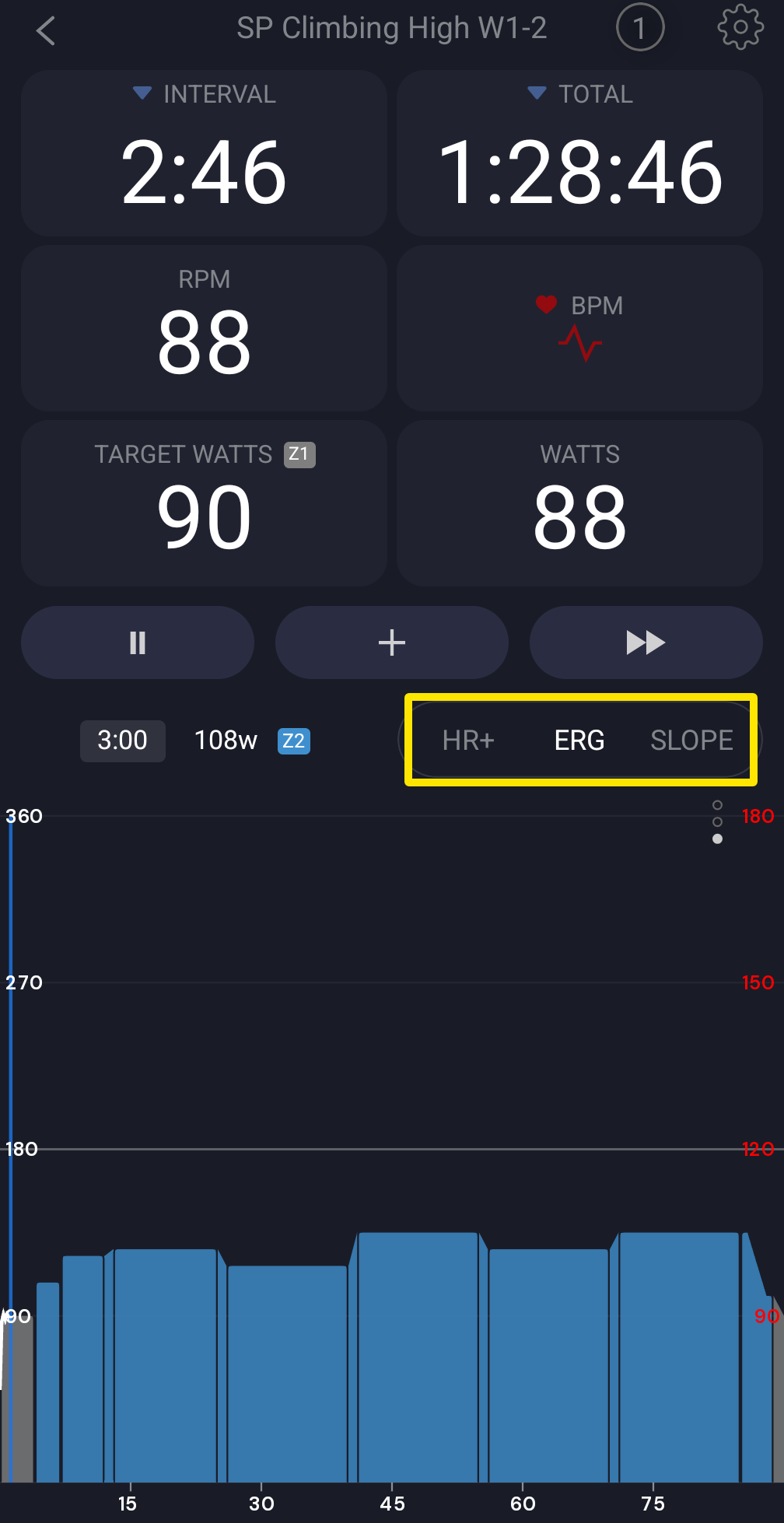 Where: Mobile app · the workout screen during a ride
- Tap the target tile to switch between TARGET WATTS and TARGET % of FTP.
Good to know: In the desktop app, the target shows bpm only in HR+. In HR+ the power tile still shows the target power as "WATTS (T: <watts>)".
Works on: Mobile app and desktop app. The website has no player.