

Can I see my power zone or heart rate zone during a ride?
During a ride in the mobile or desktop app, the workout screen shows the power zone (Z1–Z6) of the workout's target, not of the power you are actually riding, and it never shows a heart rate zone.
- In the mobile app, during a ride, look next to the Target label. The badge (Z1–Z6) is the power zone of the current target. The bar under it shows the next interval's zone. Nothing needs switching on.
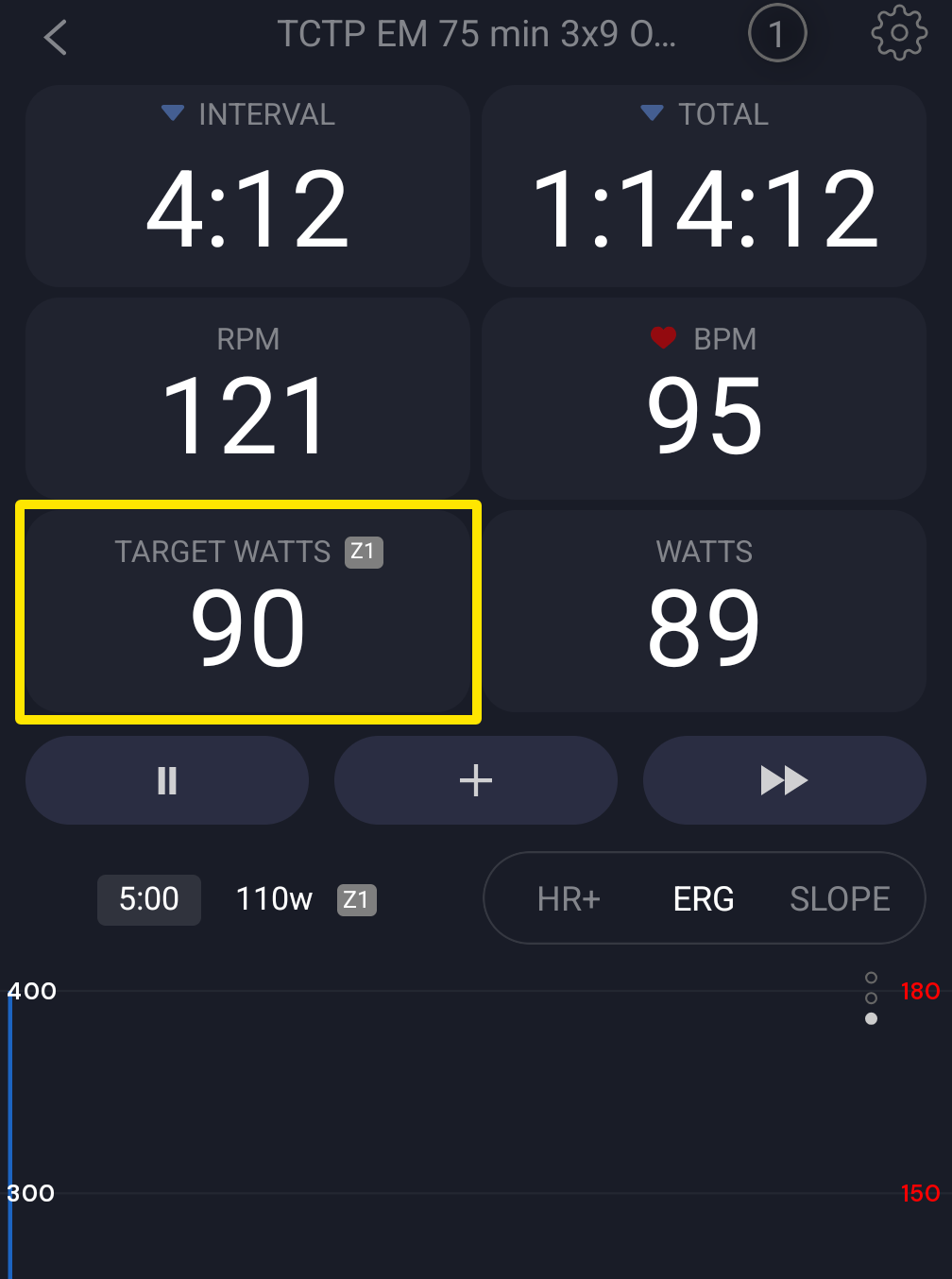 Where: Mobile app · the workout screen during a ride
- In the desktop app, during a ride, the zone badge is next to TARGET and NEXT.
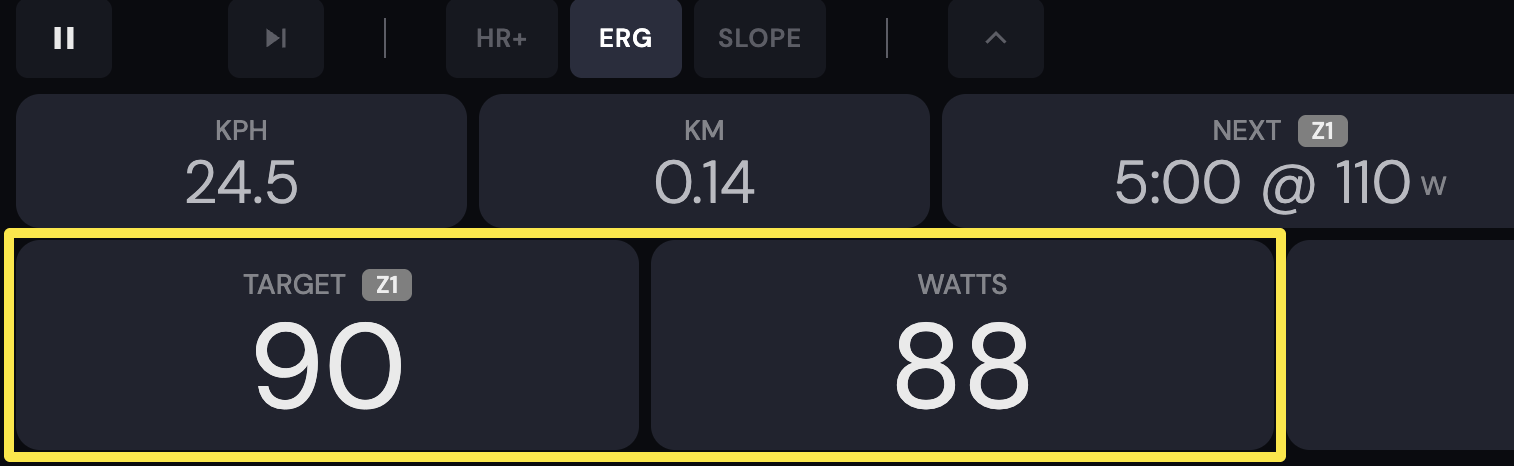 Where: Desktop app · the workout screen during a ride (Today tab → Ride Now)
Good to know: No heart rate zone is shown on the workout screen. In HR+ mode the power zone badge is hidden.
Works on: Mobile app and desktop app. The website has no workout player.