

How do I look at my interval data after a ride?
On the TrainerDay website, open a ride from My Activities and use the Blocks and Ranges tabs under the chart to see each interval's power, heart rate, cadence and zone.
- On the website, click My Activities in the left sidebar (app.trainerday.com/activities) and click the ride's name.
- Under the chart, the Blocks tab lists each block of the workout you rode with Name, Duration, Avg. Power, Target, Avg. HR, Avg. Cadence and Zone.
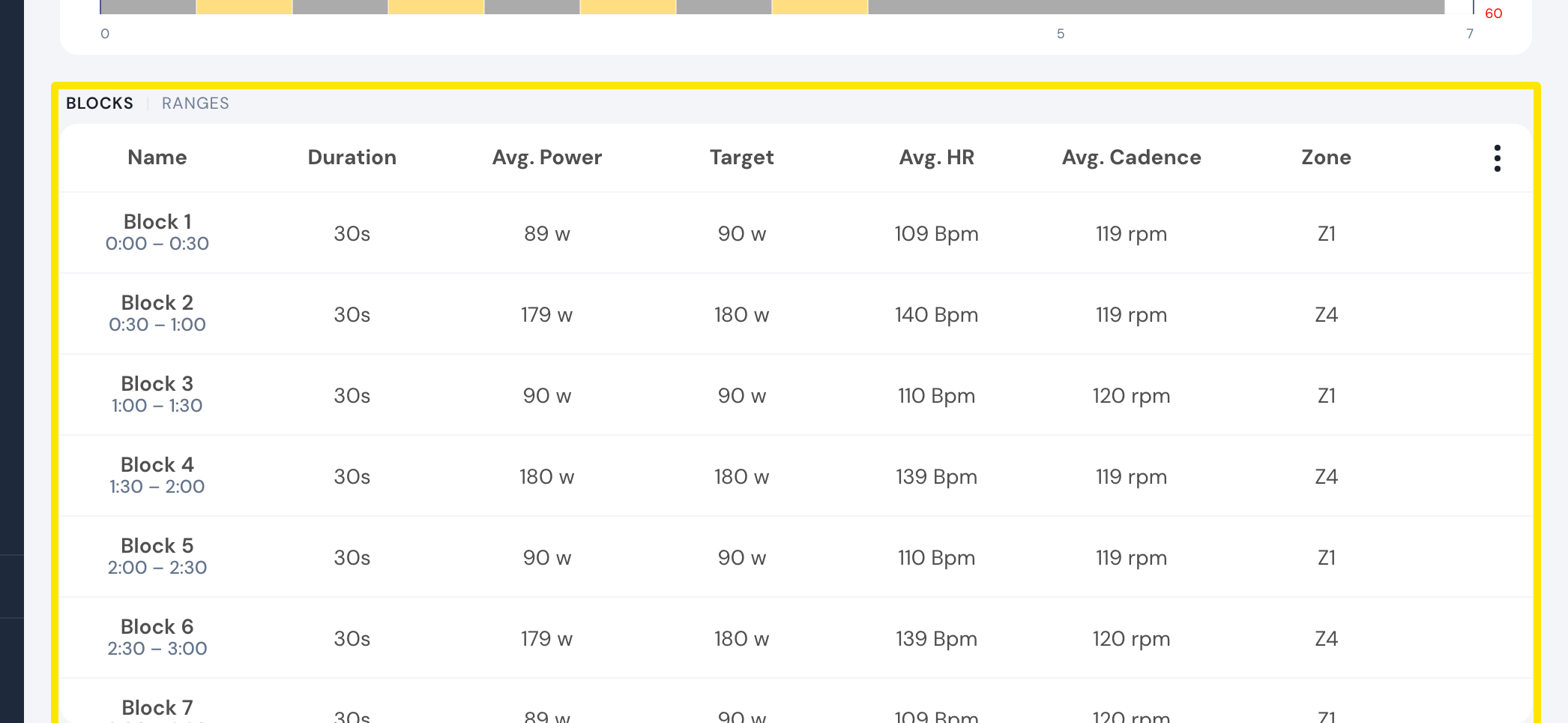 Where: Website · My Activities → click the activity's name · open it
- Click Ranges for parts you mark yourself: drag across the chart or click Add range. The Details icon on a line of the table opens that part zoomed in.
- To save the table, click the three-dots menu at its right and choose Download CSV file.
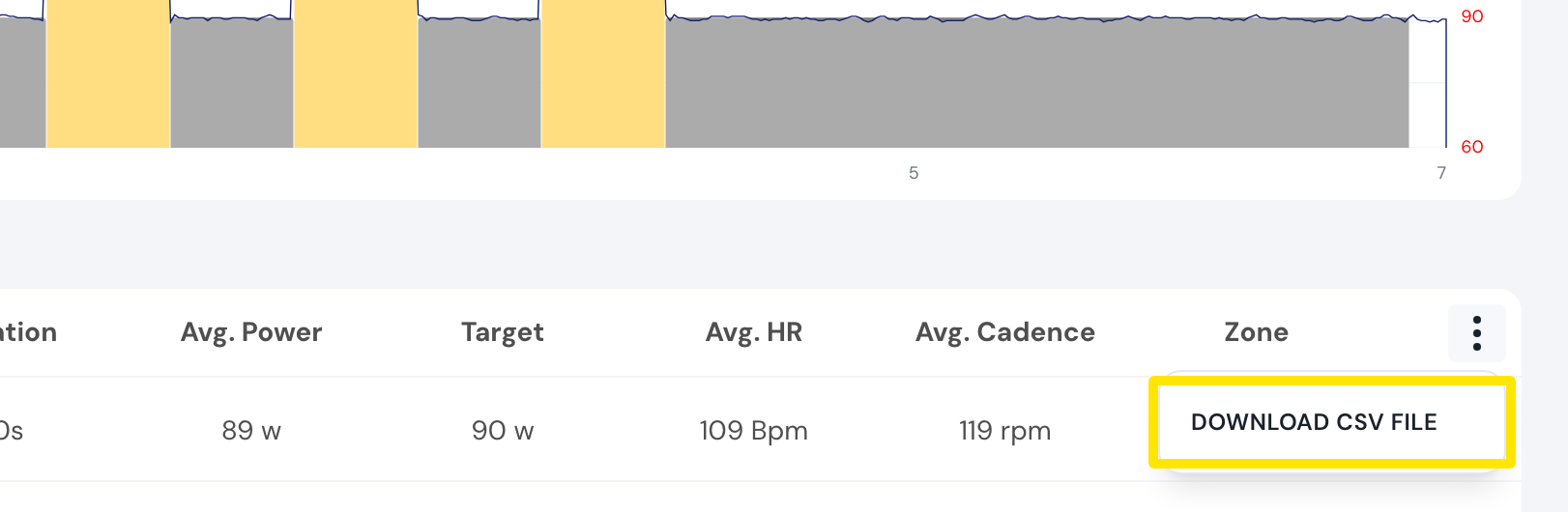 Where: Website · My Activities → click the activity's name · open it
Good to know: Blocks shows only for workouts with more than one block.
Works on: Website (Blocks, Ranges, CSV); mobile app (open the ride in Activities to see its blocks and Compare); desktop app (Activities tab → open the ride).