

How do I see the calories burned on my ride?
See a ride's calories in the TrainerDay mobile app under the ride's name, or in the desktop app under Show all stats. The website shows calories only as weekly totals on My Activities.
- In the mobile app, open the Activities tab and tap the ride. Its kcal is at the top, under the ride's name, next to the weekday and time.
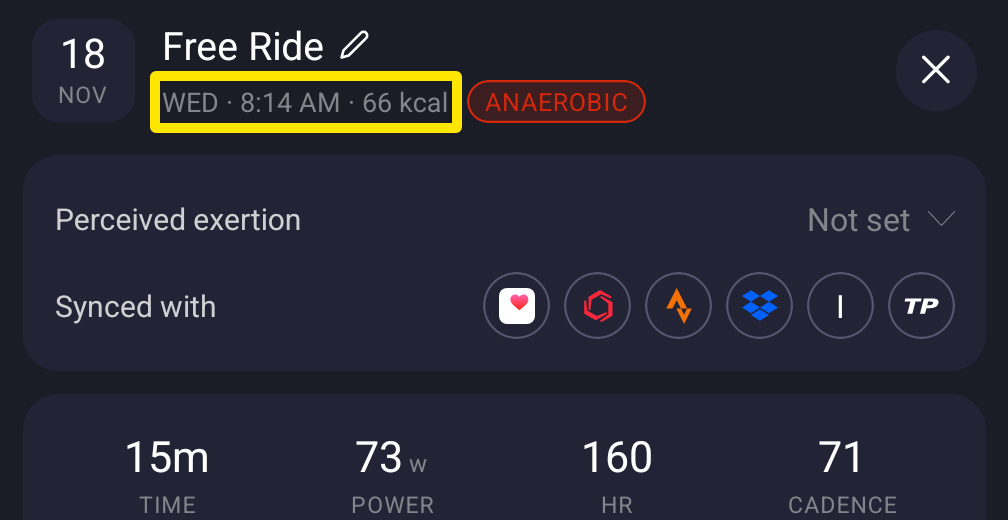 Where: Mobile app · Activities tab → tap a ride
- In the desktop app, open the Activities tab, open the ride, and click Show all stats. Find Calories in the stats.
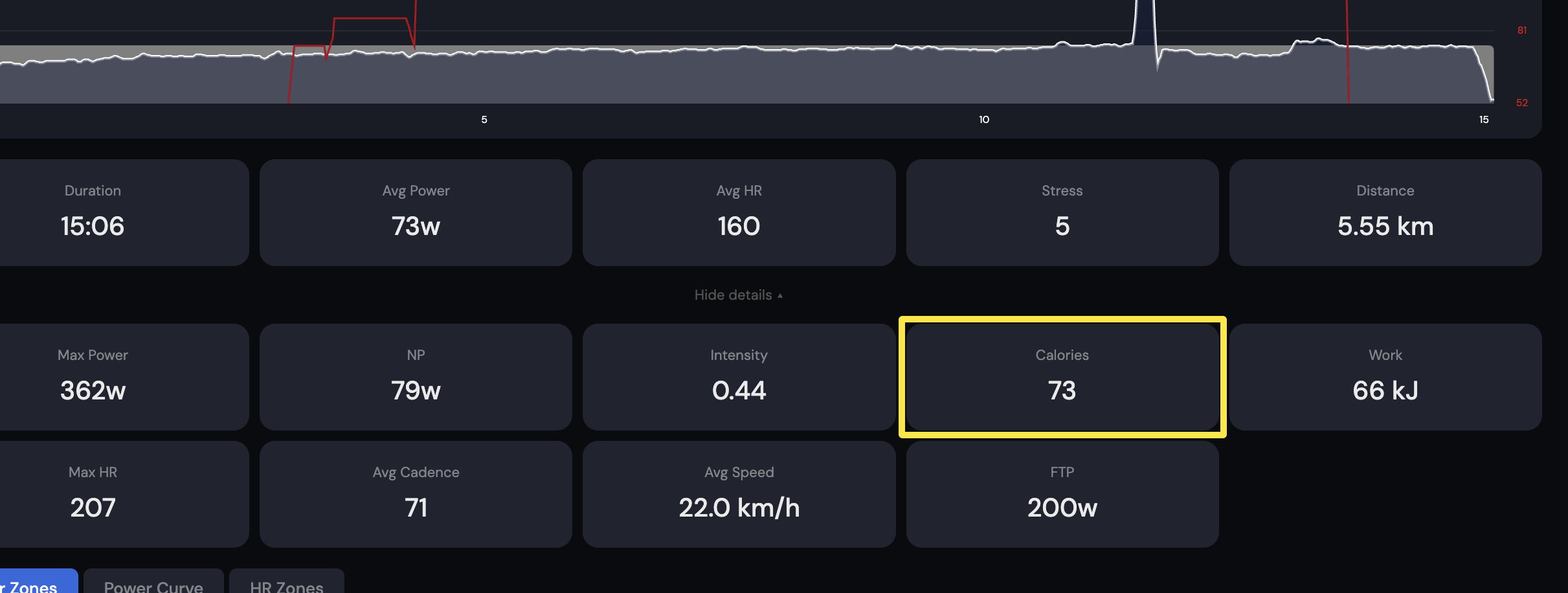 Where: Desktop app · Activities tab → open the ride → Show all stats
- On the website, click My Activities in the left sidebar. Current week shows your Calories total. Point at a bar in Weekly Cycling Hours to see that week's kcal.
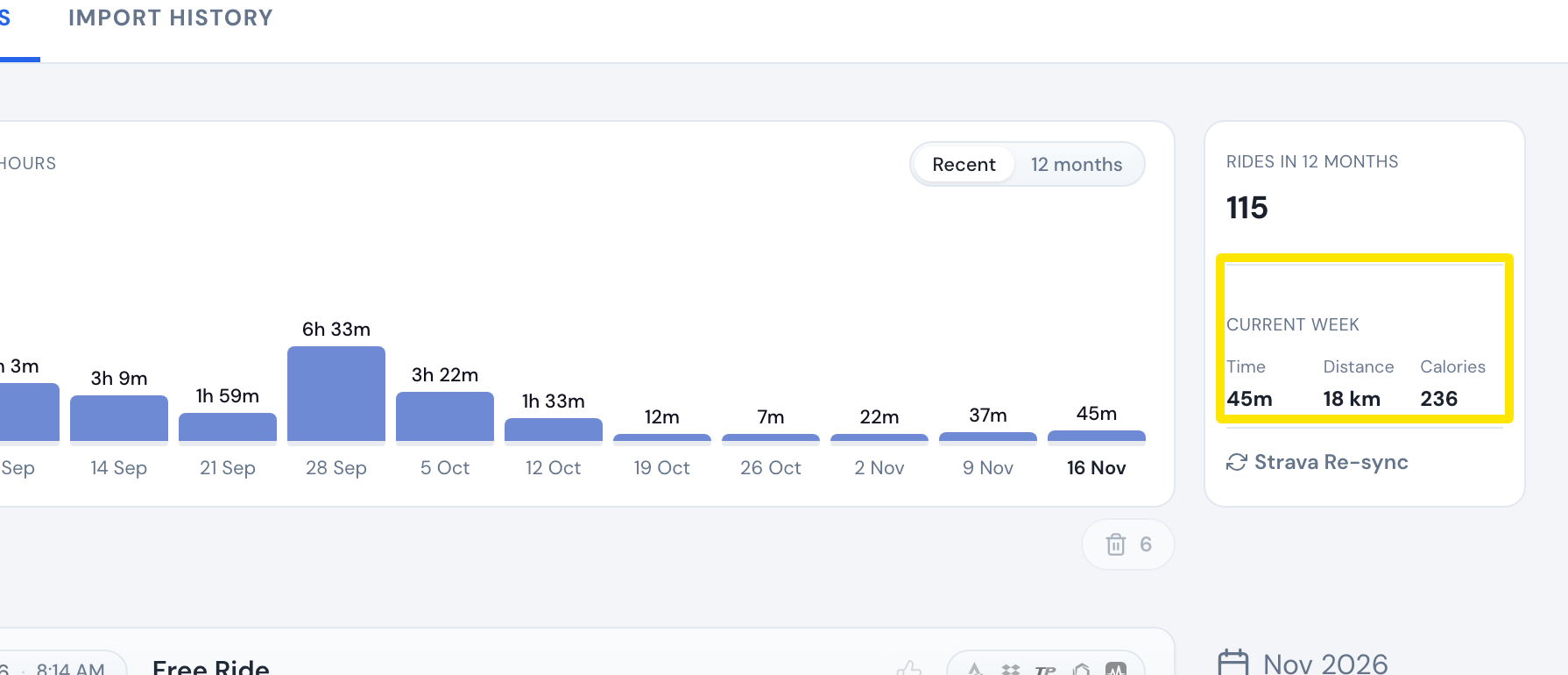 Where: Website · My Activities · open it
Good to know: A ride's own page on the website shows no calories.
Works on: Mobile and desktop apps show each ride's calories. The website shows only weekly totals.