

How do I connect my TrainingPeaks account?
Connect TrainingPeaks on the TrainerDay website: open Connections from the gear menu in the left sidebar, click Connect on the TrainingPeaks tile, and allow TrainerDay.
- On the website, click the gear icon in the left sidebar and choose Connections (app.trainerday.com/apps-and-devices).
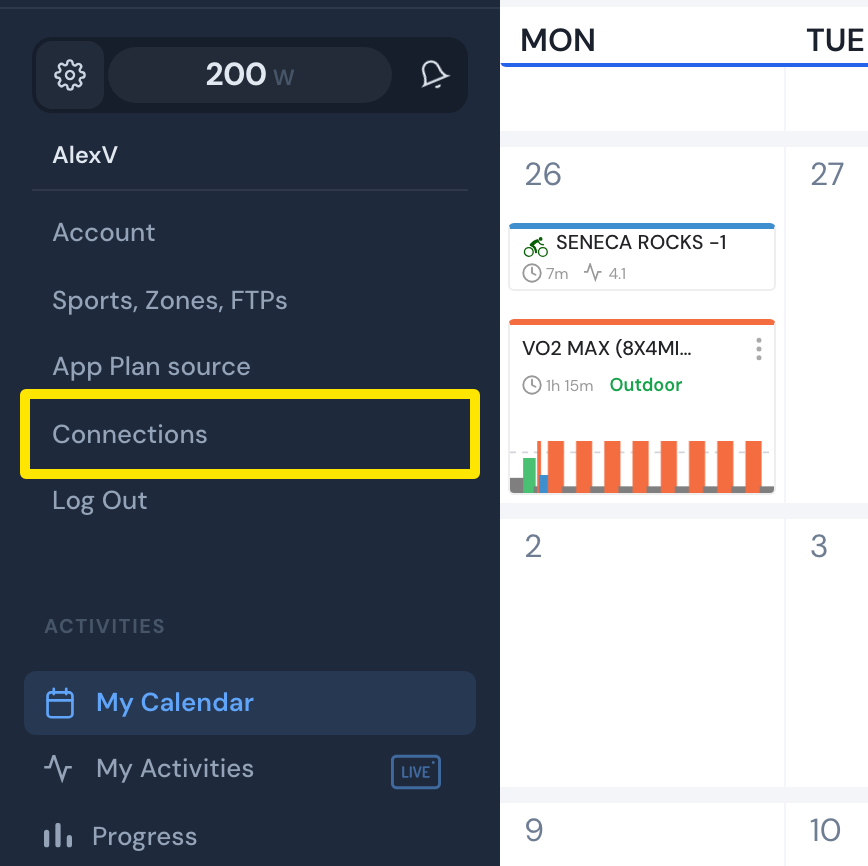 Where: Website · gear menu in the left sidebar (opened here from My Calendar) · open it
- On the Connections page, find the TrainingPeaks tile and click Connect.
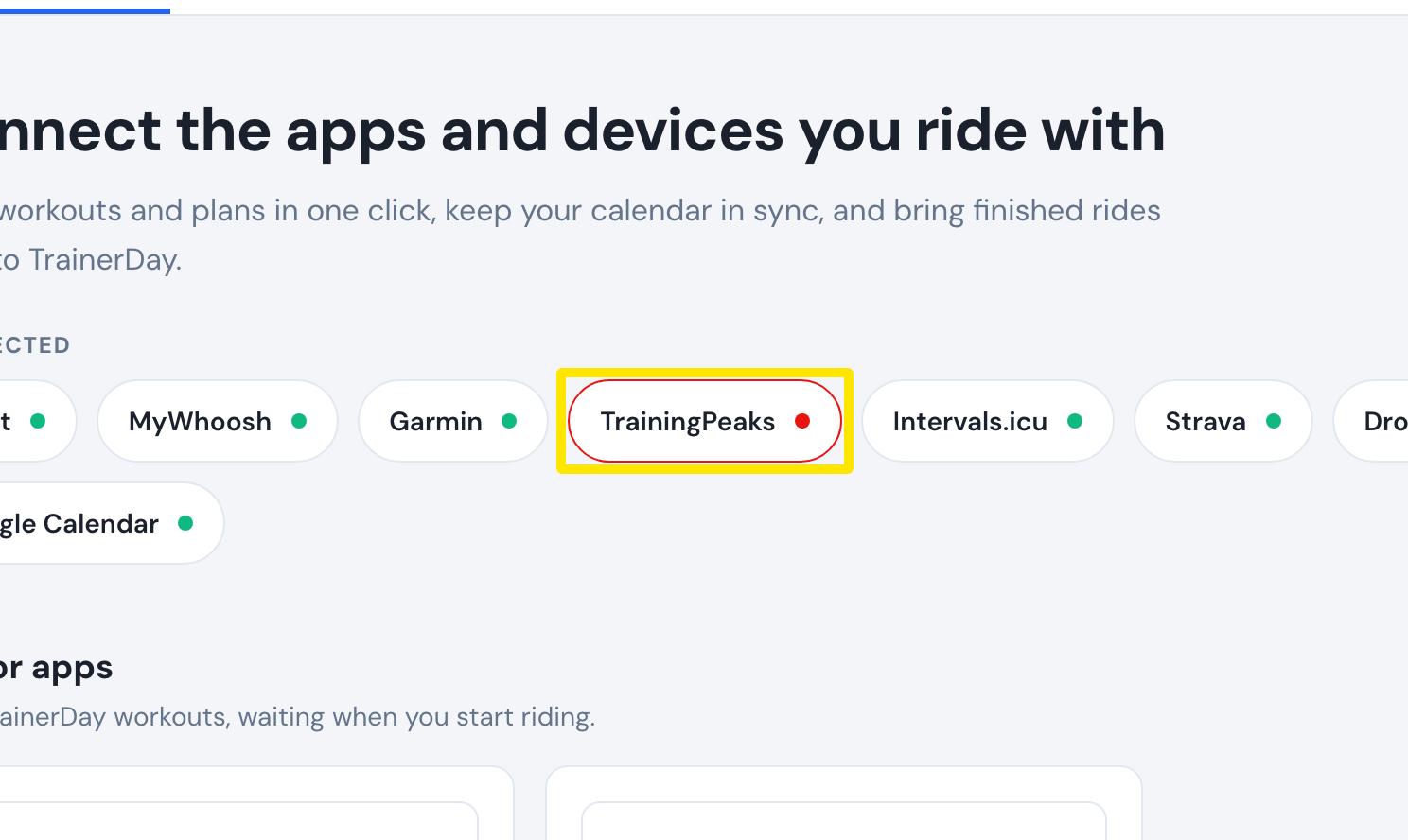 Where: Website · Connections · open it
- TrainingPeaks opens its sign-in page. Sign in and allow TrainerDay.
- You come back to Connections, with TrainingPeaks marked Connected. Its tile now has Calendar Sync, Upload Activities and Workout of the Day settings.
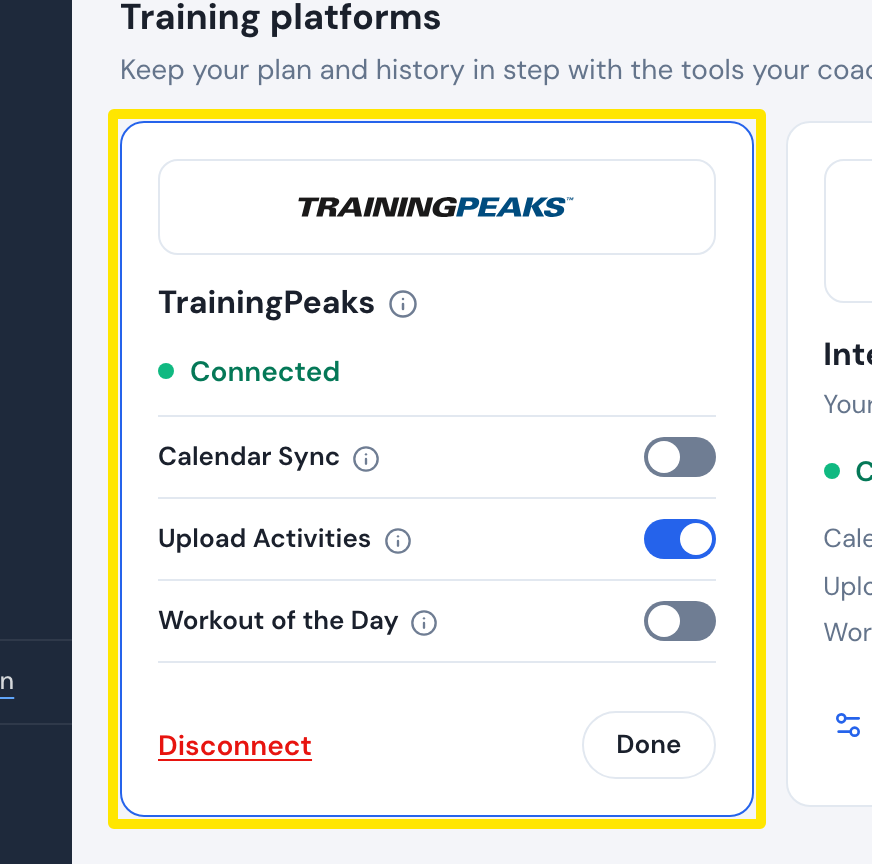 Where: Website · Connections · open it
Works on: website; mobile app (Settings → Connections → TrainingPeaks card, Connect); desktop app (TrainingPeaks is listed in the Connections panel).