

How do I upload a past ride to TrainingPeaks?
TrainerDay has no button to re-upload a past ride to TrainingPeaks, so download the ride's TCX or FIT file from My Activities on the website and upload it in TrainingPeaks yourself.
- On the website, open My Activities (https://app.trainerday.com/activities) and click the ride's name.
- Open the ride's menu (the arrow button at the top) and click Download TCX file (or Download FIT file).
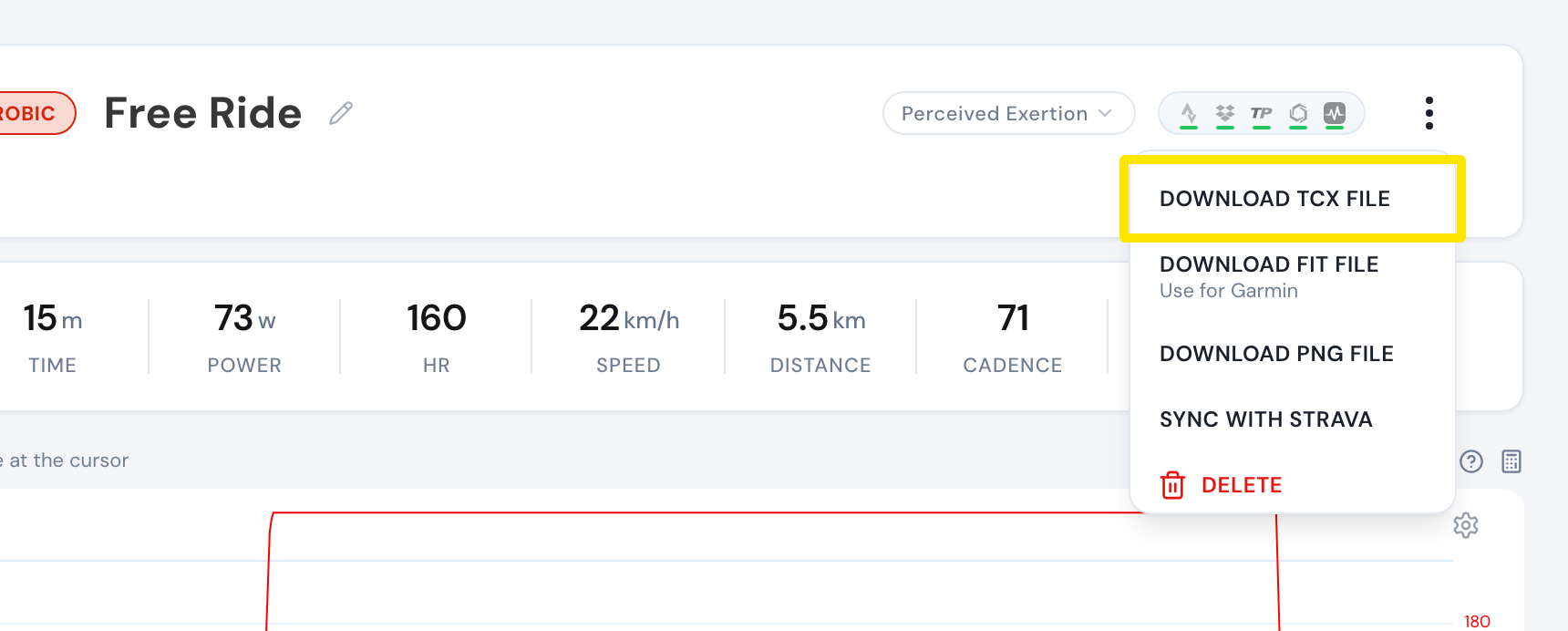 Where: Website · My Activities → click the activity's name · open it
- Upload that file in TrainingPeaks yourself.
Good to know: New rides go to TrainingPeaks automatically from every app, for paid accounts with Upload Activities on (it is on by default) on the TrainingPeaks card.
Works on: Website only. The mobile and desktop apps have no TrainingPeaks re-upload.