

Why does the workout chart show heart rate in % instead of bpm?
The chart shows heart rate relative to your Threshold HR (100% = your threshold). To read it in bpm, open a workout's page on the website and choose Heart Rate · Outdoor in the view button above the chart.
- On the website, open Search Workouts or My Workouts in the left sidebar, then click a workout to open its page.
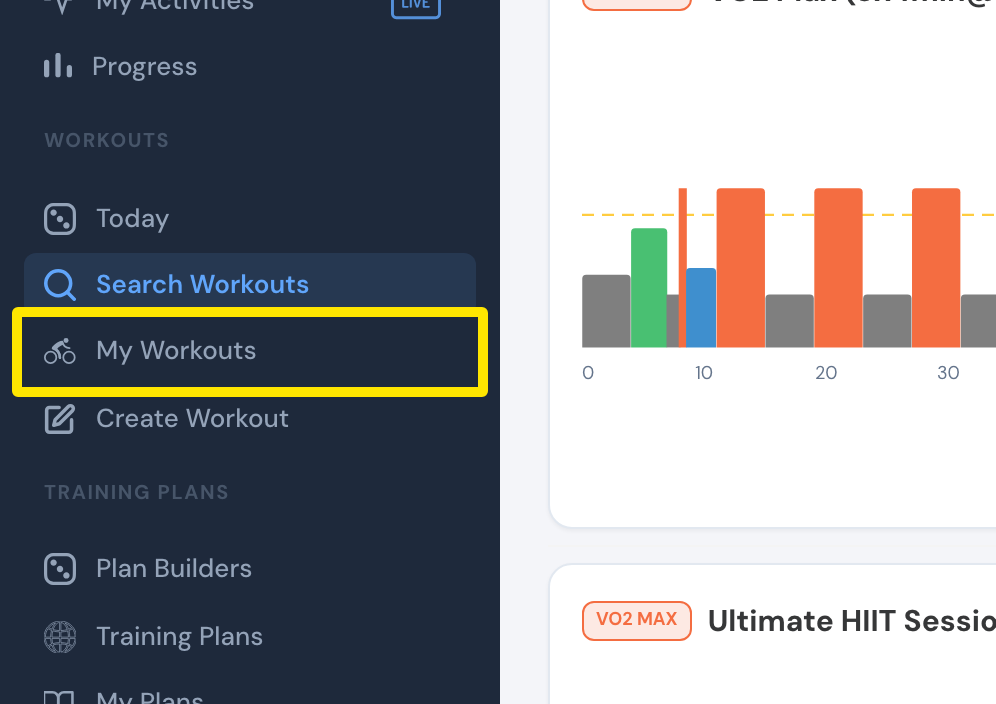 Where: Website · Search Workouts, left sidebar · open it
- On the workout's page, click the view button above the chart and choose Heart Rate · Outdoor.
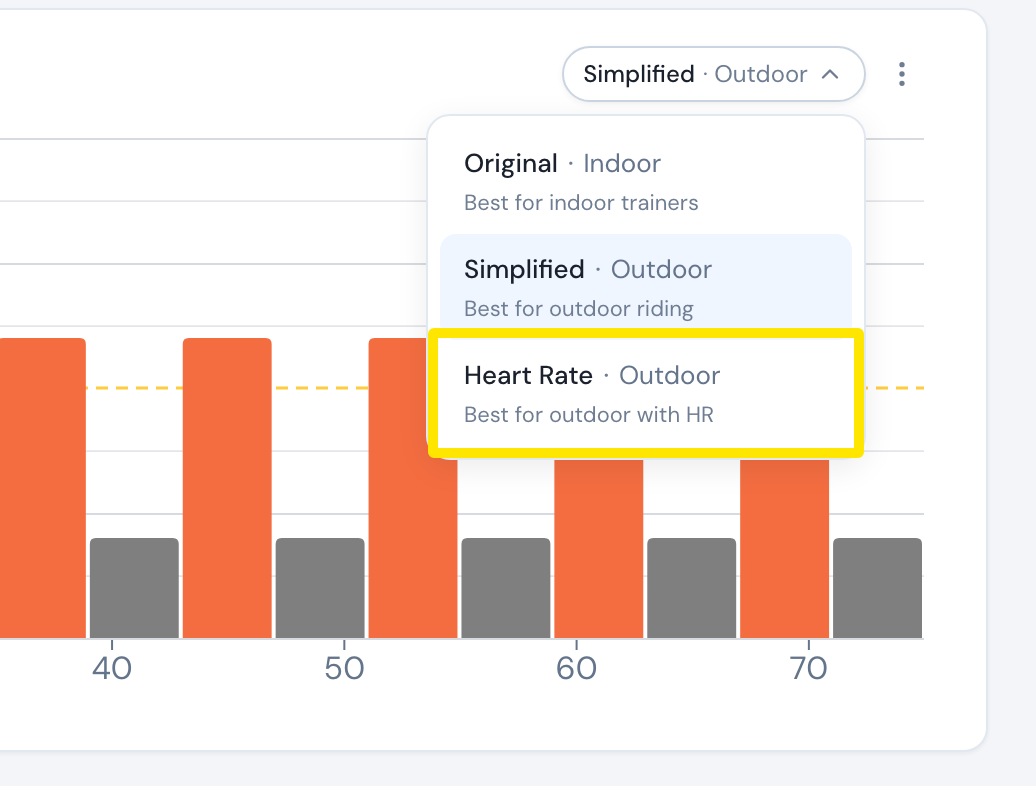 Where: Website · a workout's page (click a workout in Search Workouts or My Workouts)
- The chart's scale now reads in bpm, labeled like 150 HR. The dashed line is your threshold heart rate, the old 100% line.
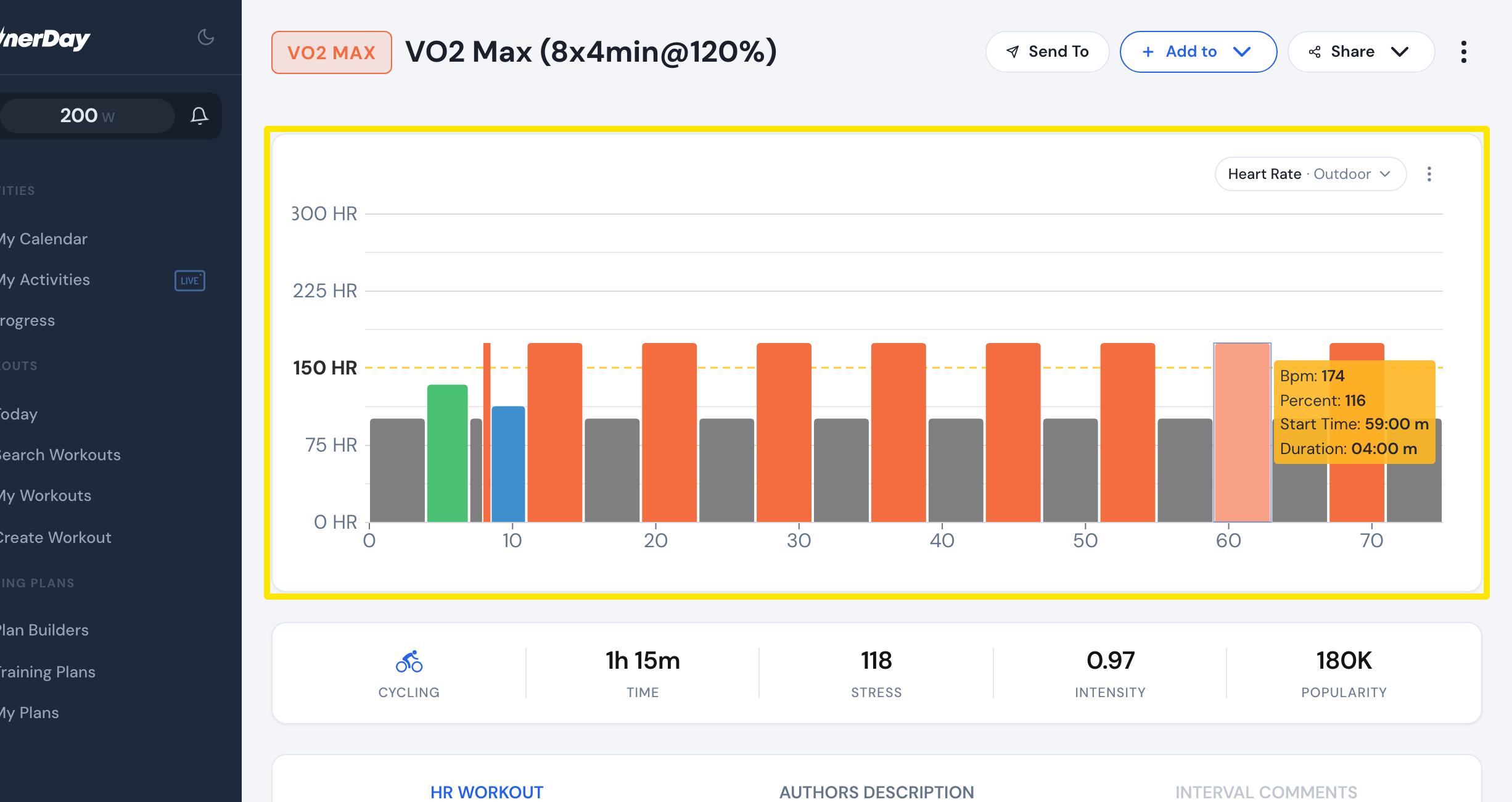 Where: Website · a workout's page (click a workout in Search Workouts or My Workouts)
Good to know: The bpm numbers come from your Threshold HR. To change it, go to Account → Profile on the website and click Save. Use the heart rate you can hold for about an hour, not your max.