

怎麼用 PayPal 付款?
在網站的訂閱頁面用 PayPal 付款購買 TrainerDay Pro:點付款按鈕下方的 Paypal 連結,選年度或 4 個月方案,再到 PayPal 確認授權。
- 登入 TrainerDay 網站,打開 trainerday.com/subscribe。
- 在付款按鈕下方的「Or you can use Paypal or Stripe for 4-month or 12-month plans」這句中,點 Paypal。
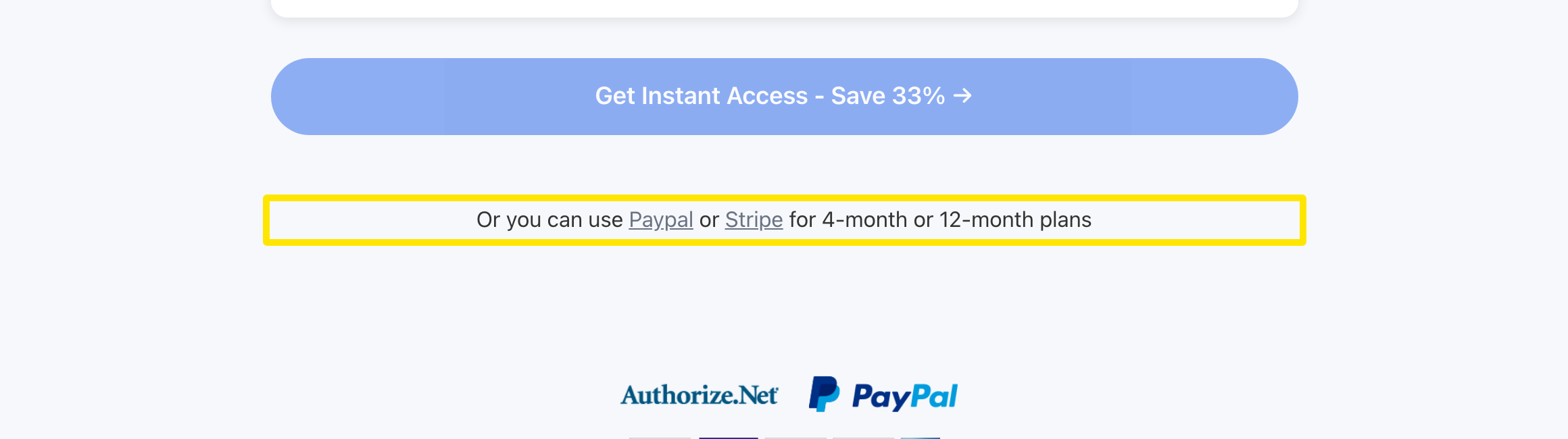 位置:網站 · trainerday.com/subscribe
- 選擇 年度 方案($39.99)或 4 個月方案($19.39),並保持選取 PayPal。
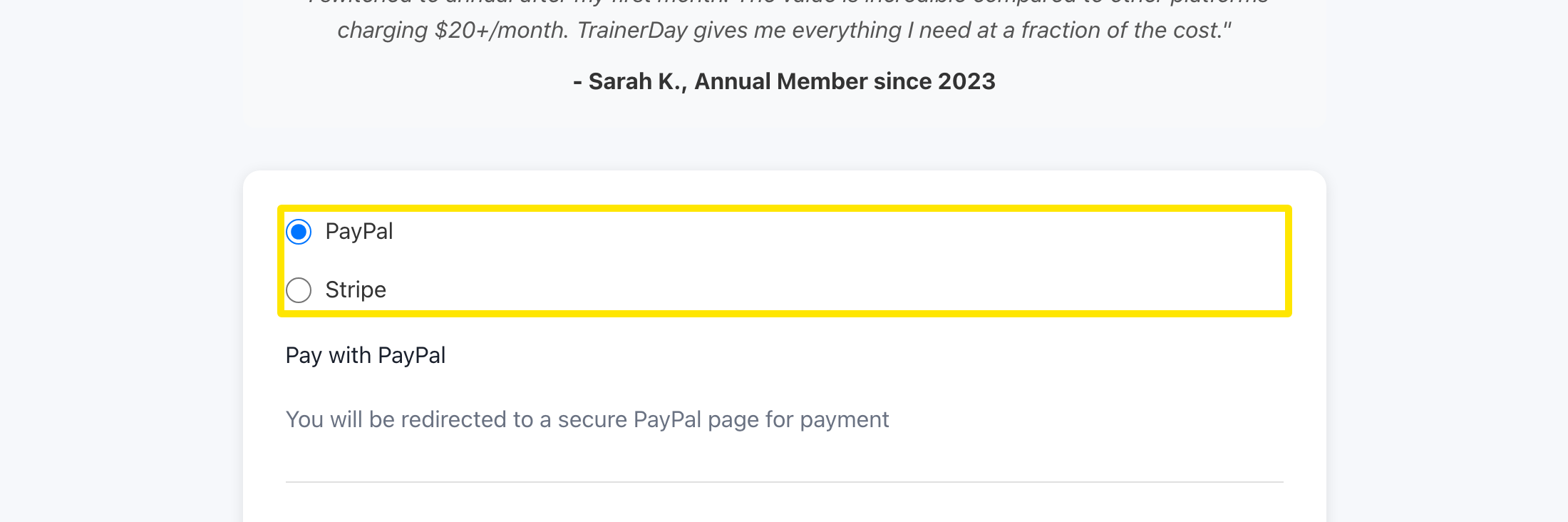 位置:網站 · trainerday.com/subscribe
- 按表單下方的按鈕(年度方案是 Get Instant Access - Save 33% →)。接著會開啟 PayPal 讓你確認訂閱,完成後會回到 TrainerDay。
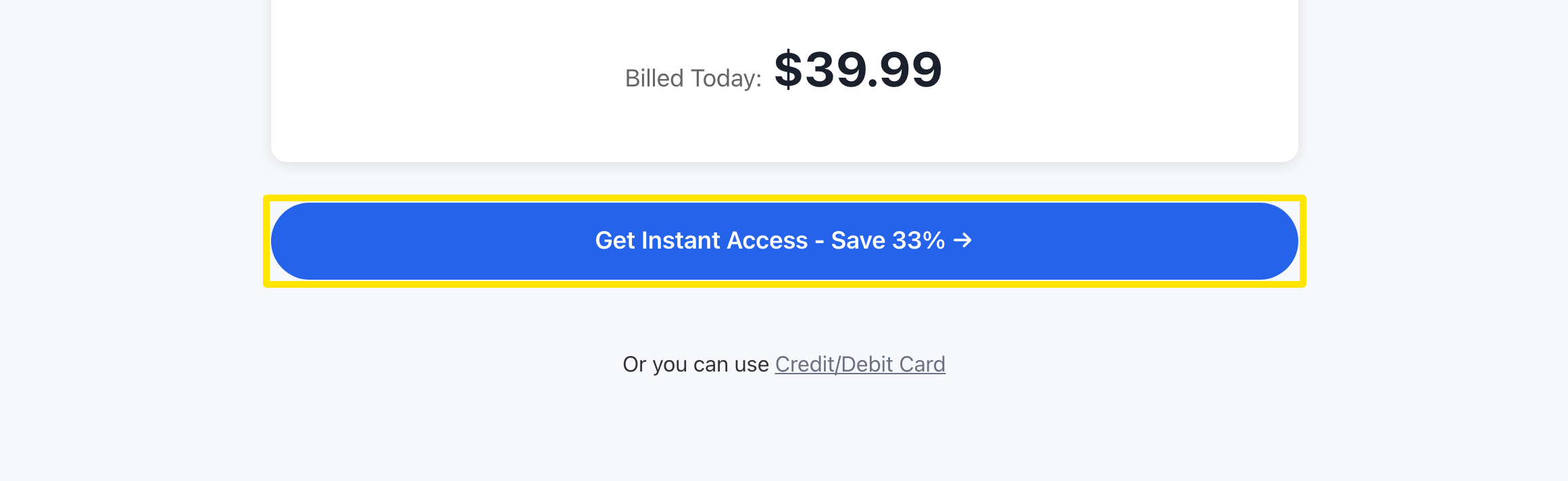 位置:網站 · trainerday.com/subscribe
- 想查看訂閱狀況,請打開帳戶的 訂閱狀態 頁面。
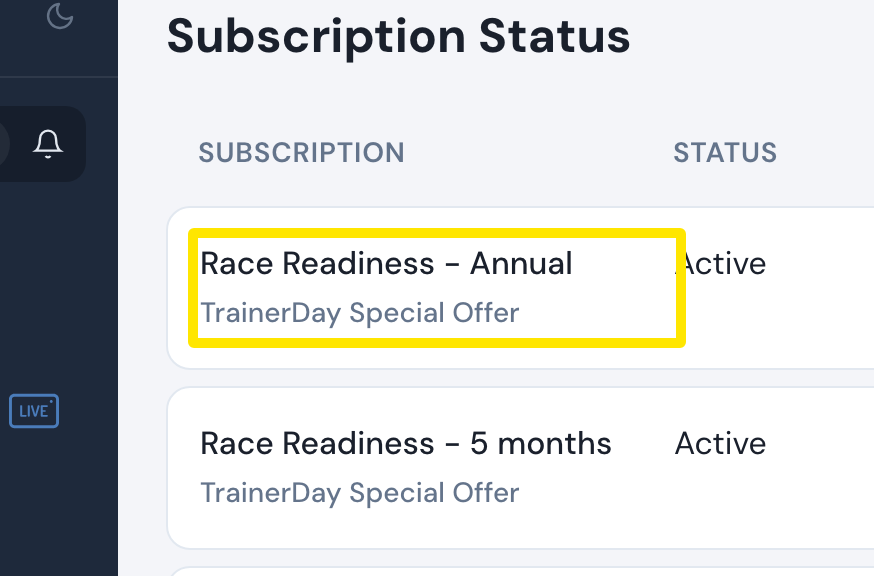 位置:網站 · app.trainerday.com/account/subscription · 開啟
小提醒: PayPal 以美元扣款,只提供年度和 4 個月方案(月度方案只能用信用卡),也不能使用優惠碼。
適用於: 僅限網站。手機 App 是透過 App Store 或 Google Play 販售 Pro。