

怎麼選擇訂閱的付款方式?
TrainerDay 在網站上接受信用卡或簽帳金融卡、PayPal 或 Stripe,也可以透過 Apple App Store 或 Google Play 在 App 內購買。不支援銀行轉帳、自動扣款或加密貨幣。
TrainerDay 不接受銀行轉帳、自動扣款或加密貨幣。你可以在網站上用信用卡、PayPal 或 Stripe 付款,或在手機 App 裡透過 App Store 或 Google Play 付款。
- 登入網站並打開 trainerday.com/subscribe。也可以打開 trainerday.com/pricing,點 Pro 下方的 立即升級。
- 選擇 年度 或 月度。要用信用卡付款,請填寫方案下方的 Pay with Card 表單。選 Use existing card,或選 Use new card 並輸入卡片資料。
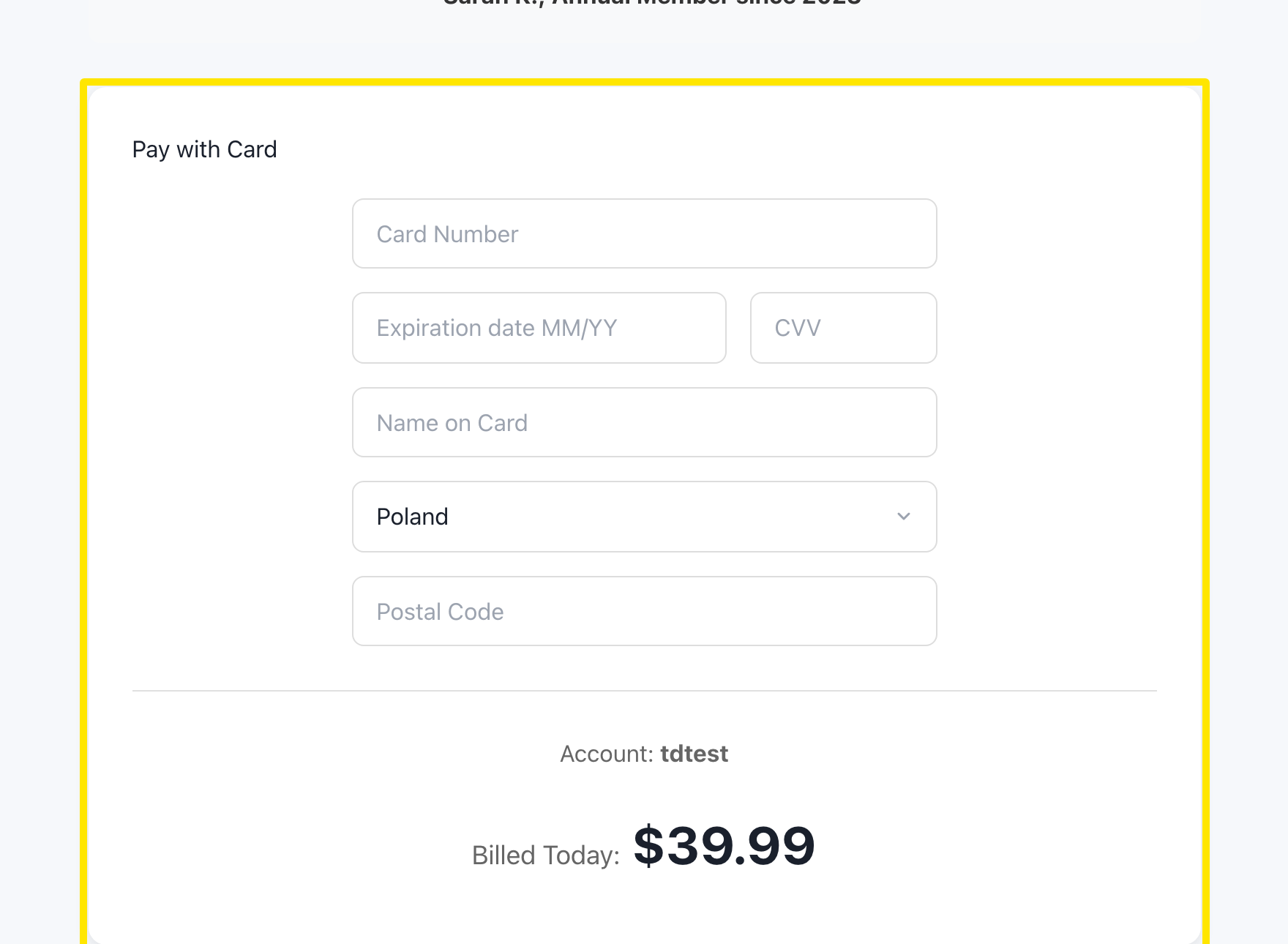 位置:網站 · trainerday.com/subscribe
- 如果想改用 PayPal 或 Stripe 付款,請在按鈕下方的「Or you can use Paypal or Stripe for 4-month or 12-month plans」中點 Paypal 或 Stripe。
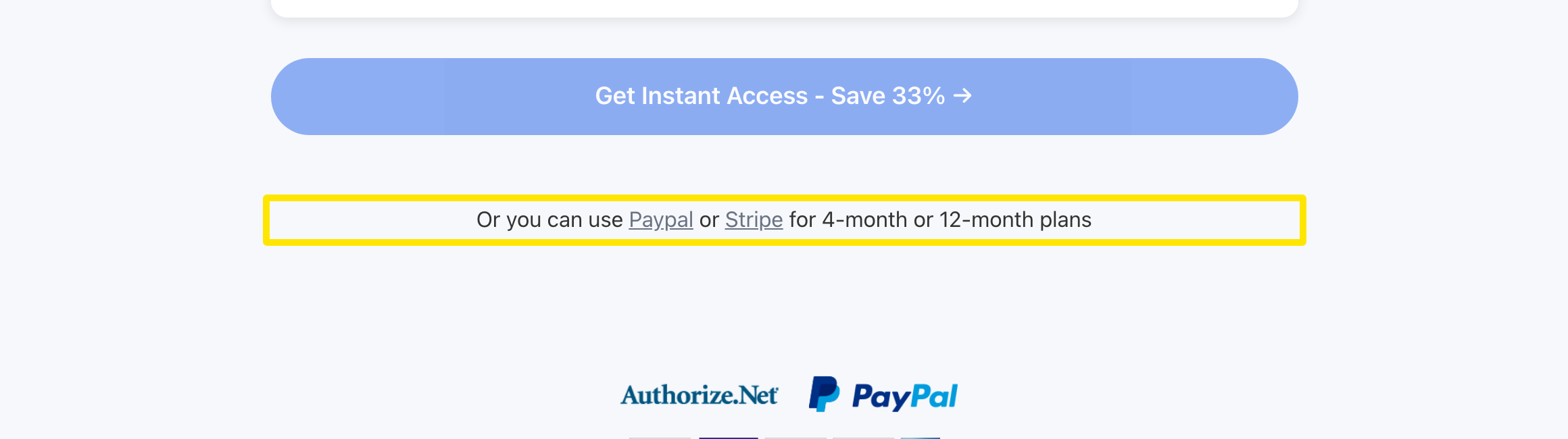 位置:網站 · trainerday.com/subscribe
- 頁面會顯示各個方案卡片。選擇 年度 或 Pro - 4 months,再選 PayPal 或 Stripe。
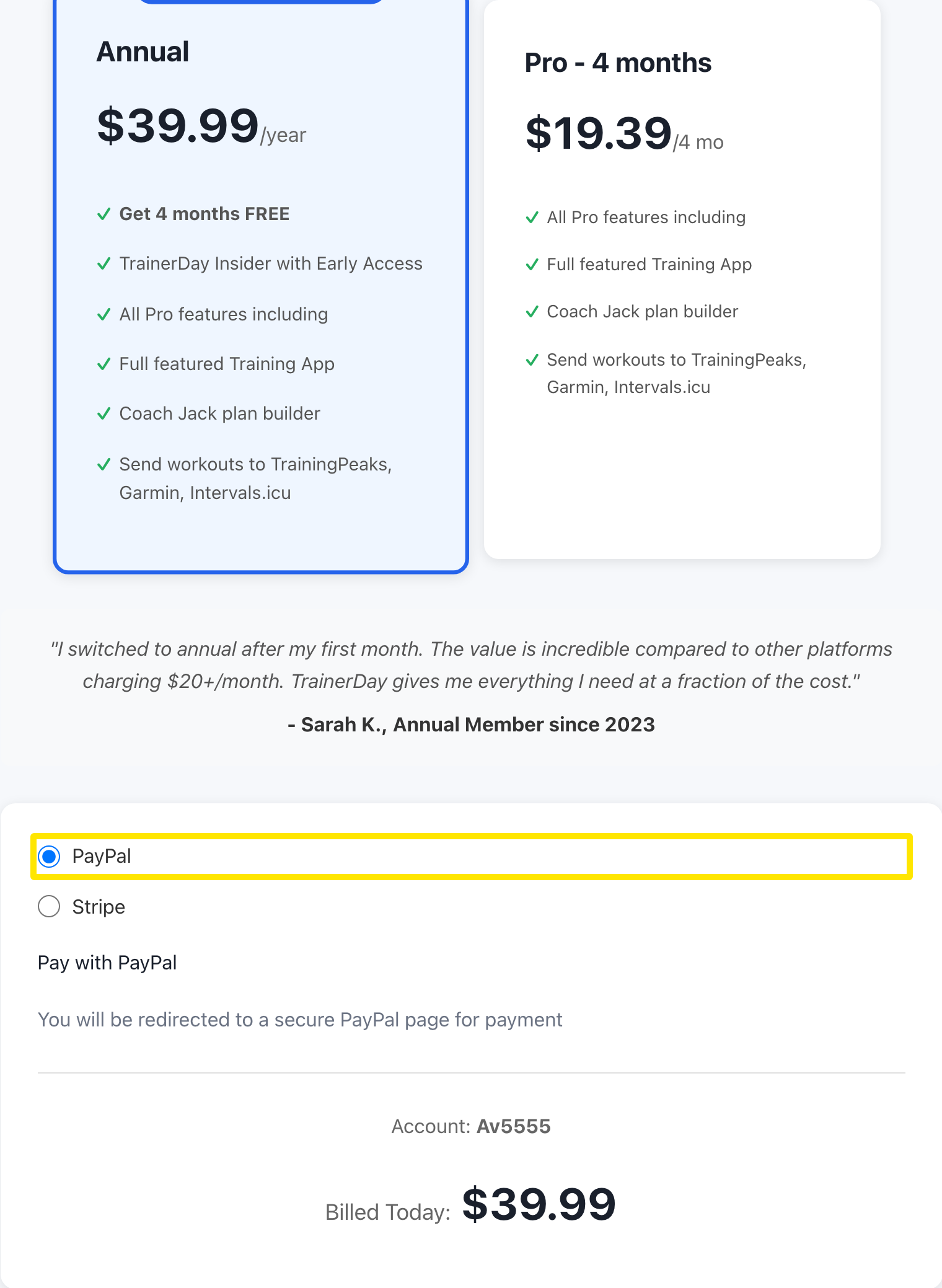 位置:網站 · trainerday.com/subscribe
- 按表單下方的按鈕,例如年度方案的 Get Instant Access - Save 33% →。如果用 PayPal,會開啟 PayPal 頁面讓你確認訂閱,之後再回到 TrainerDay。
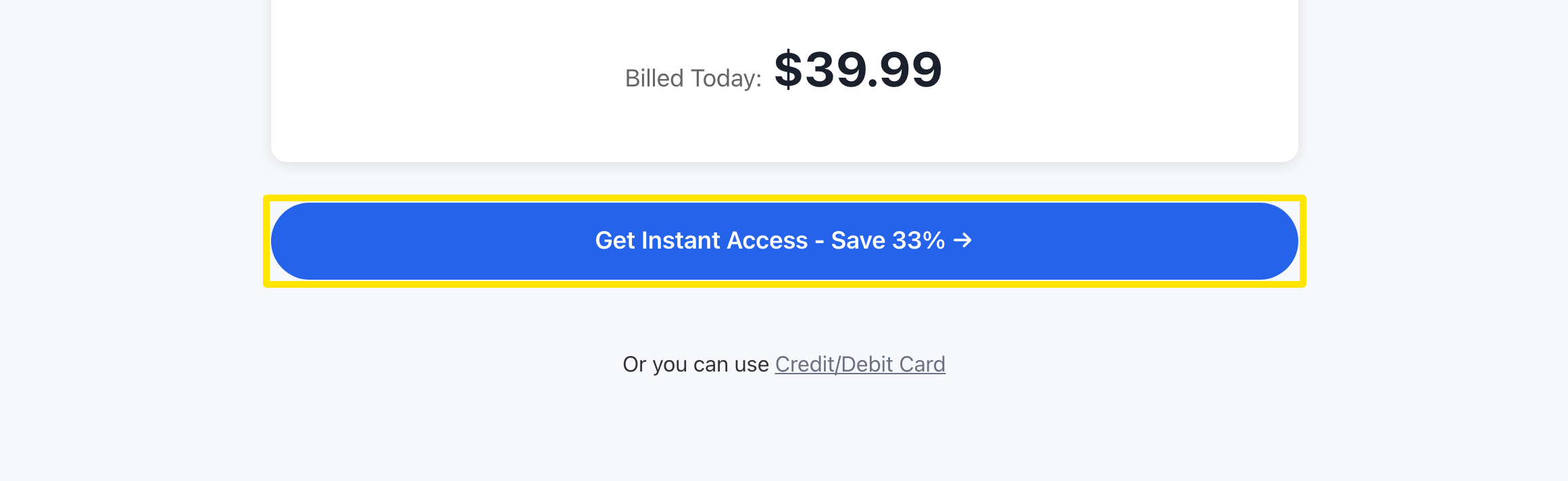 位置:網站 · trainerday.com/subscribe
小提醒: 在網站購買比透過 App Store 或 Google Play 便宜,價格已含增值稅。如果你的銀行或信用卡出問題,可以改在手機 App 裡購買。
適用於: 網站(信用卡、PayPal、Stripe);iPhone 和 Android(App Store 或 Google Play)