

How do I identify a small charge from TrainerDay on my bank statement?
A small TrainerDay charge is usually a card check or a payment you can match by amount and date in Payment History on the TrainerDay website's subscription page.
- On the website, click the gear icon at the top of the left menu and choose Account.
- Under Account Information, click Manage your subscription.
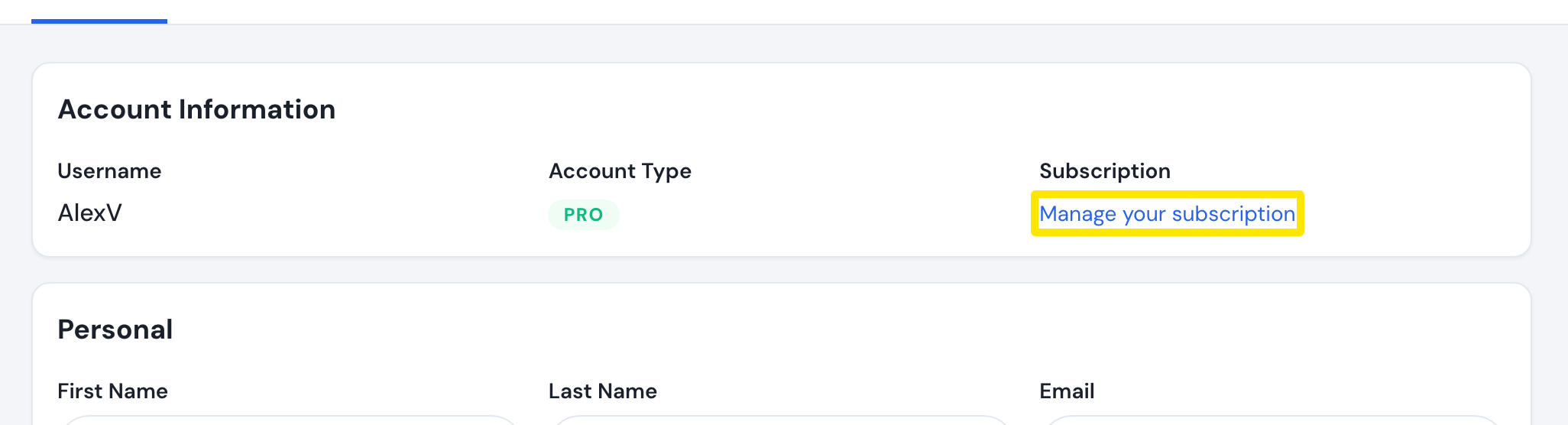 Where: Website · Account · open it
- Scroll to Payment History: each payment has its Amount and Date. Match them to the charge on your statement.
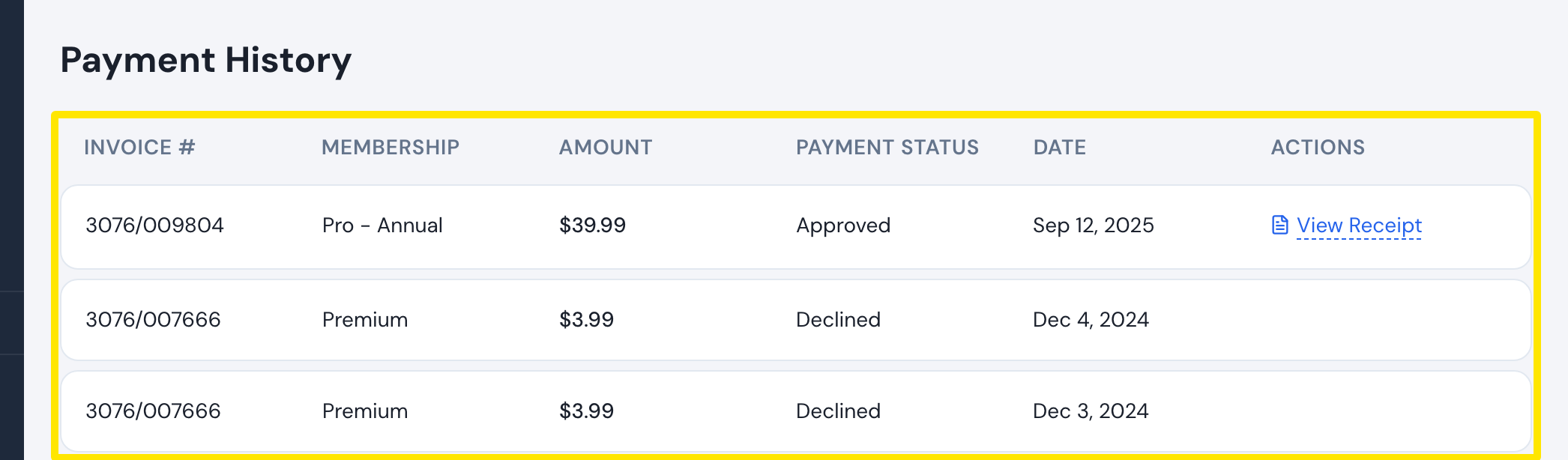 Where: Website · subscription page · open it
- Click View Receipt on a card, PayPal or Stripe payment to see its receipt.
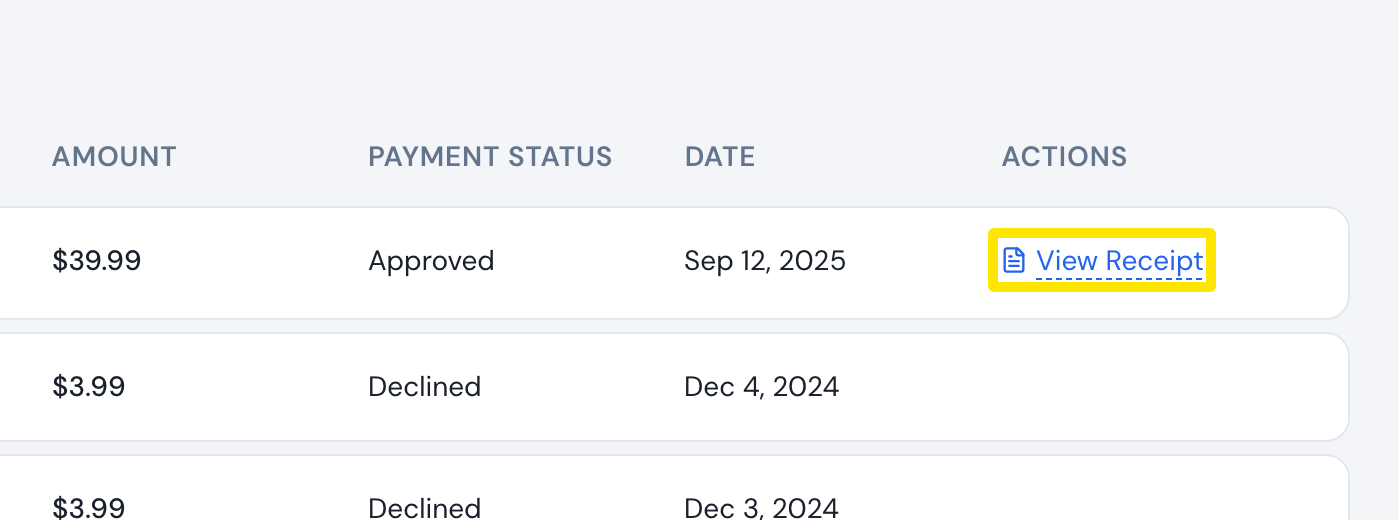 Where: Website · subscription page · open it
Good to know: A 0.96 charge is a card verification charge. When you add a card, TrainerDay may also check it with a $0 (sometimes $0.01) authorization that is voided at once, so nothing is charged. App Store and Google Play payments show as Premium App, in the store's currency.