

How do I check that my subscription is cancelled?
Check your subscription status on the TrainerDay website's Manage your subscription page to confirm it is cancelled and won't renew.
- On the website, click the gear icon at the top of the left menu and choose Account.
- Under Account Information, click Manage your subscription.
- In the Subscription Status table, check the Status column. Canceled (with "- Still working" until the Expiration Date) means it is cancelled, and the Actions column shows Resume instead of Cancel subscription. Active with "Renewal Date" under the date means it is still renewing.
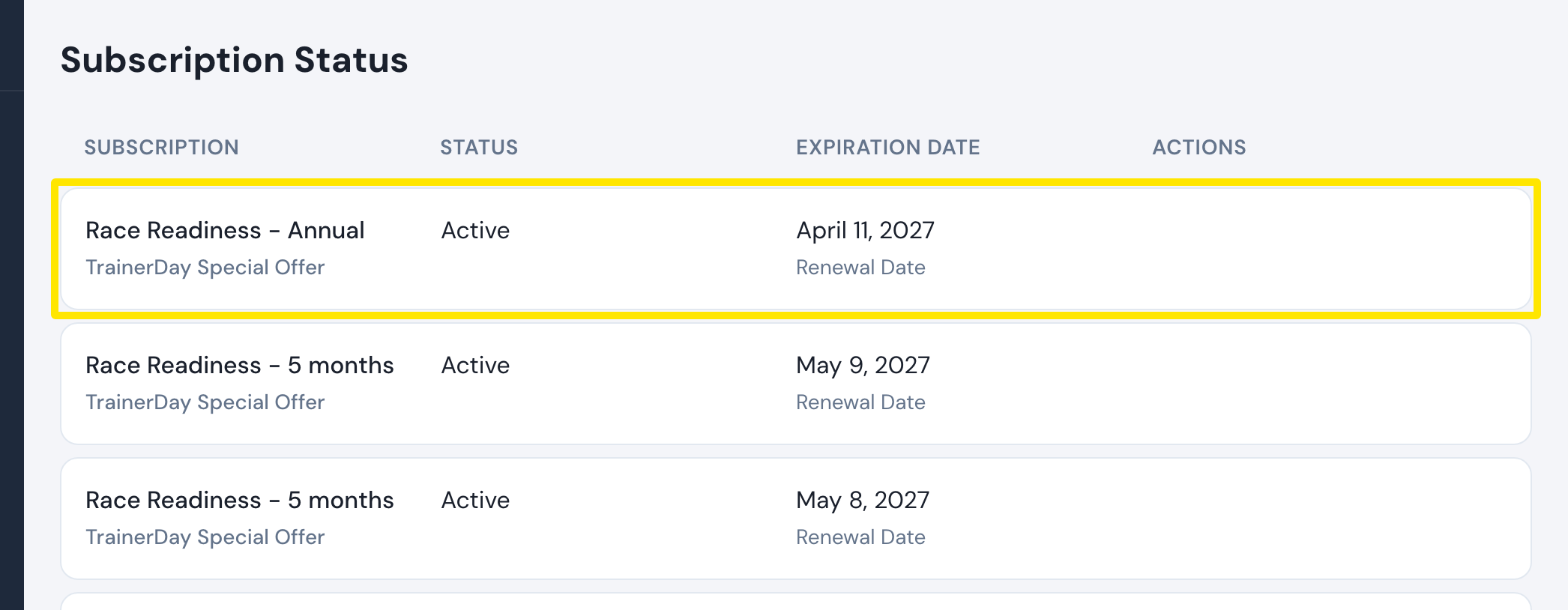 Where: Website · Manage your subscription · open it
Good to know: Three days before a cancelled subscription ends, TrainerDay emails you a reminder that auto-renewal is off, with a link to the subscription page. If you don't see your subscription, check that you are logged in with the email you subscribed with.
Works on: Website. In the mobile app, check a store subscription in the App Store or Google Play subscriptions page. The desktop app has no subscription screen.