

How do I fix a Today workout that doesn't match my plan?
Fix a Today workout that doesn't match your plan by picking the right plan source on the TrainerDay website, and if you use My Calendar, removing the wrong plan and sending the right one to the calendar.
- On the TrainerDay website, open the settings menu (gear icon) at the bottom of the left sidebar and click App Plan source.
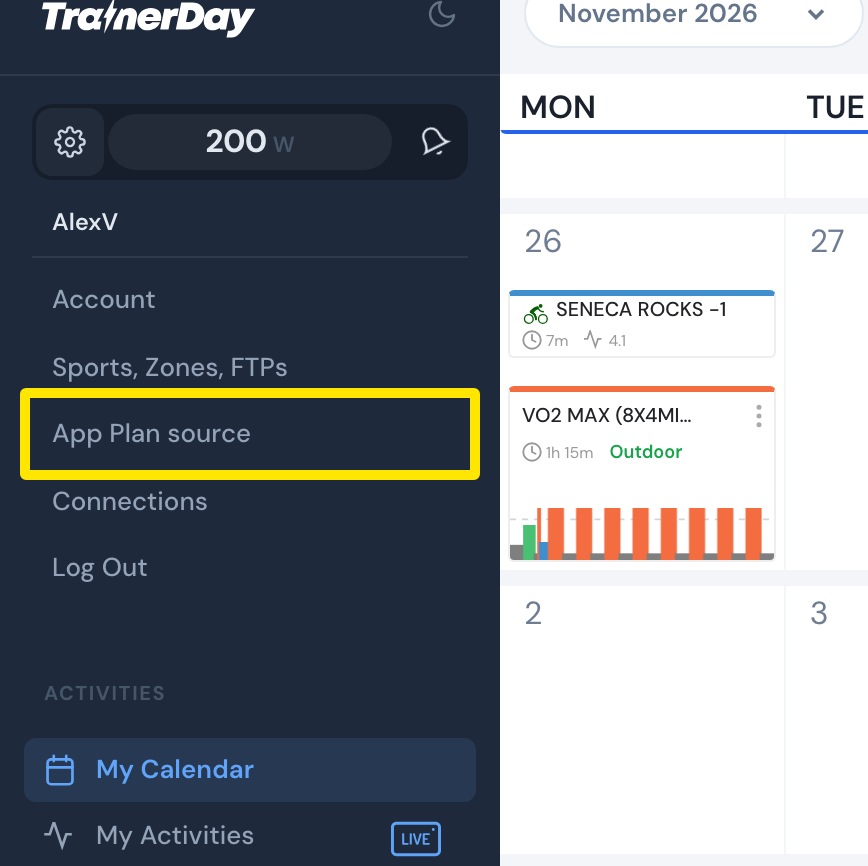 Where: Website · My Calendar · open it
- Under Select plan source, choose the source Today should follow: My Calendar, My Plans (with the plan), TrainingPeaks WOD or Intervals.icu WOD. Click Save.
- If you chose My Calendar, open My Calendar and click Plans. Click the trash icon next to the wrong plan, then send the right plan to the calendar.
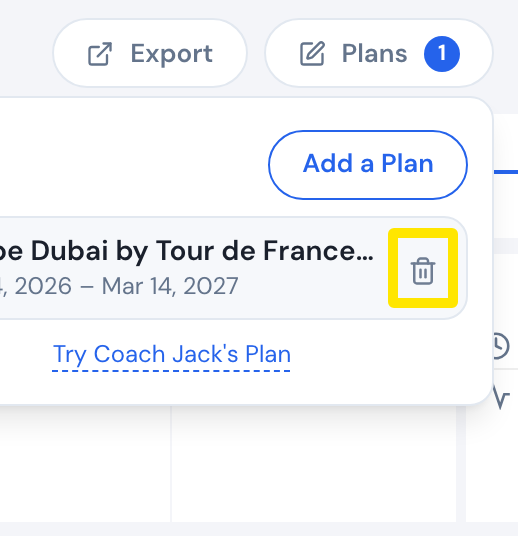 Where: Website · My Calendar · open it
Good to know: With My Plans, Today shows the plan's next workout after the last one you completed, not the one for today's date. With My Calendar, it shows today's calendar workout.
Works on: Set the source on the website; the mobile and desktop apps' Today follow it.