

How do I connect ANT+ trainers and sensors to TrainerDay?
Connect ANT+ trainers, power meters and heart rate monitors in the TrainerDay desktop app for Mac or Windows using a USB ANT+ stick, from the Devices window.
- Open the TrainerDay desktop app on Mac or Windows (download it if needed). Plug your ANT+ USB stick (for example the Garmin ANT USB Stick 2) into the computer. On Windows, first install the WinUSB driver with Zadig. On a Mac, no driver is needed; quit Garmin Express if it is running.
- Click the Bluetooth / ANT+ icon button at the top right. The Devices window opens and starts scanning. The top line should say "ANT+ ready" with your stick's name.
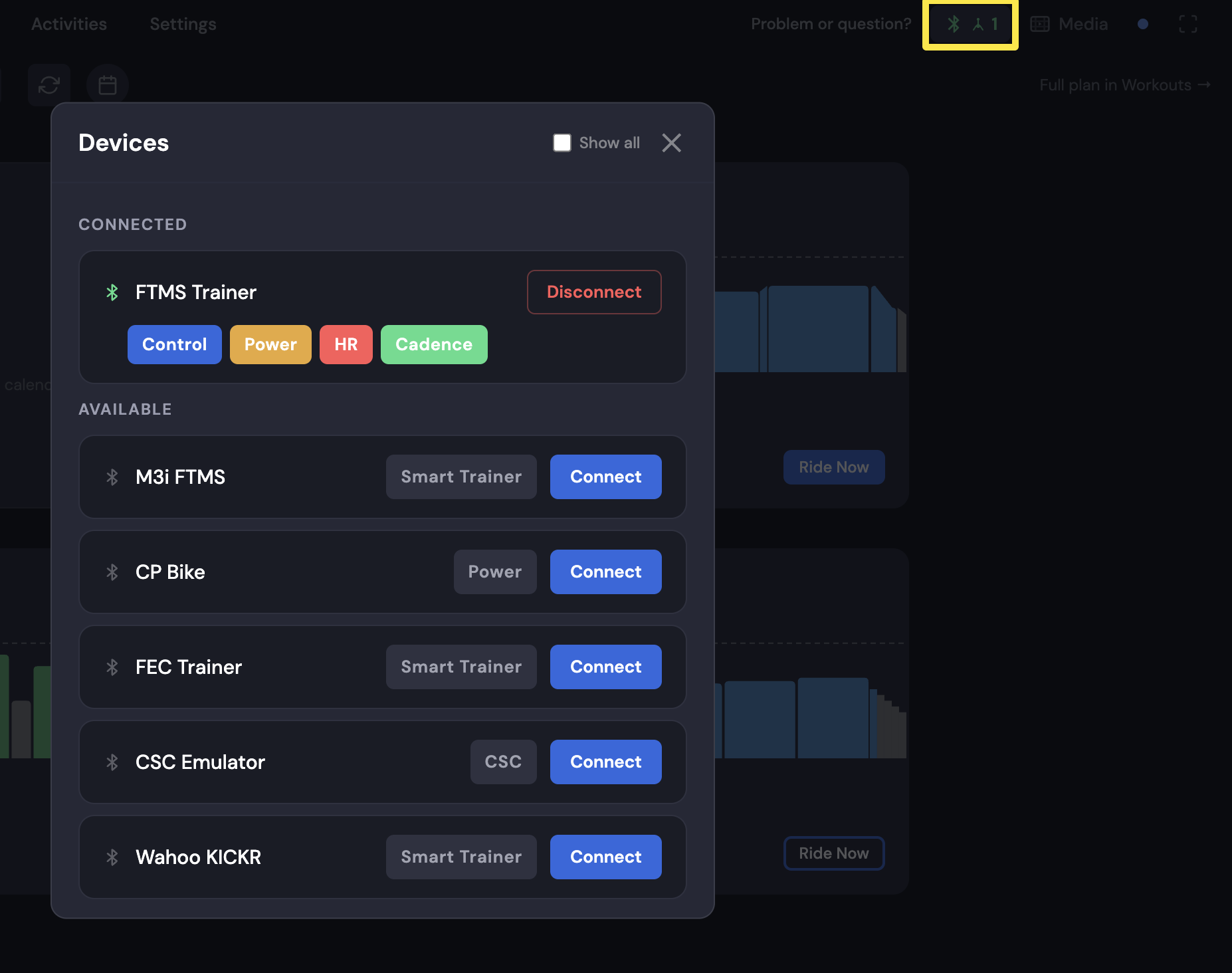 Where: Desktop app · Today tab
- Wake the device: pedal, or put on the heart rate strap. It appears under AVAILABLE as "ANT+ Trainer #…", "ANT+ Power #…" or "ANT+ HR #…".
- Click Connect. The app remembers the device and connects to it by itself the next time it starts.
Good to know: ANT+ speed and cadence sensors are not found. Close Zwift or any other app using the trainer or stick first.
Works on: Mac and Windows desktop app (Linux after a one-time setup). Not on iPhone, Android or the website.