

How do I choose Bluetooth or ANT+ to control my trainer?
In the desktop app, open the Devices window, connect your trainer's Bluetooth or ANT+ entry, and make sure that entry has the Control tag switched on.
- In the desktop app (Mac or Windows, with an ANT+ USB stick for ANT+), click the Bluetooth / ANT+ icon button at the top right. The Devices window opens and starts scanning.
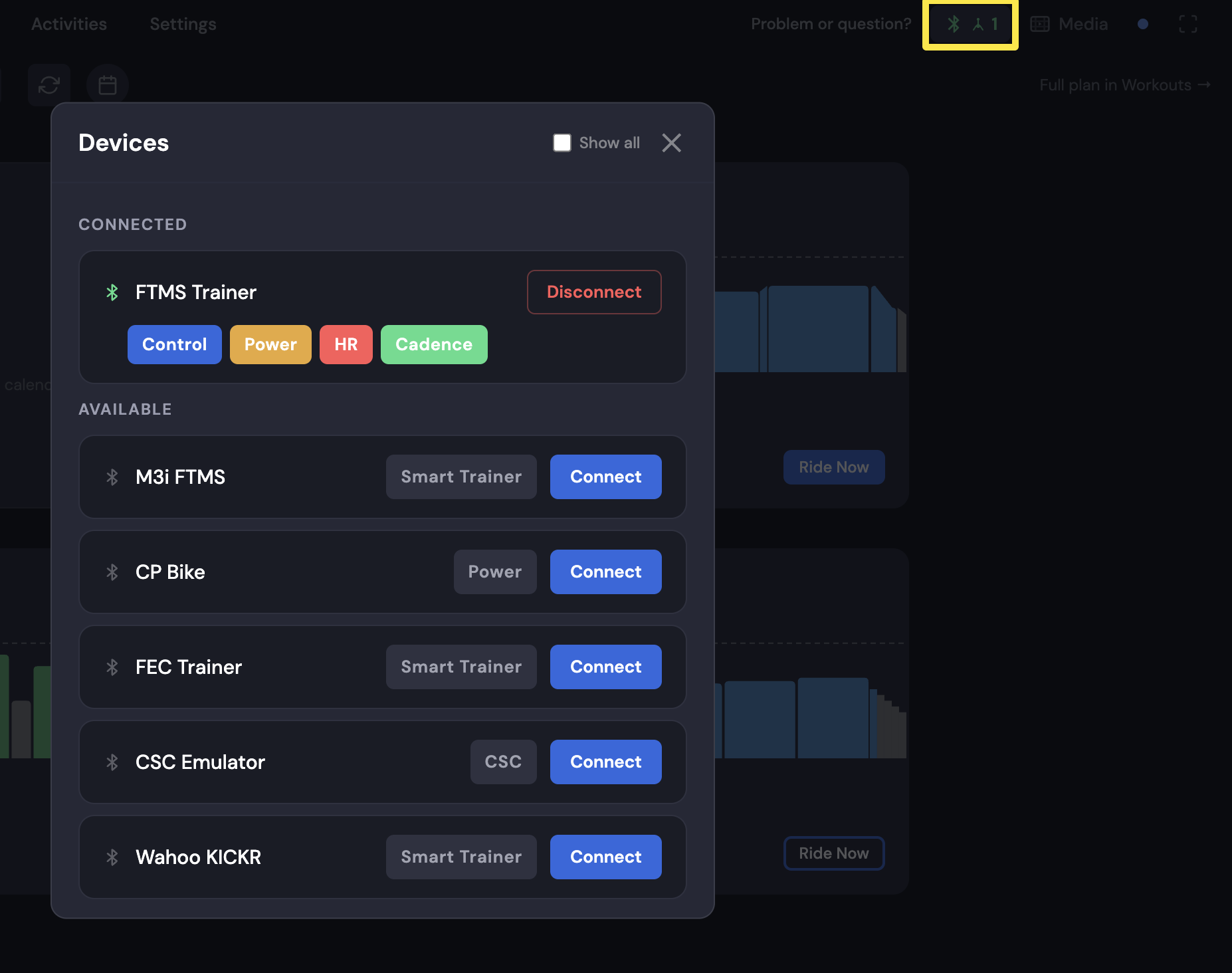 Where: Desktop app · Today tab
- A trainer with both shows up twice: with the Bluetooth icon (its own name) and with the ANT+ icon ("ANT+ Trainer #<number>"). Click Connect on the one you want.
 Where: Desktop app · Today tab
- On that trainer, make sure Control is filled. If it shows + Control, click it to switch it on. This takes Control away from the other device.
Good to know: There is no separate control-channel setting. Bluetooth is the most stable choice for most riders.
Works on: Desktop app. The mobile app uses Bluetooth only, so there is nothing to choose. The website does not connect to trainers.