

How do I use an ANT+-only heart rate strap with TrainerDay?
Connect an ANT+-only heart rate strap through the TrainerDay desktop app on Mac or Windows with a USB ANT+ stick, because the mobile app and website have no ANT+.
- Open the desktop app on Mac or Windows and plug an ANT+ USB stick into the computer. On Windows, install the WinUSB driver with Zadig first.
- Wet the strap's contacts and put it on. Click the Bluetooth / ANT+ icon button at the top right of the desktop app. The Devices window opens and starts scanning.
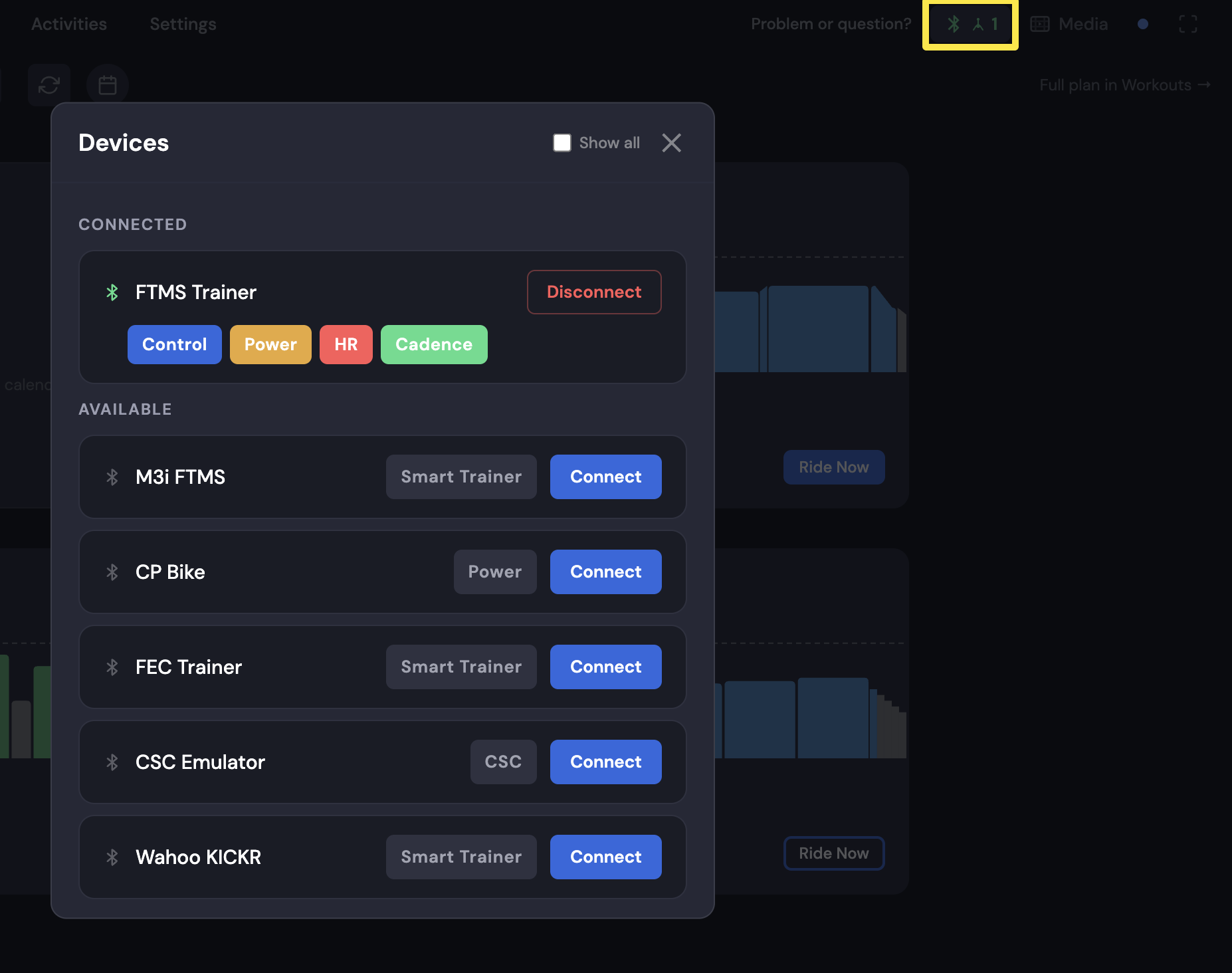 Where: Desktop app · Today tab
- When ANT+ HR #<number> appears under AVAILABLE, click Connect.
- Check that the HR tag on the strap is filled. If it shows + HR, click it. During a ride, your heart rate shows in the BPM box at the bottom.
Good to know: The mobile app can't read an ANT+-only strap. It only works there through a bridge such as CABLE that turns it into Bluetooth.
Works on: Mac and Windows desktop app. Not iPhone, Android or the website.