

How do I use TrainerDay and my bike computer at the same time?
To use TrainerDay with a Garmin or Wahoo bike computer, let TrainerDay be the only thing controlling the trainer: close the bike computer's connection to it, connect the trainer in TrainerDay with Control on, and turn off the duplicate Strava upload.
- Close every other app or device connected to the trainer, bike computer included. Only one can control the trainer, and a bike computer that holds it keeps TrainerDay from controlling it.
- In the TrainerDay mobile app, open Settings and tap Add Devices (desktop app: click the Bluetooth / ANT+ button at the top right of the window).
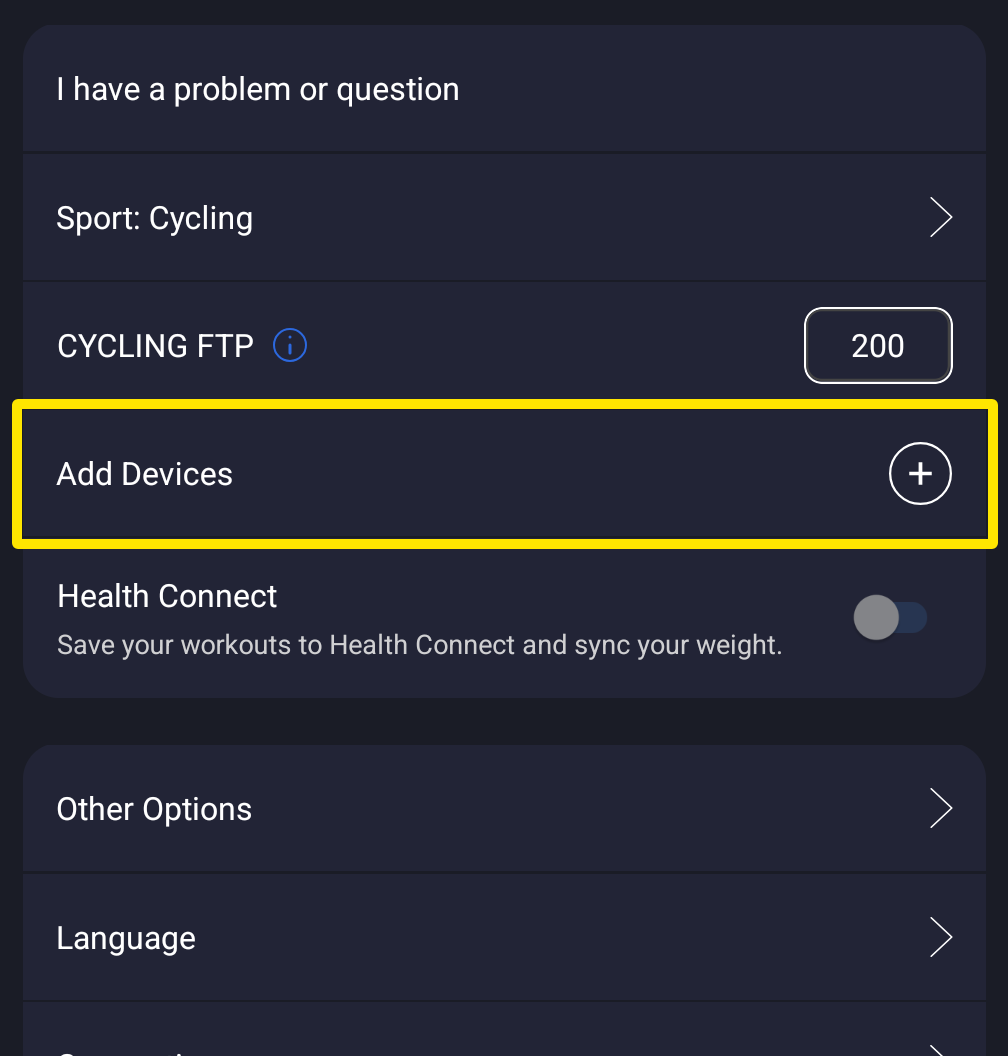 Where: Mobile app · Settings tab
- Connect the trainer and check that its card has Control on.
- TrainerDay uploads every ride of 60 seconds or more to a connected Strava, with no switch to stop it. To avoid two copies, turn off the bike computer's Strava upload, or disconnect Strava in TrainerDay: on the website, click the gear icon in the left sidebar, open Connections, then the Strava card, and click Disconnect.
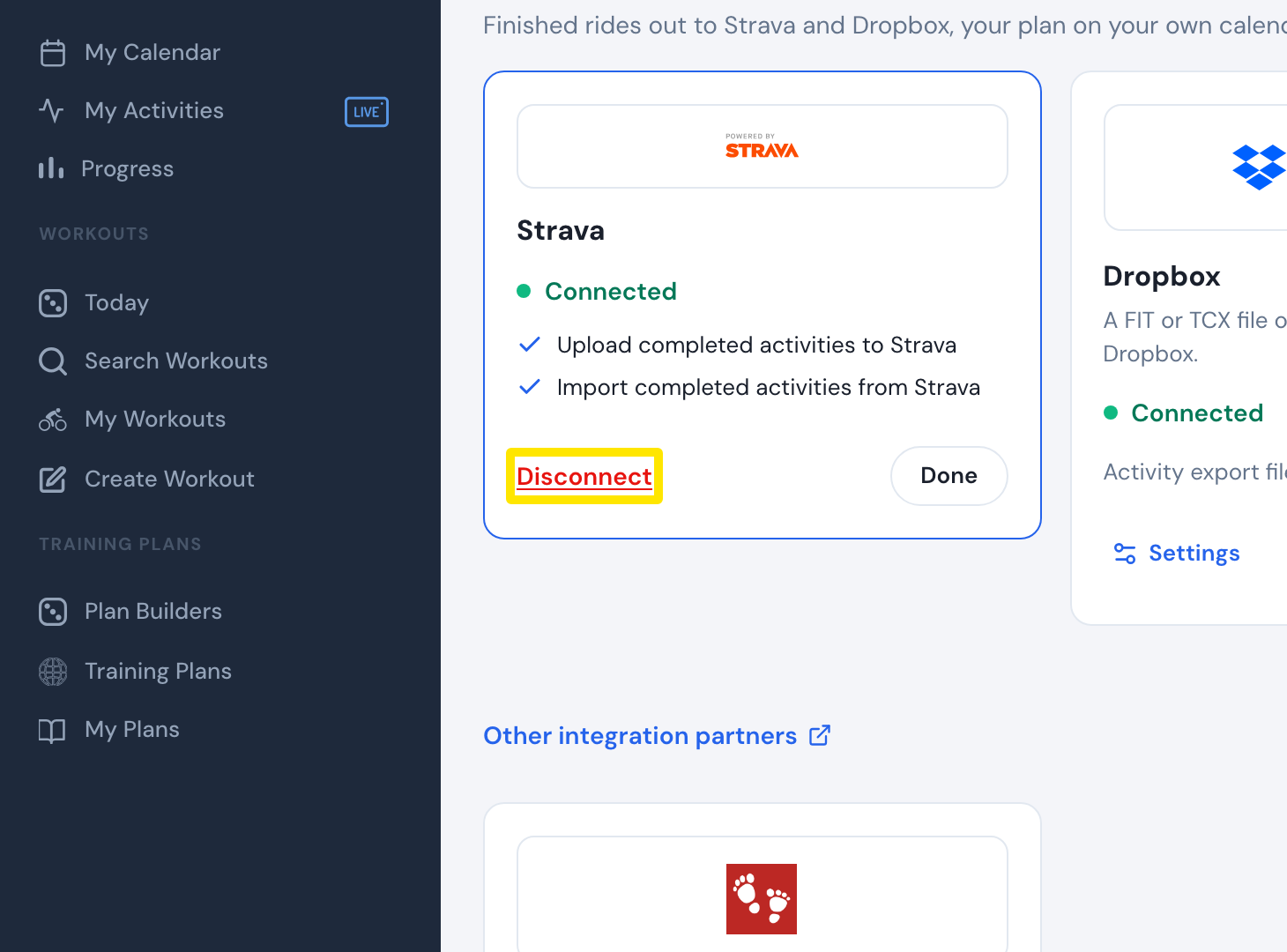 Where: Website · Connections → Strava card → Manage · open it
Good to know: TrainerDay cannot send finished rides to Garmin Connect, so the bike computer's ride is the only copy there.
Works on: Mobile and desktop apps; Strava can be connected or disconnected on the website and in the apps' Connections.