

How do I add a ramp test to my calendar?
To add a ramp test to your calendar, open the Ramp test from Favorites in My Workouts on the TrainerDay website, then use Send To to send it to your calendar.
- On the website, go to My Workouts and open Favorites (first in the list dropdown).
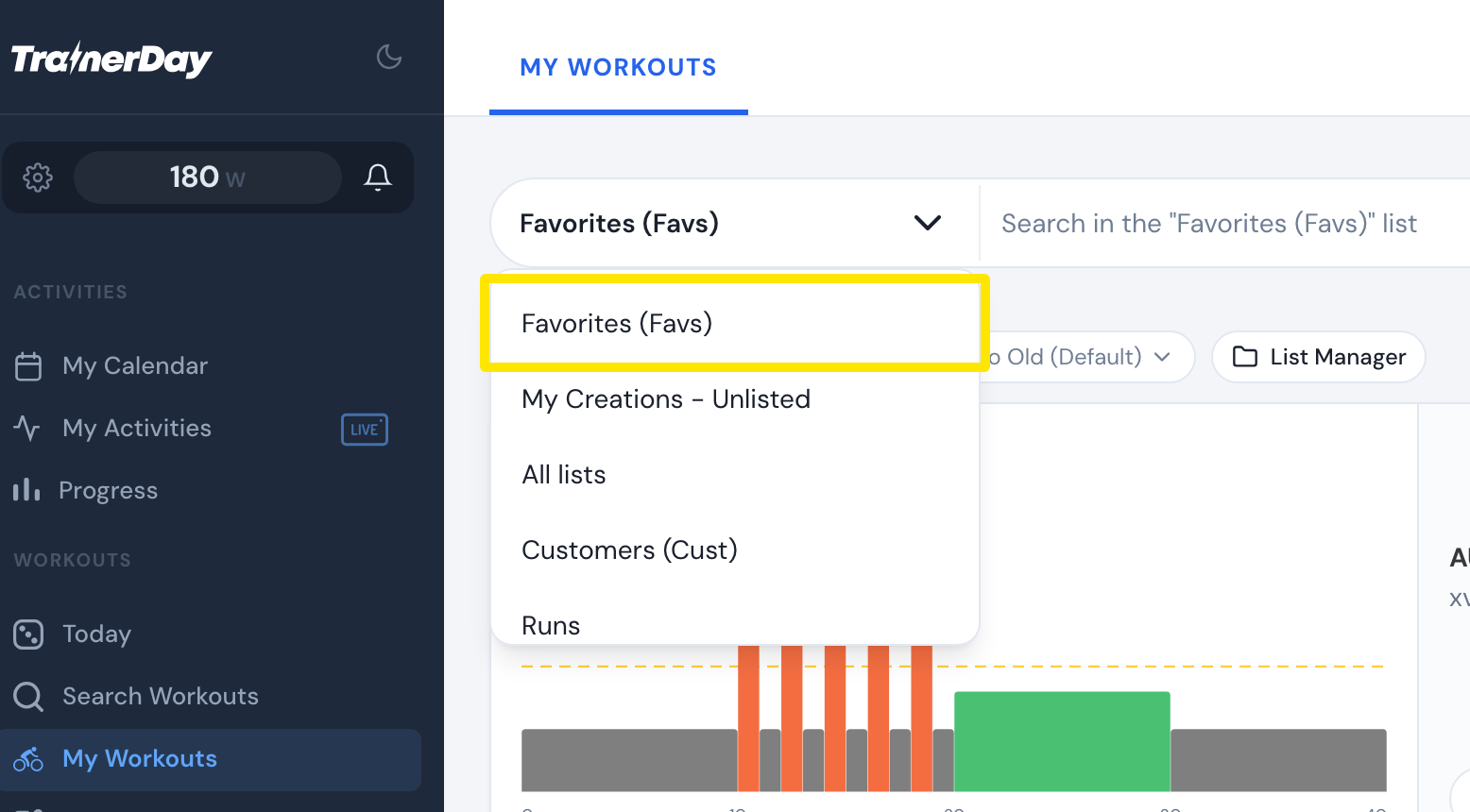 Where: Website · My Workouts · open it
- Open the Ramp test workout, TD Ramp Test (Automatic). It is pinned to the top of Favorites for accounts with the feature.
- Click Send To, pick your calendar in the app dropdown, then click Send.
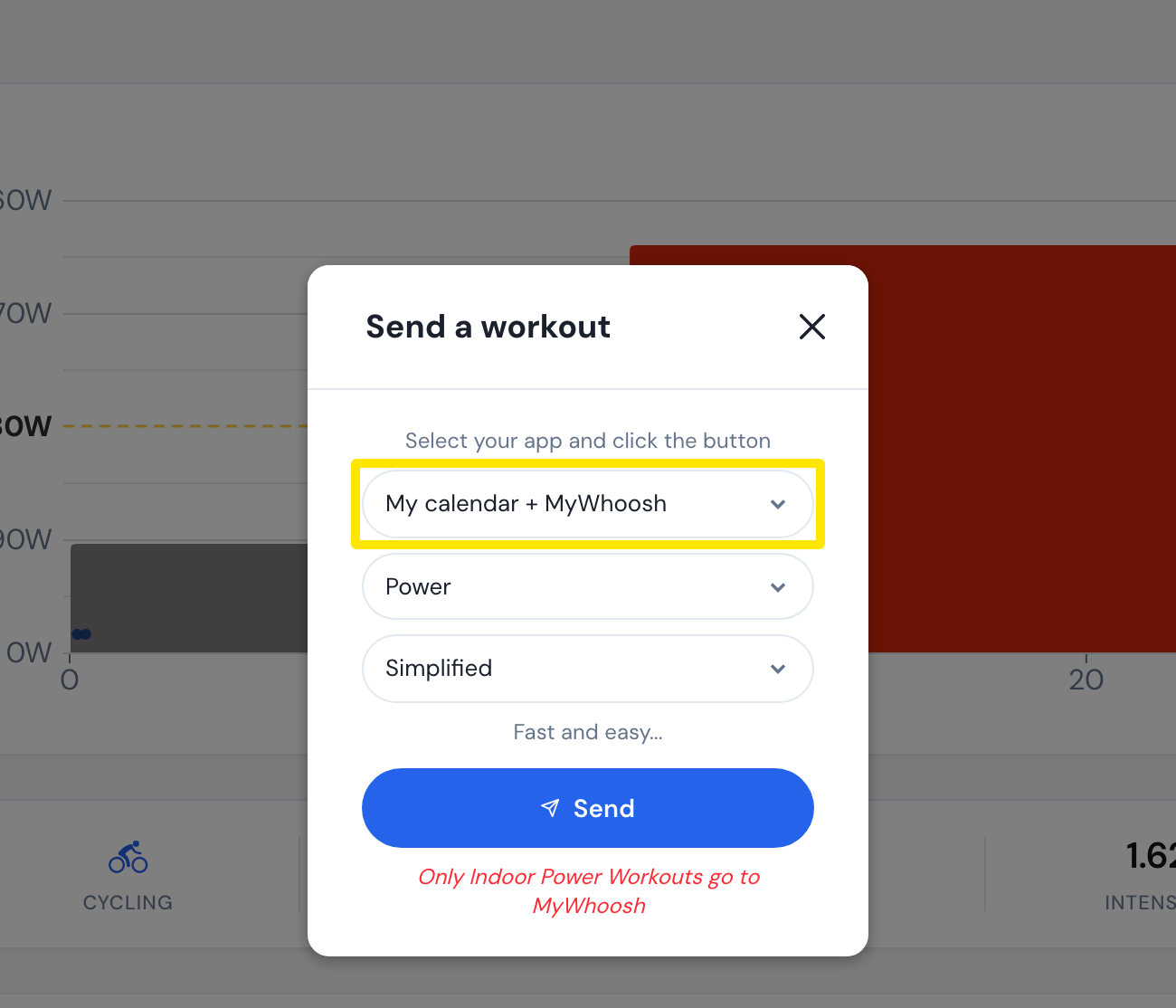 Where: Website · a workout's page (click a workout in Search Workouts or My Workouts)
Good to know: Coach Jack and other training plans never add a ramp test, so you add it yourself whenever you want one.
Works on: Website. In the mobile and desktop apps, the Ramp test is also pinned to the top of Favorites in the library.