

How do I choose between Coach Jack, the AI plan builder and ready-made plans?
Pick Coach Jack if you are unsure, the AI Plan Builder (Beta) for unusual schedules or specific race prep, or a ready-made plan from the website's Training Plans page if you would rather follow an existing plan.
- On the website, in the left sidebar under Training Plans, click Plan Builders (app.trainerday.com/coach-jack).
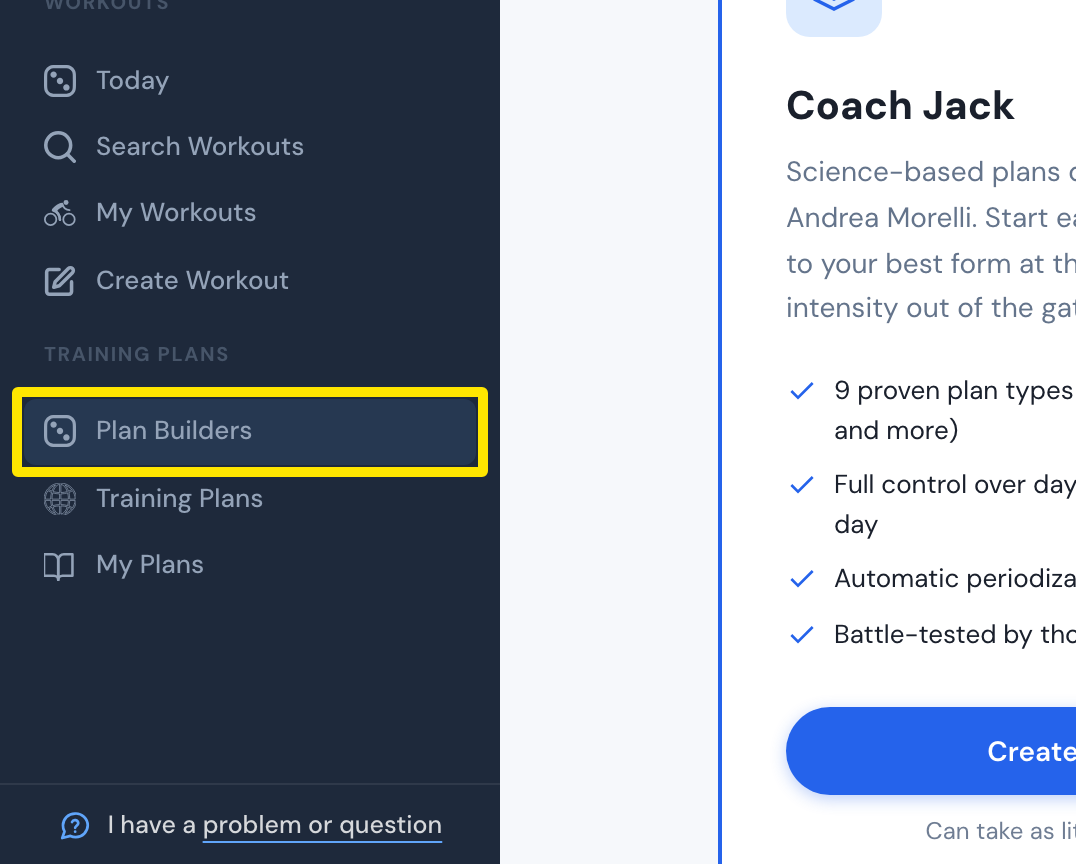 Where: Website · Plan Builders · open it
- Choose one builder:
- Coach Jack (Recommended): 9 proven plan types such as Polarized and Sweet Spot, full control over days, hours and indoor/outdoor, and automatic recovery weeks. Pick it if you are unsure. Click Start with Coach Jack →.
- AI Plan Builder (Beta): plan structures beyond the 9 templates, for unusual schedules or specific race prep. You fine-tune the plan through chat. Click Try AI Builder.
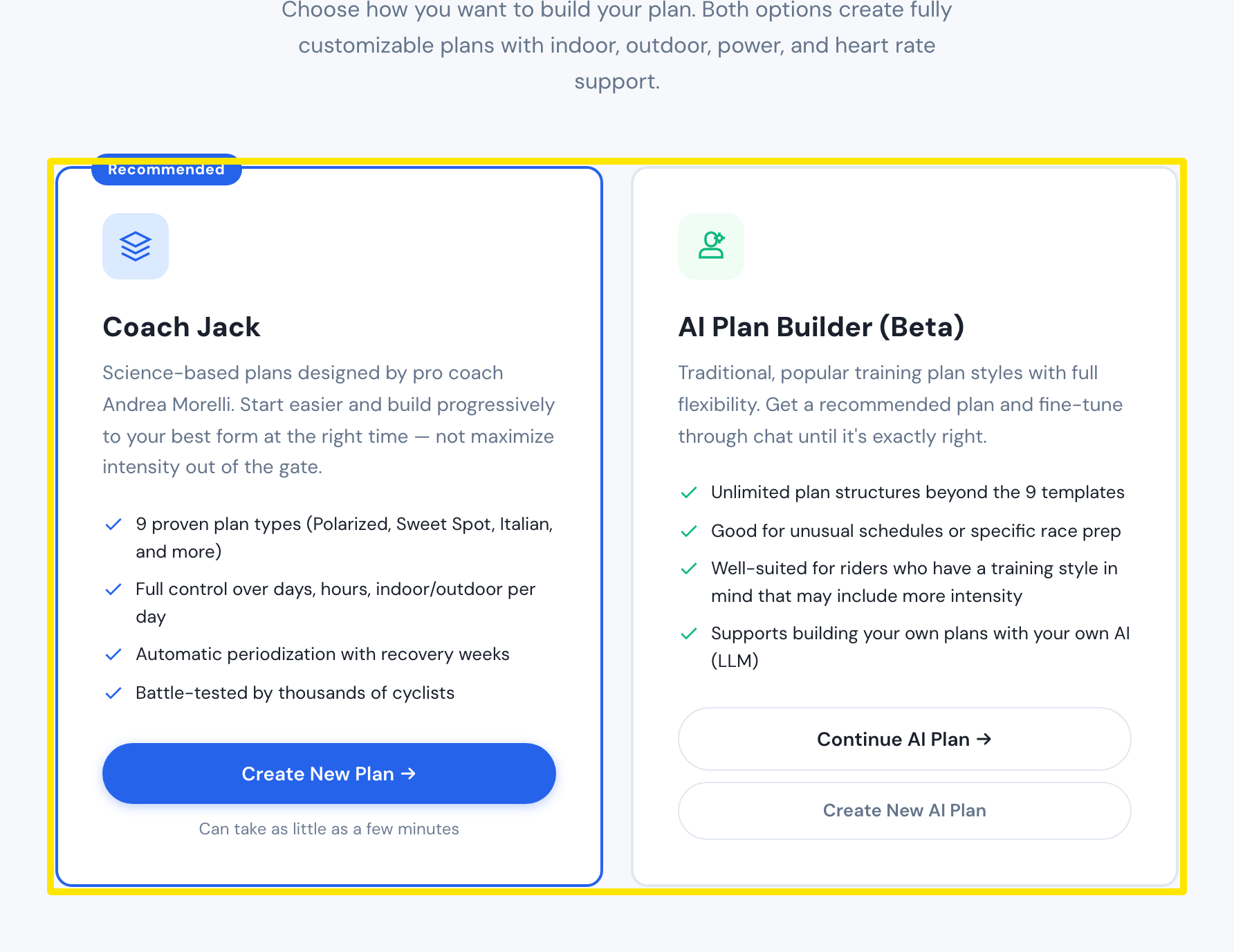 Where: Website · Plan Builders · open it
- To follow a ready-made plan instead of building one, click Training Plans in the left sidebar (app.trainerday.com/training-plans), then click View on a plan.
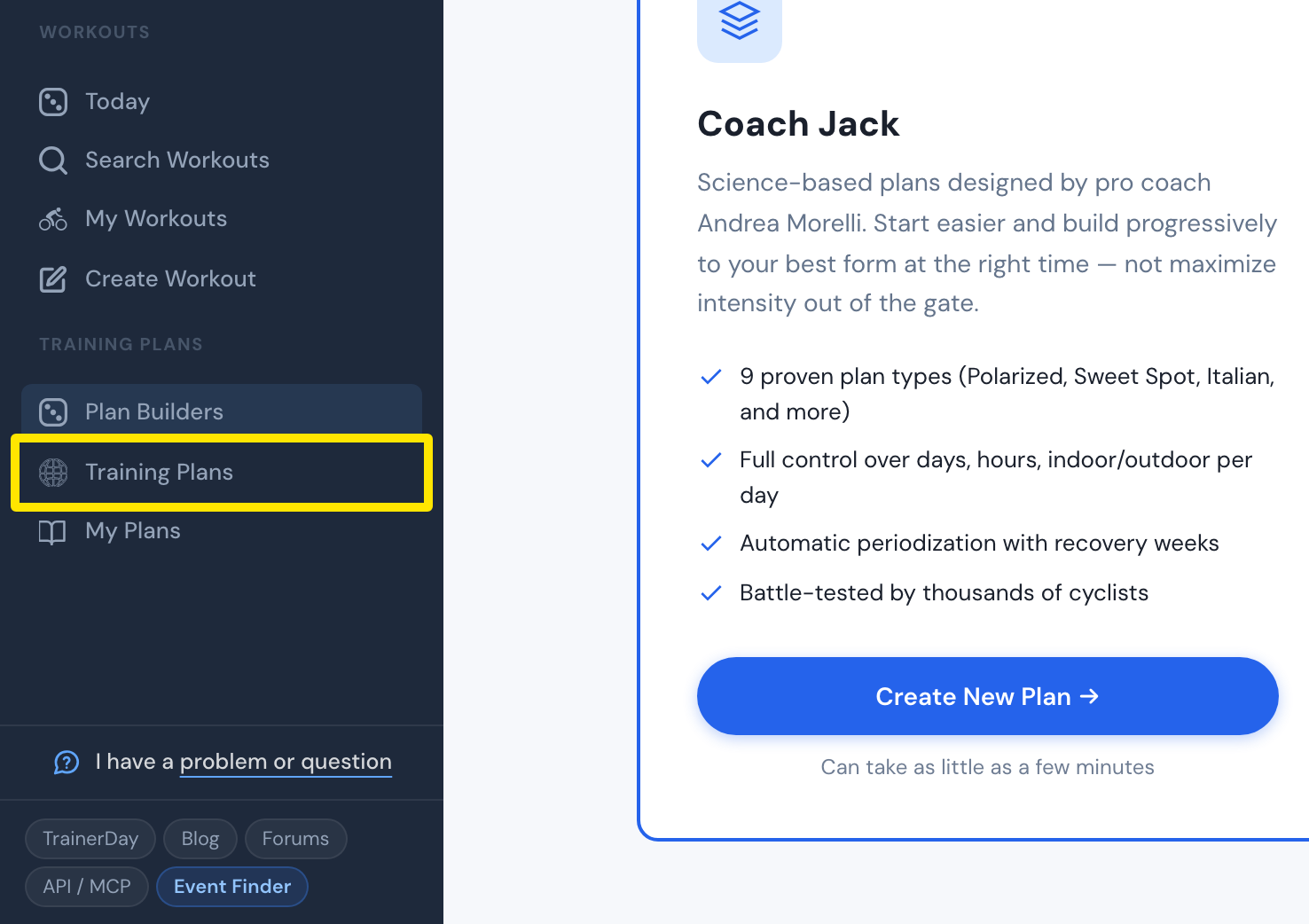 Where: Website · Plan Builders · open it
Good to know: Both builders need Premium. All plans go on the same calendar, and several can be active at once.
Works on: Plans are built only on the website. The mobile and desktop apps ride the plan's workouts on the Today tab.