

How do I put only some weeks of a plan on my calendar?
On the website, open My Plans, choose Send or Download on the plan, tick only the weeks you want under "Weeks of Plan", and send them to My Calendar.
- On the website, in the left sidebar under Training Plans, click My Plans. Open the plan's ⋯ menu and click Send or Download.
- Under Weeks of Plan, tick only the weeks you want. Select All and Unselect All help.
- Choose Send, set Destination to TO MY CALENDAR, pick the Start Week Date (a Monday) and click Send Plan.
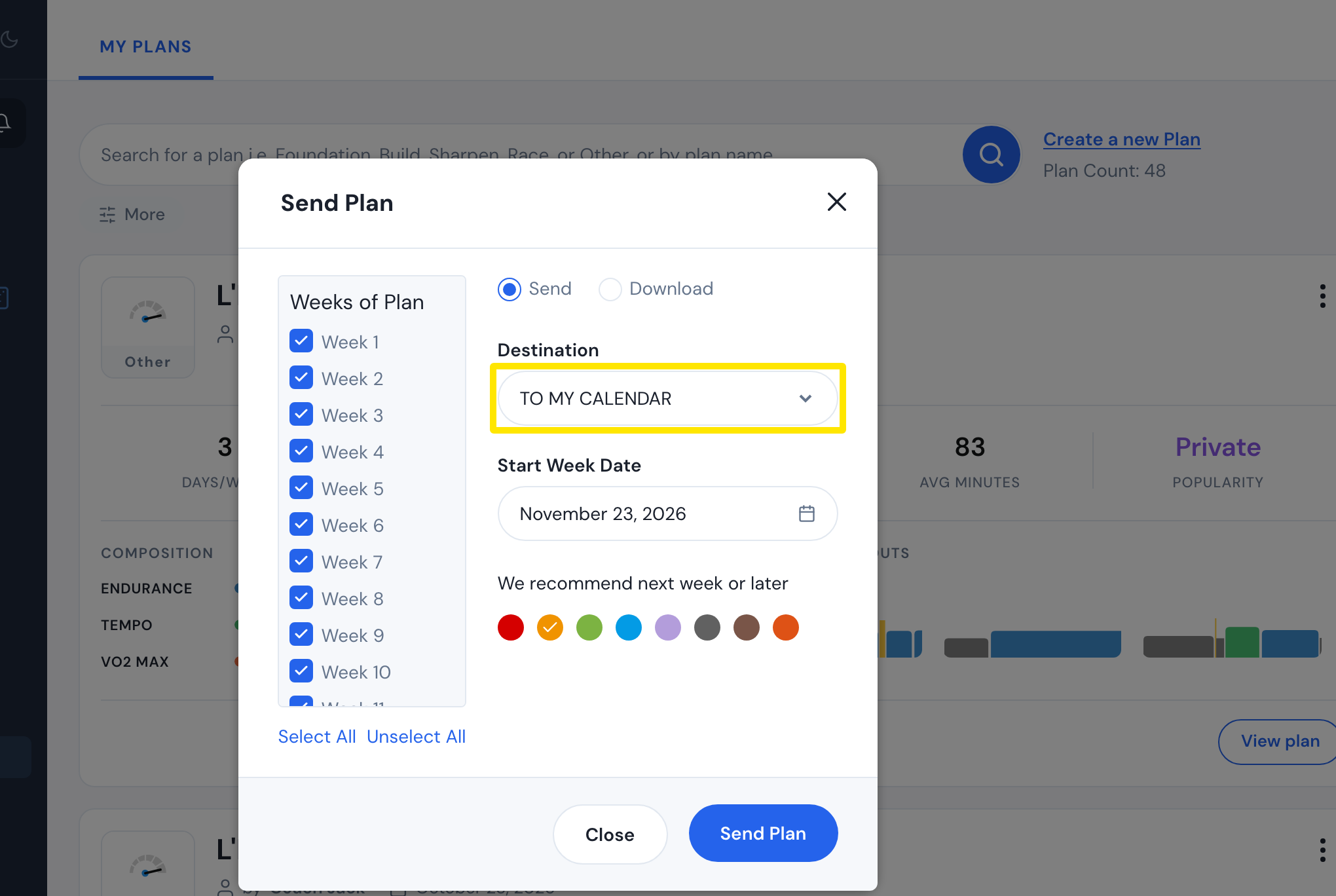 Where: Website · My Plans · open it
Good to know: The Start Week Date can only be a Monday from today on.
Works on: Sending plan weeks is done on the website. The mobile and desktop apps show whatever is on My Calendar.