

How do I open the AI Plan Builder?
Open the AI Plan Builder on the website from Plan Builders in the left menu, then click the button on the AI Plan Builder (Beta) card.
- On the TrainerDay website, open the left menu (shown here on My Calendar). Under Training Plans, click Plan Builders.
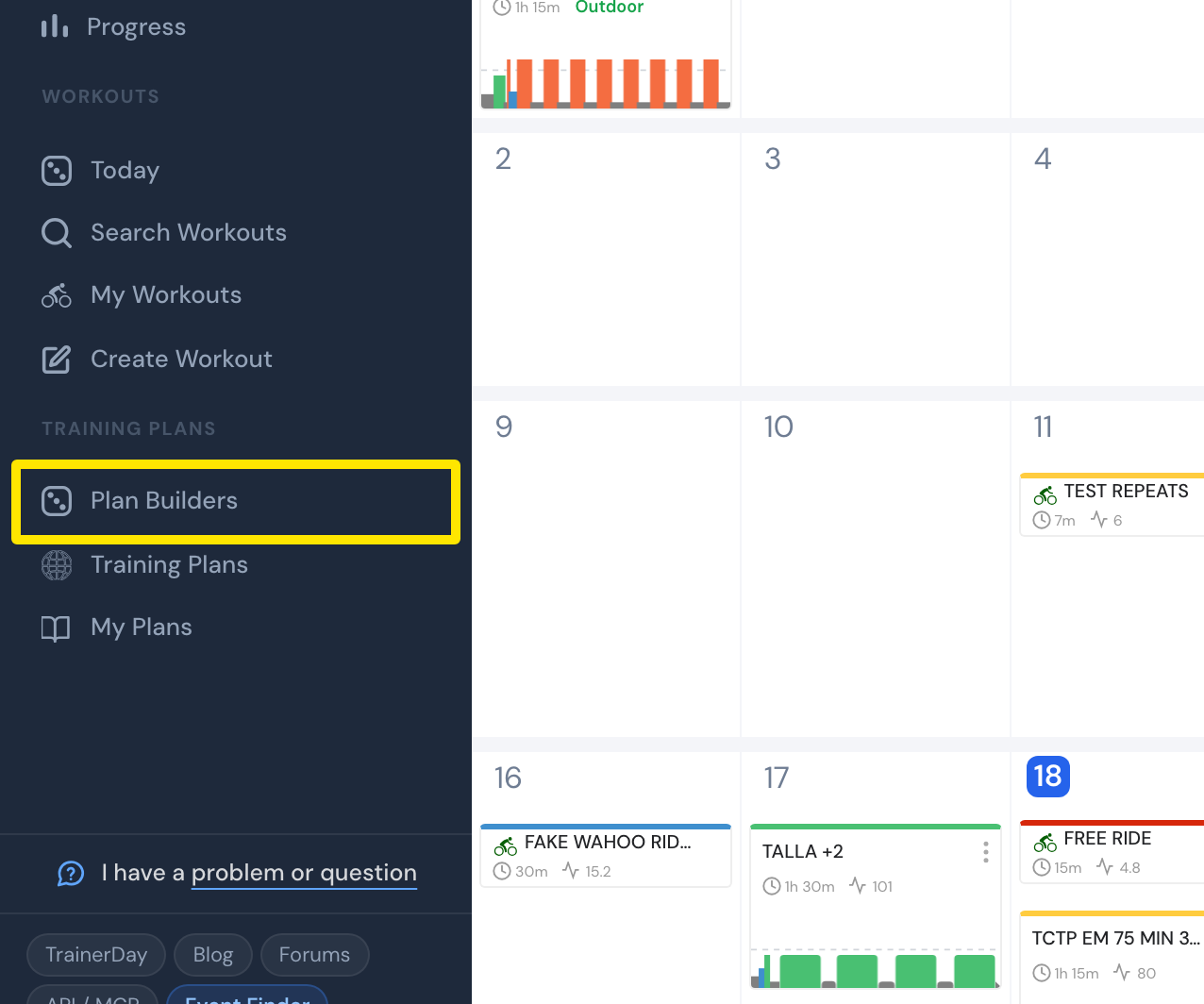 Where: Website · My Calendar · open it
- On the Create a Training Plan page, find the AI Plan Builder (Beta) card.
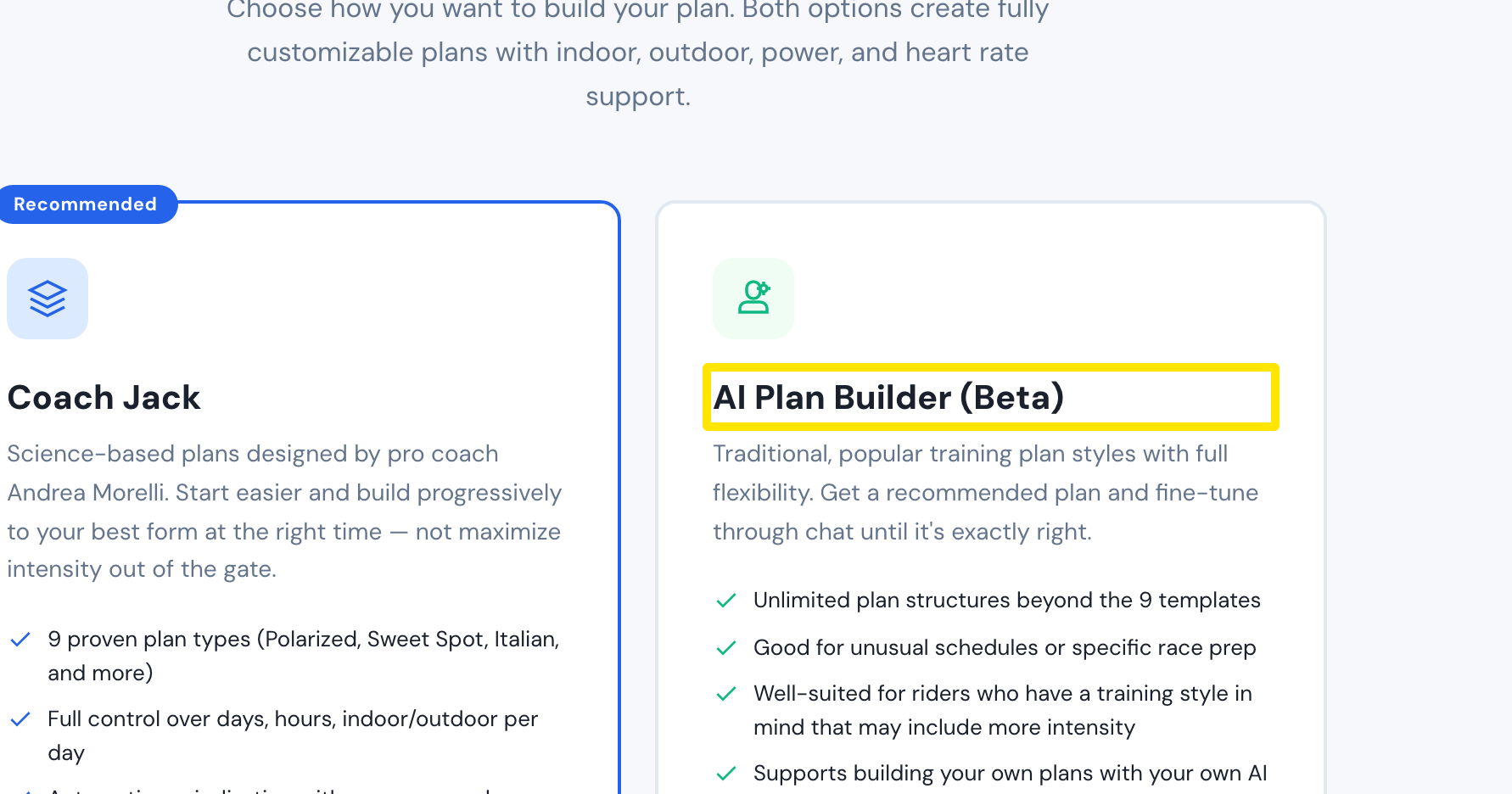 Where: Website · Plan Builders · open it
- Click Try AI Builder (first time) or Create AI Plan →. To return to your open chat, click Continue AI Plan →.
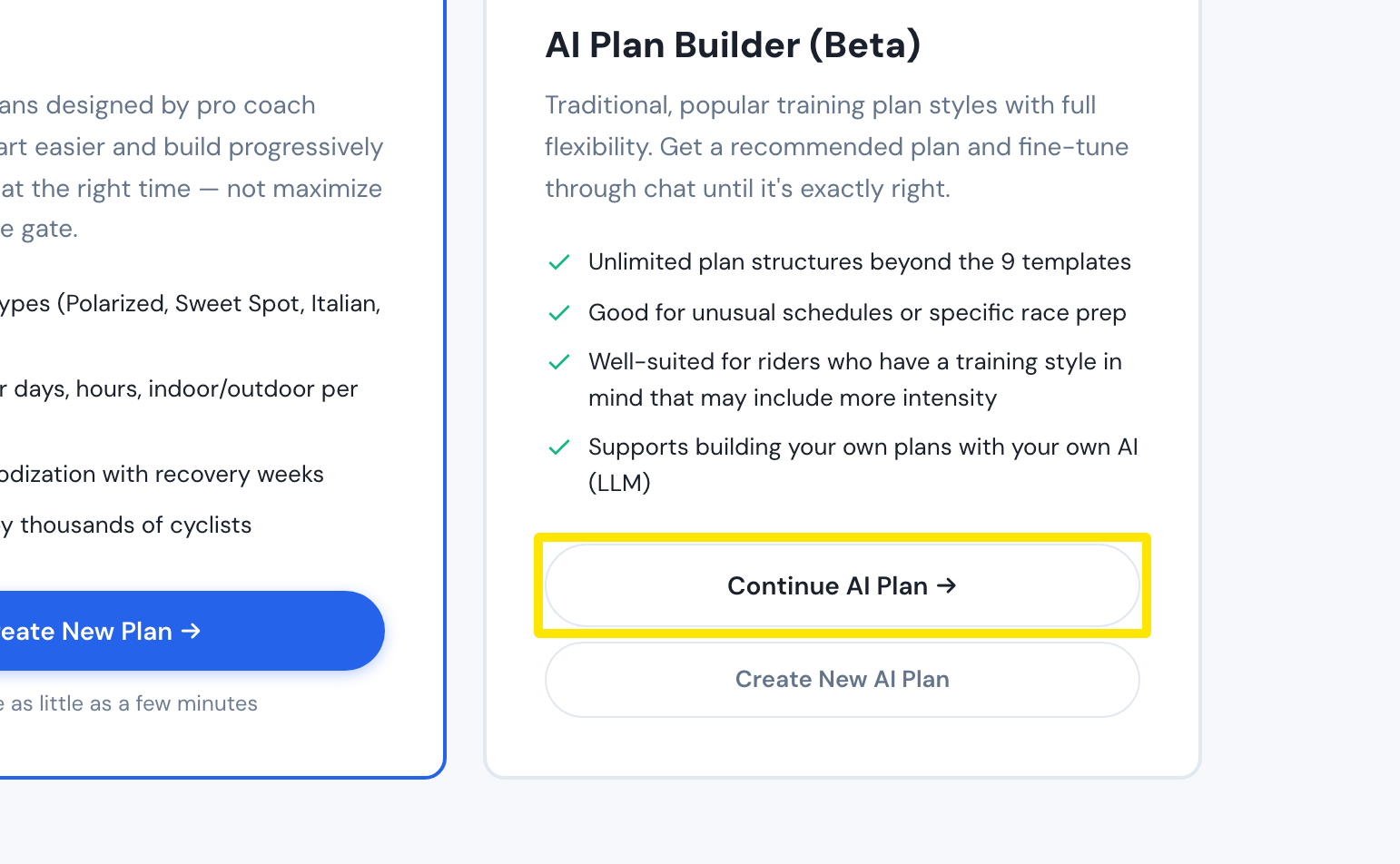 Where: Website · Plan Builders · open it
- For a new plan, answer the questions that appear and click Generate AI Plan →. The builder opens with a prompt written from your answers.
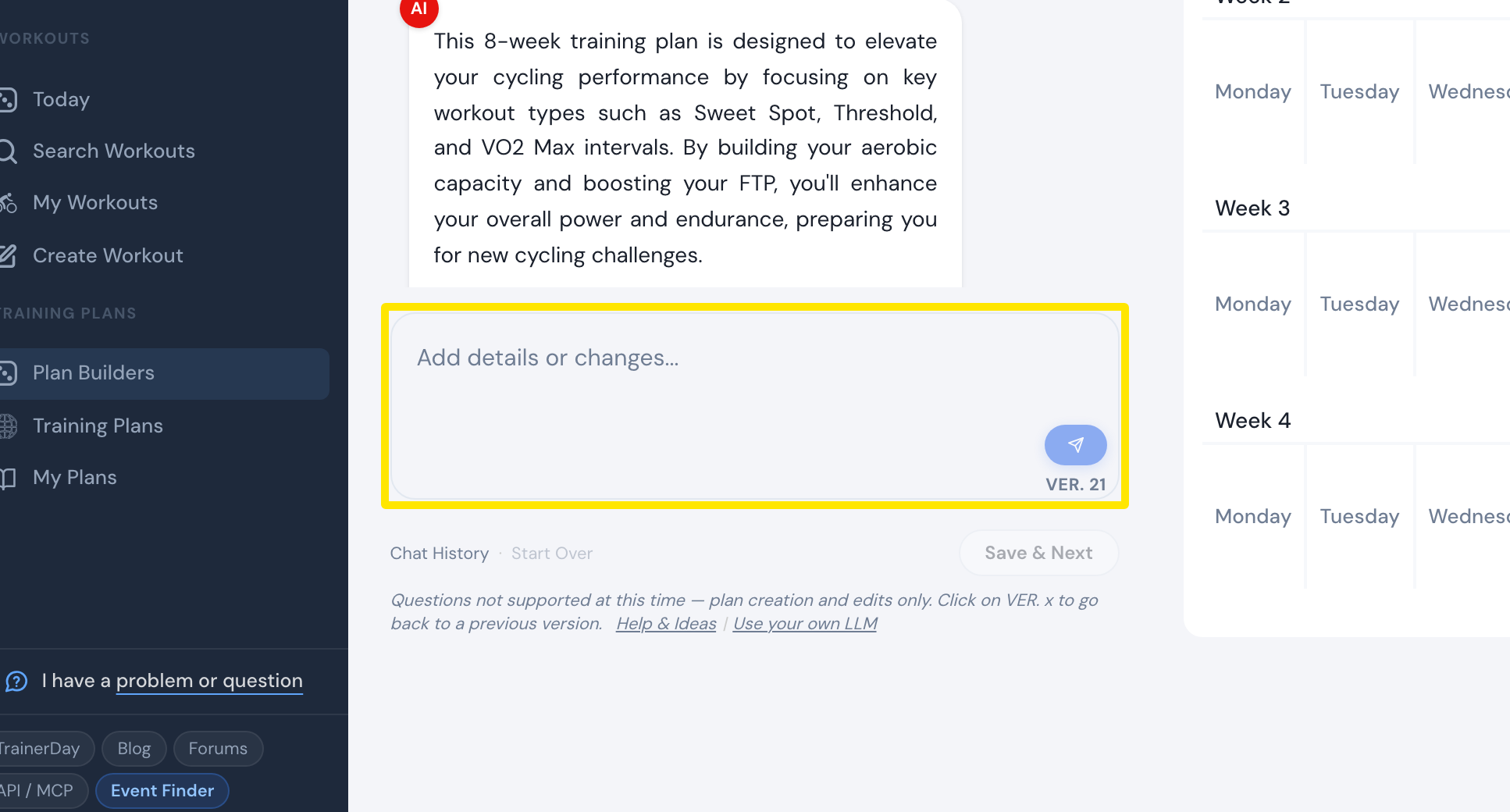 Where: Website · AI Plan Builder
Good to know: It is a beta for premium members. A free account sees the upgrade offer instead.
Works on: Website only. The mobile app has an AI Workout Builder for single workouts. The desktop app has neither.