

How do I change how much the + and − buttons adjust workout intensity?
Set how much the + and − buttons change intensity in the mobile app under Settings → Other Options, or in the desktop app under Settings → Step Sizes.
- Mobile app: open the Settings tab and tap Other Options.
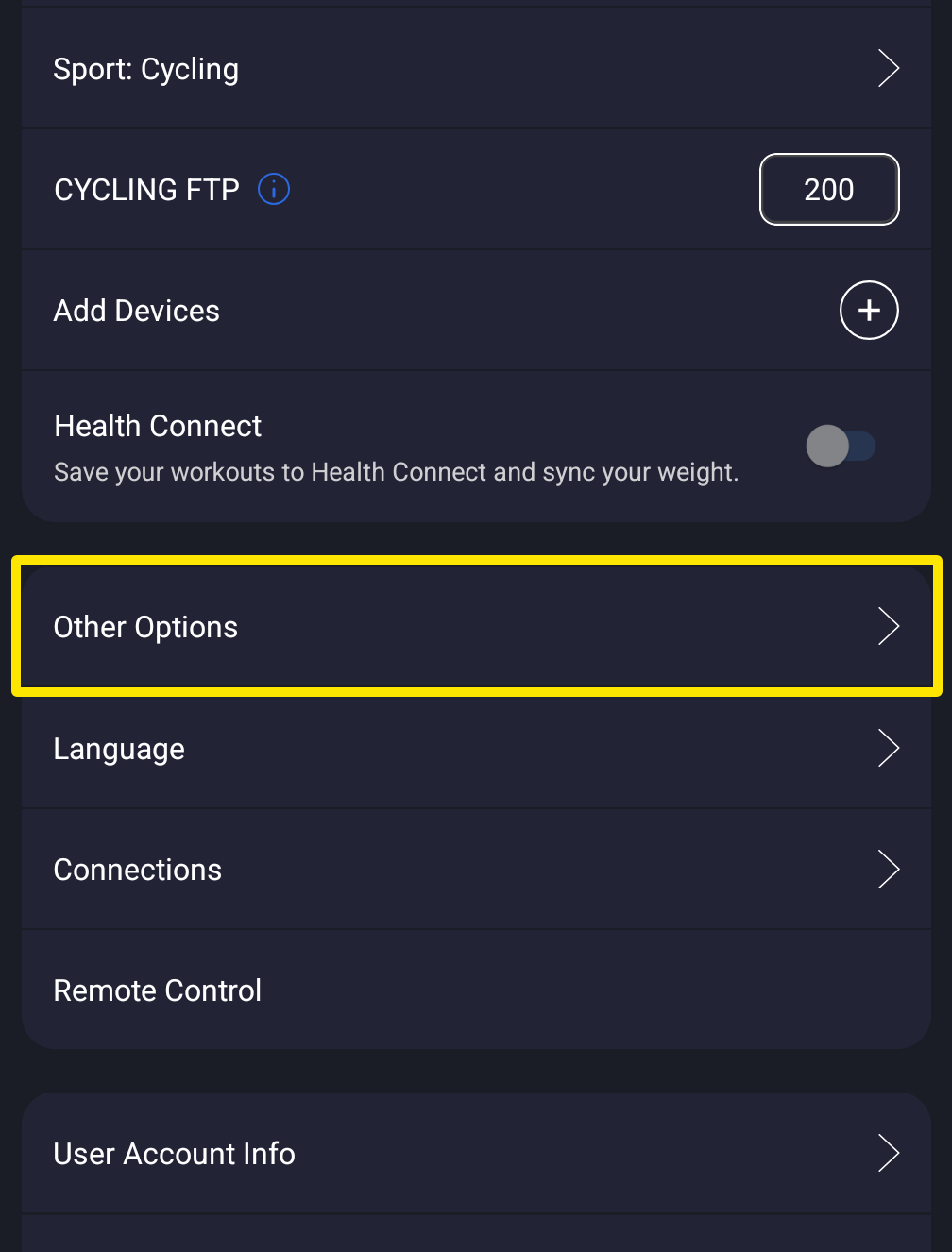 Where: Mobile app · Settings tab
- Scroll to the boxes below the switches. Type the size you want in ERG Increase % (1–20), HR Increase (1–20 bpm), Slope Increase % (0.1–2) or Resistance Inc % (1–10).
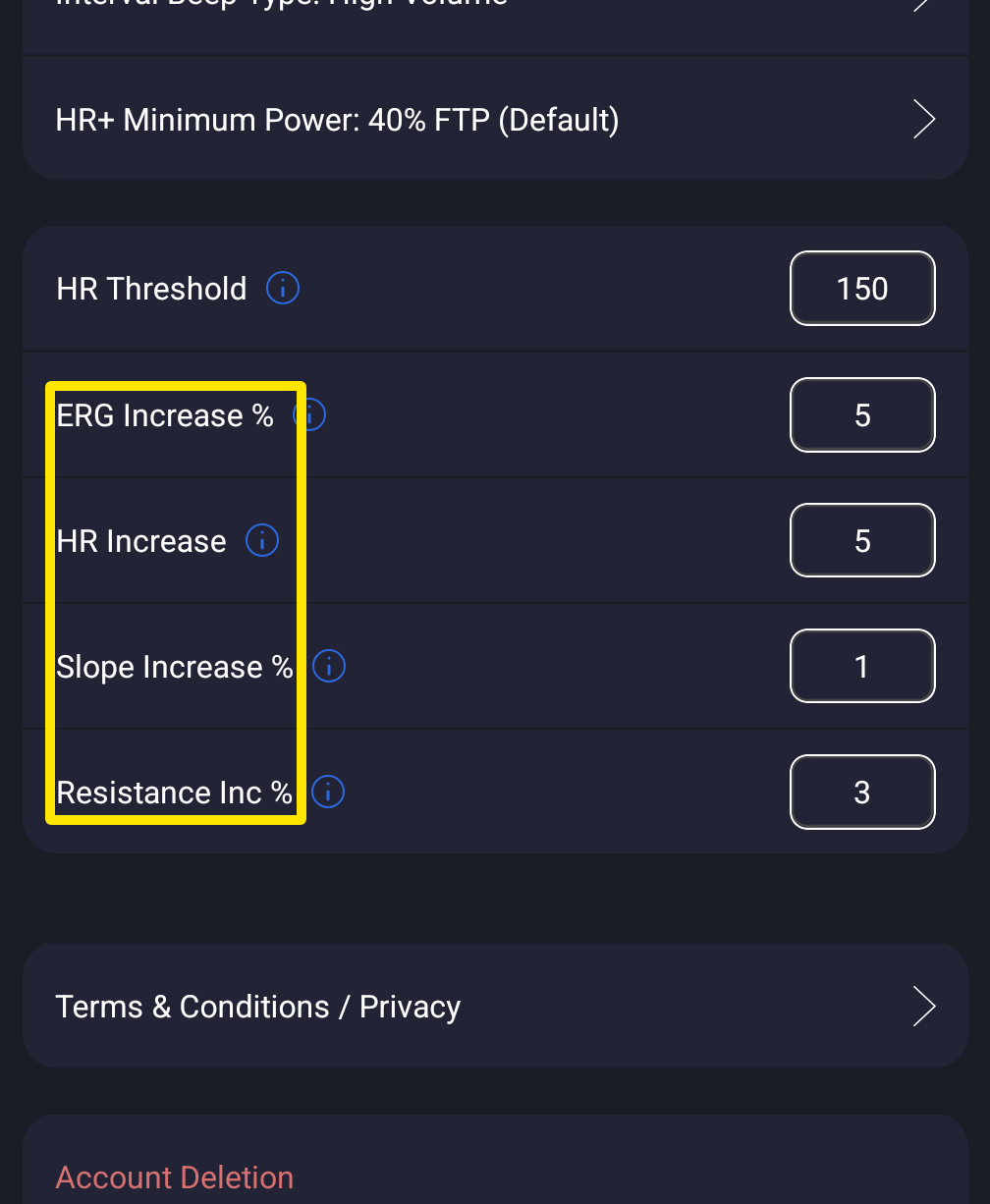 Where: Mobile app · Settings tab → Other Options
- Desktop app: open the Settings tab and click Step Sizes to open it. Set ERG Step (%), HR Step (bpm), Slope Step (%) or Resistance Step (%), with the same ranges.
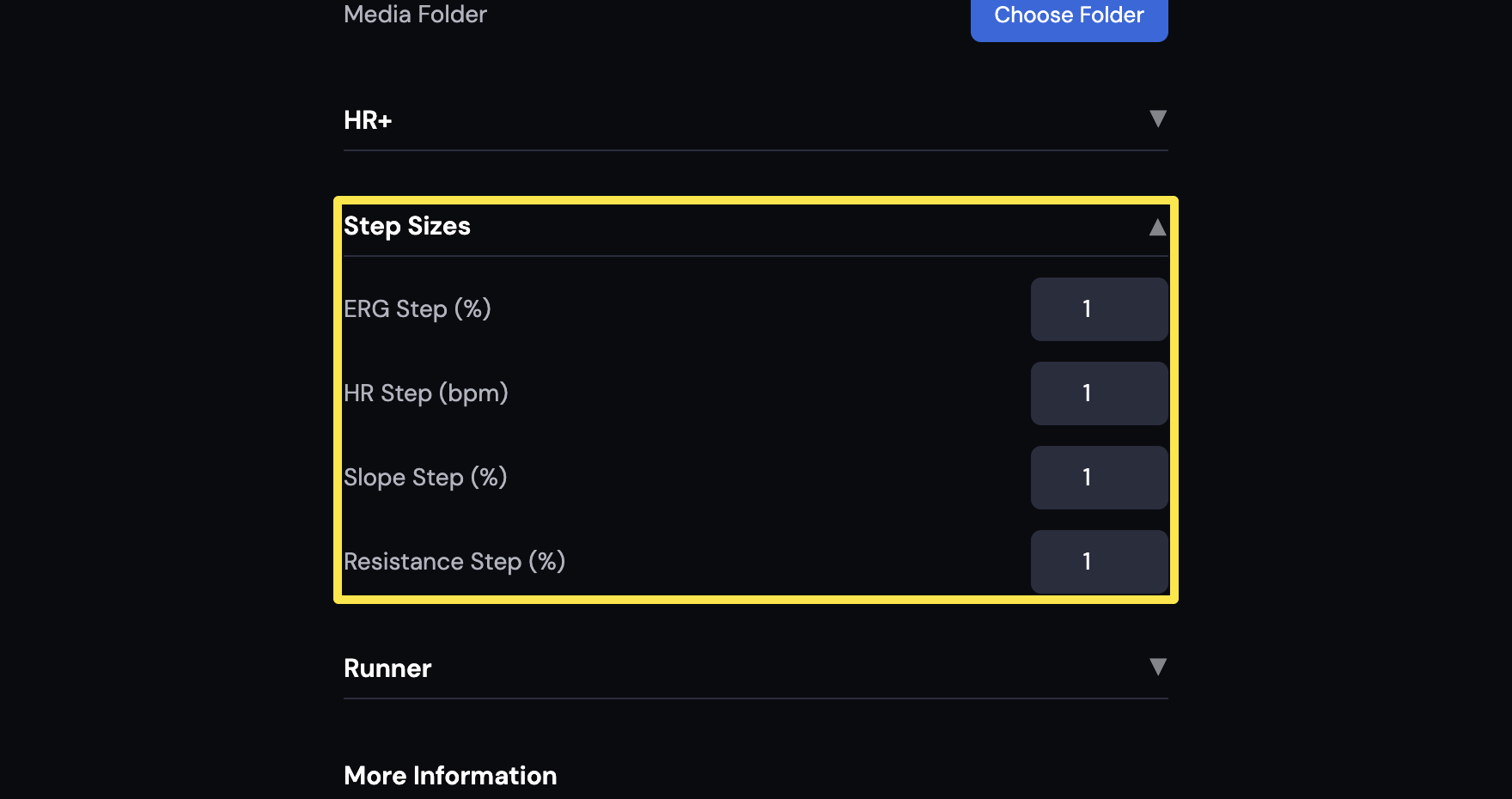 Where: Desktop app · Settings tab → Step Sizes
Good to know: The default ERG step is 5 % on mobile and 1 % on desktop, and each app keeps its own values.
Works on: Mobile app and desktop app. The website has no workout player, so it has no step sizes.