

How do I choose power ranges or exact power for Garmin workouts?
On the TrainerDay website's Connections page, open the Garmin settings and set Power target to Power Range (each target plus or minus 5%) or Exact Power (just the target watts).
- On the website, open the Connections page and click the Garmin tile to see its settings.
- Set Power target to Power Range (the default: each target plus or minus 5%) or Exact Power (just the target watts; better when your Garmin controls your trainer).
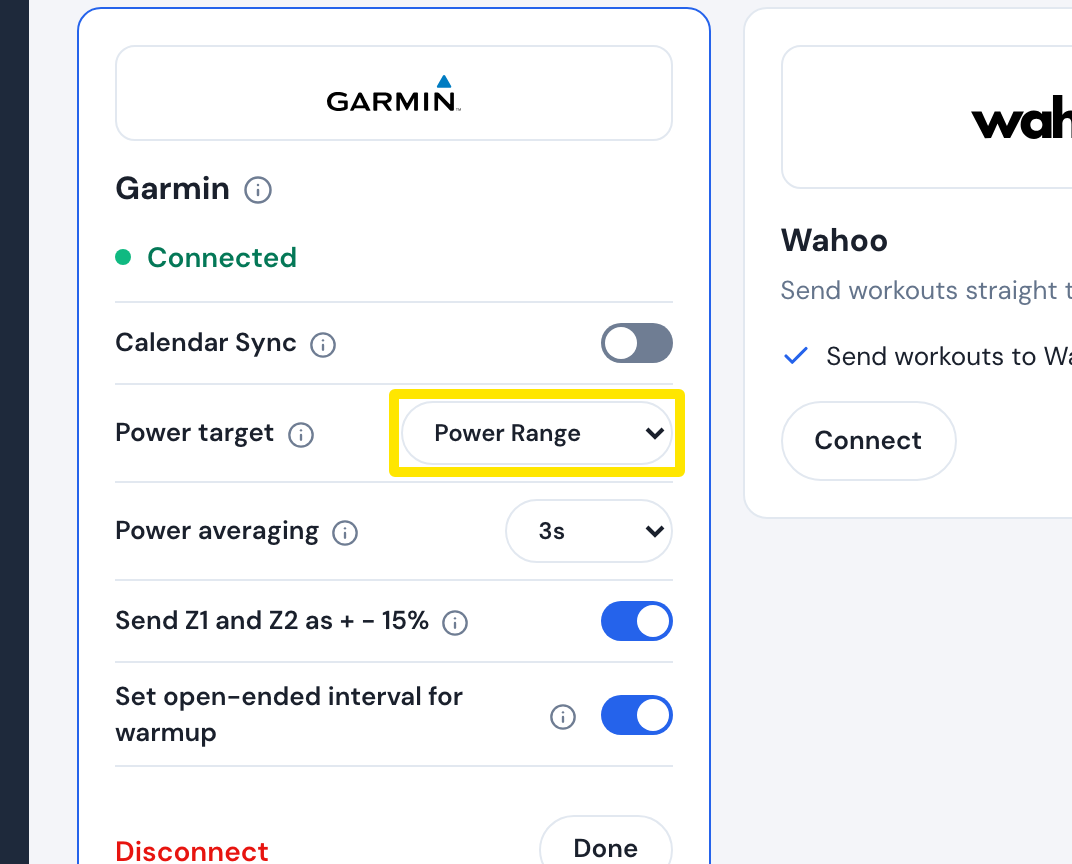 Where: Website · Connections · open it
Good to know: Power target is a Pro setting. With Power Range, Send Z1 and Z2 as + - 15% (On by default) gives targets below 76% of FTP plus or minus 15% instead of 5%, for workouts sent using Simplified and calendar sync, not workouts sent using Original.
Works on: website (Connections page), desktop app and mobile app (Settings → Connections → Garmin).