

How do I fix a workout that fails to send to Garmin?
A Garmin send fails when the workout has more than 100 steps or when your Garmin connection has ended; fix it by sending in Simplified format, or by disconnecting and reconnecting Garmin on the TrainerDay website's Connections page, then sending again.
- On the TrainerDay website, open the workout's page (click it in Search Workouts or My Workouts) and open Send a workout. Choose Garmin.
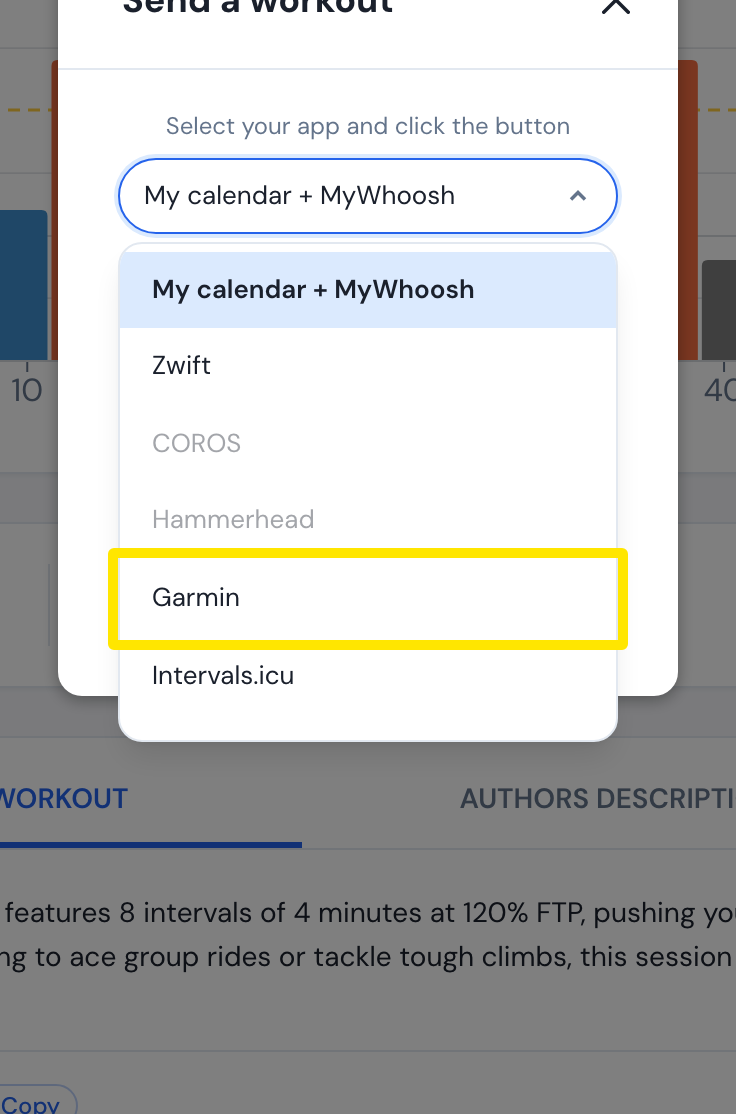 Where: Website · a workout's page
- Pick Simplified. This merges short steps before they are counted.
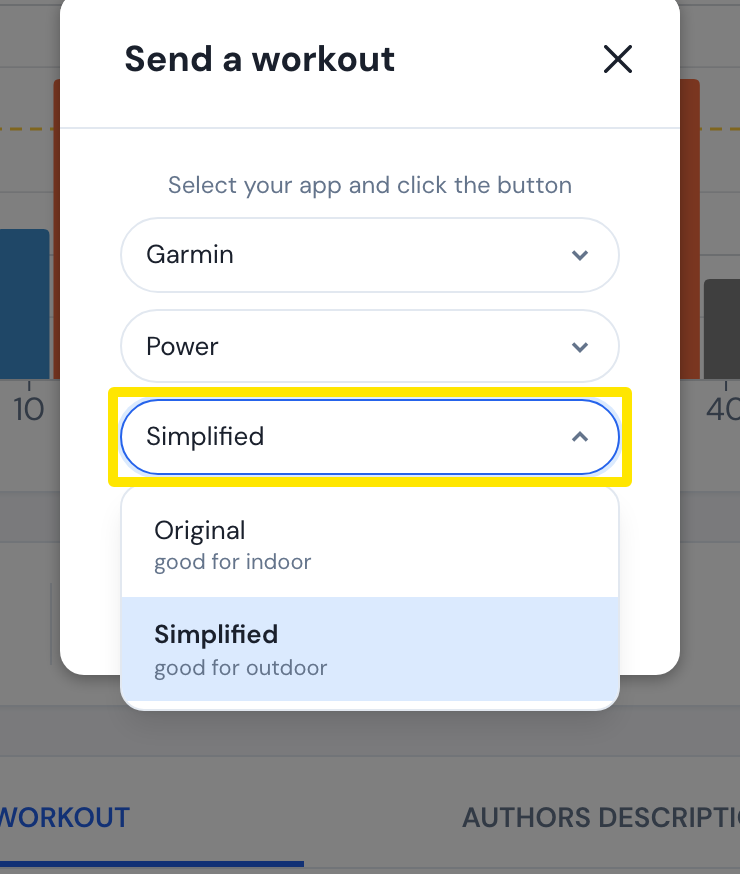 Where: Website · a workout's page
- Click Send.
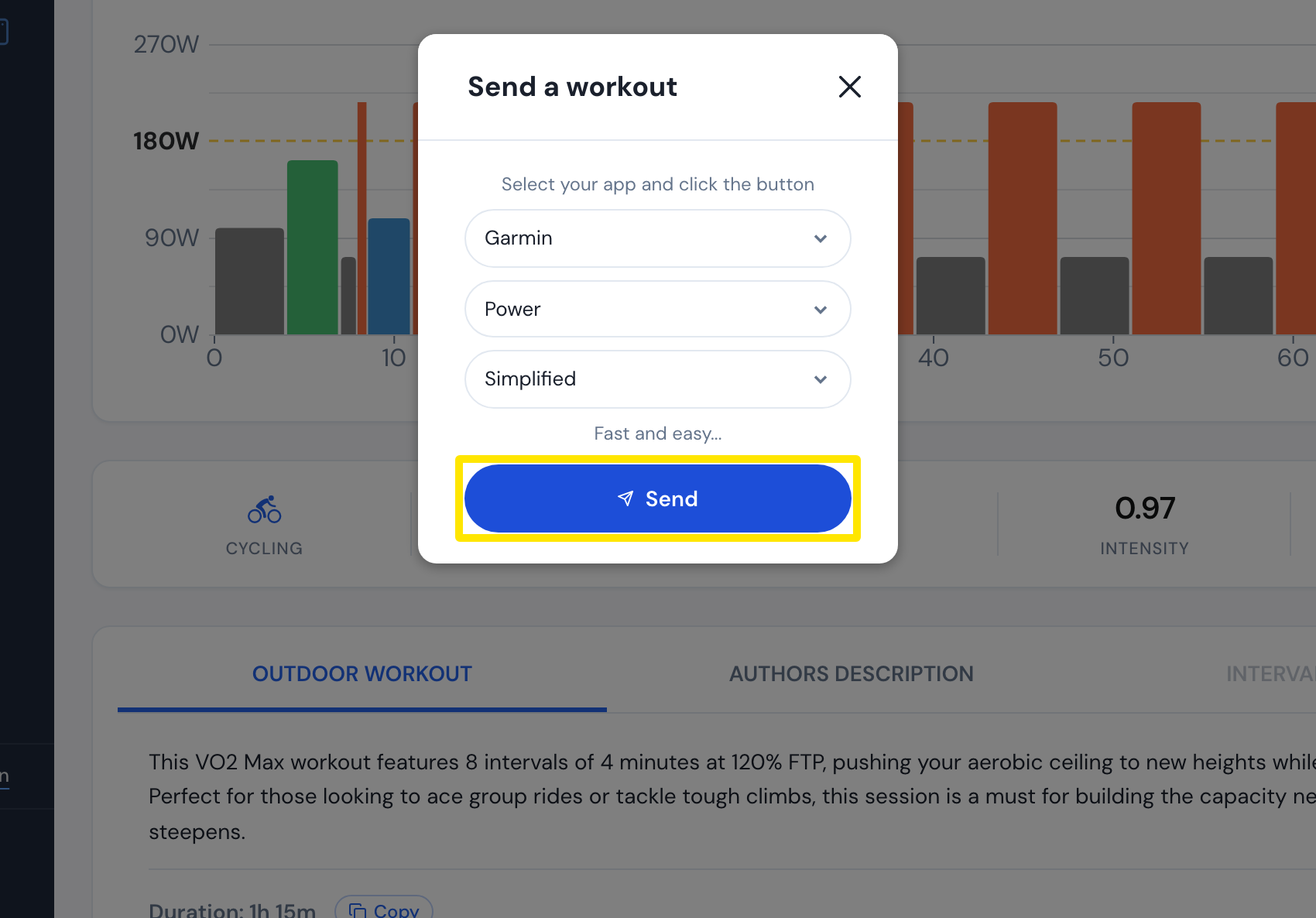 Where: Website · a workout's page
- If Oops! Connection problems appears, or Garmin Error keeps appearing, open Connections. On the Garmin tile, click Settings.
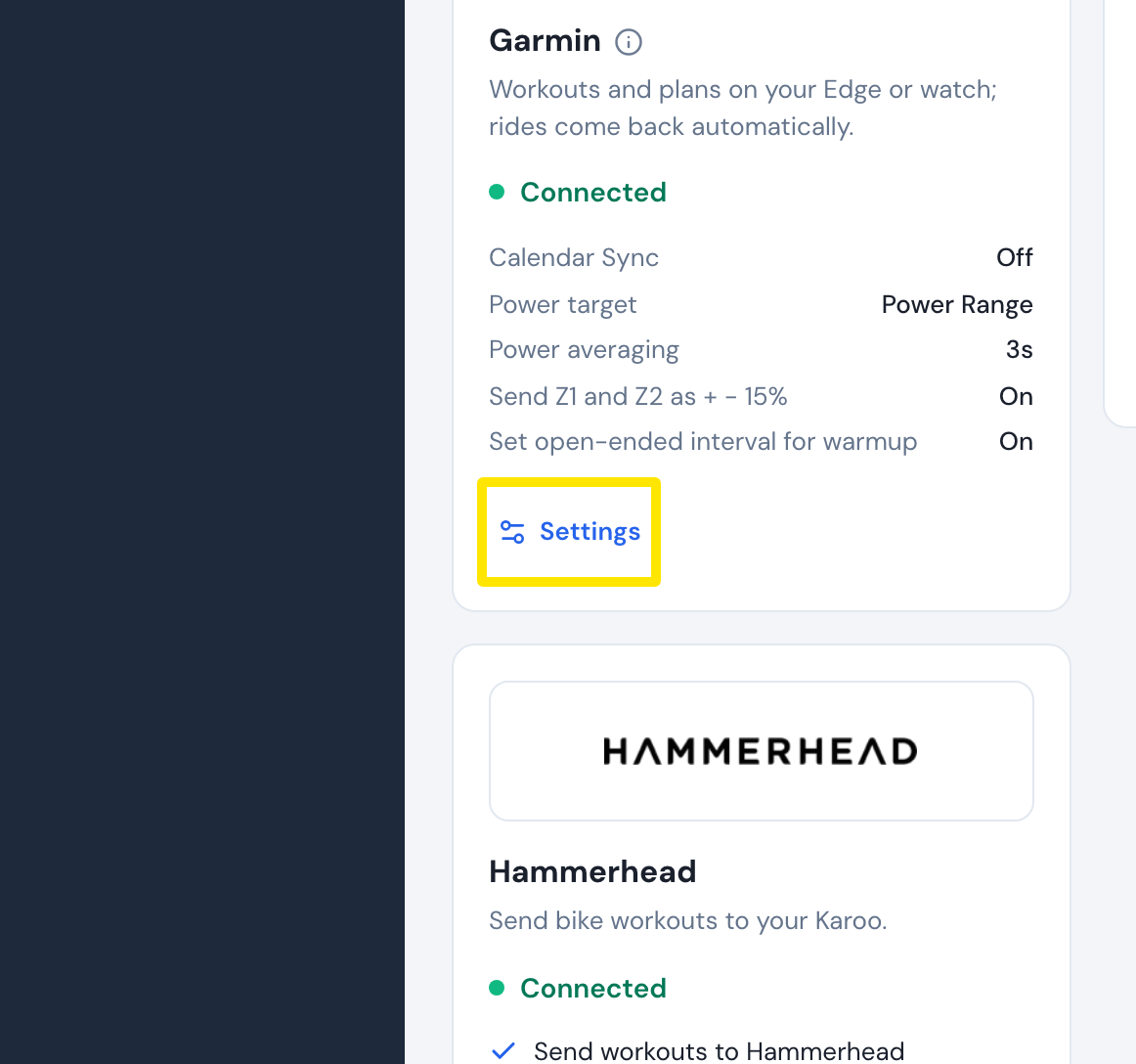 Where: Website · Connections · open it
- Click Disconnect, then connect Garmin again on the same page.
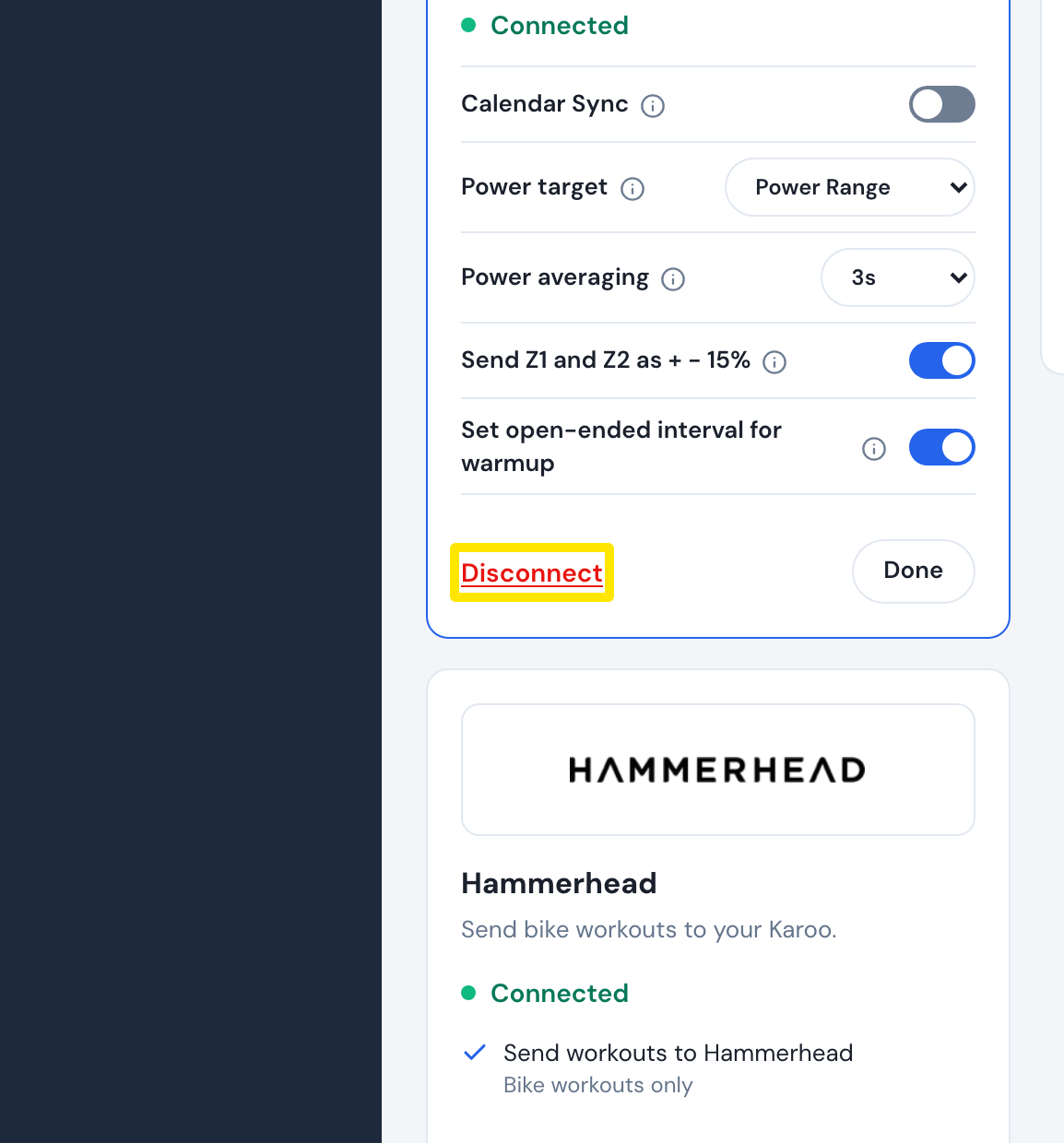 Where: Website · Connections · open it
- Go back to the workout's page, open Send a workout again and click Send.
Good to know: A power workout can have up to 100 steps. A repeat block counts each of its segments once, plus one step for the repeat. Workouts sent from your calendar (plan) are cut to fit instead of refused.
Works on: The same limits apply on the website, the mobile app and the desktop app.