

How do I send my TrainerDay workouts to Garmin?
Connect Garmin on the TrainerDay website's Connections page, then open a workout, click Send to, choose Garmin and click Send to put it on Garmin Connect for today.
To get your plan or calendar workouts onto Garmin on their scheduled days, sync your calendar instead: see How do I sync my TrainerDay calendar or training plan to Garmin?
- On the website, open the Connections page at https://app.trainerday.com/apps-and-devices and connect Garmin. Its Power target is Power Range (plus or minus 5%) by default, or Exact Power.
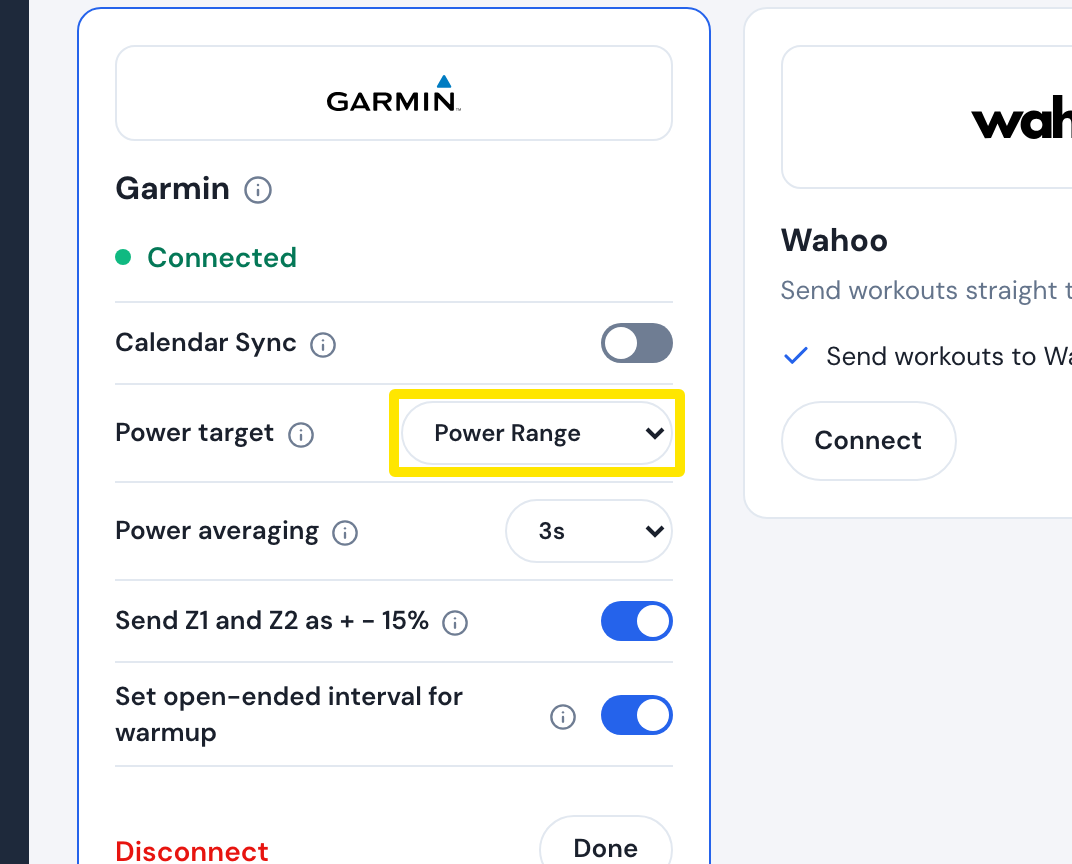 Where: Website · Connections · open it
- Leave Connections and open the workout from Search Workouts or My Workouts. Click Send to, then choose Garmin.
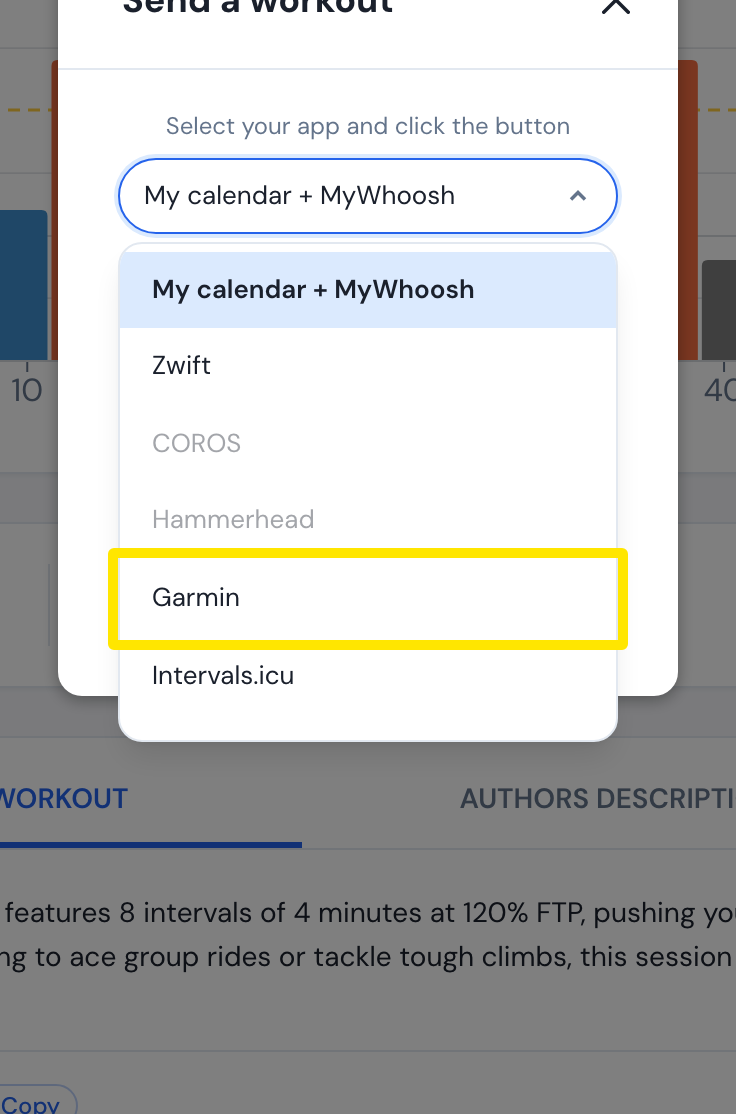 Where: Website · a workout's page
- Pick Power or HR. For Power, pick Original (good for indoor) or Simplified (good for outdoor).
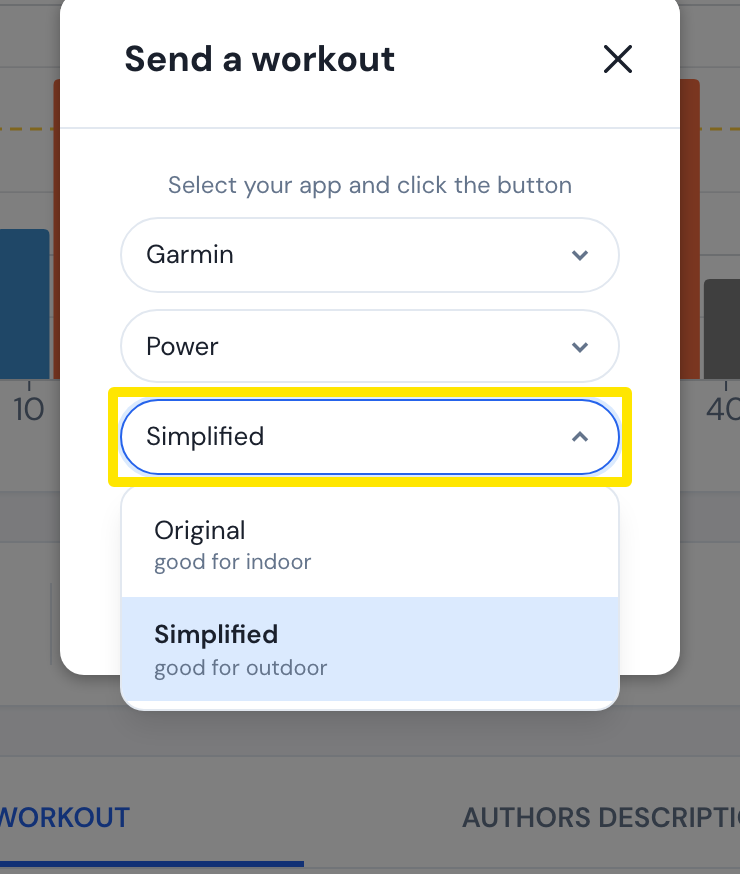 Where: Website · a workout's page
- Click Send. The workout is saved to Garmin Connect for today's date and reaches your device at the next Garmin sync.
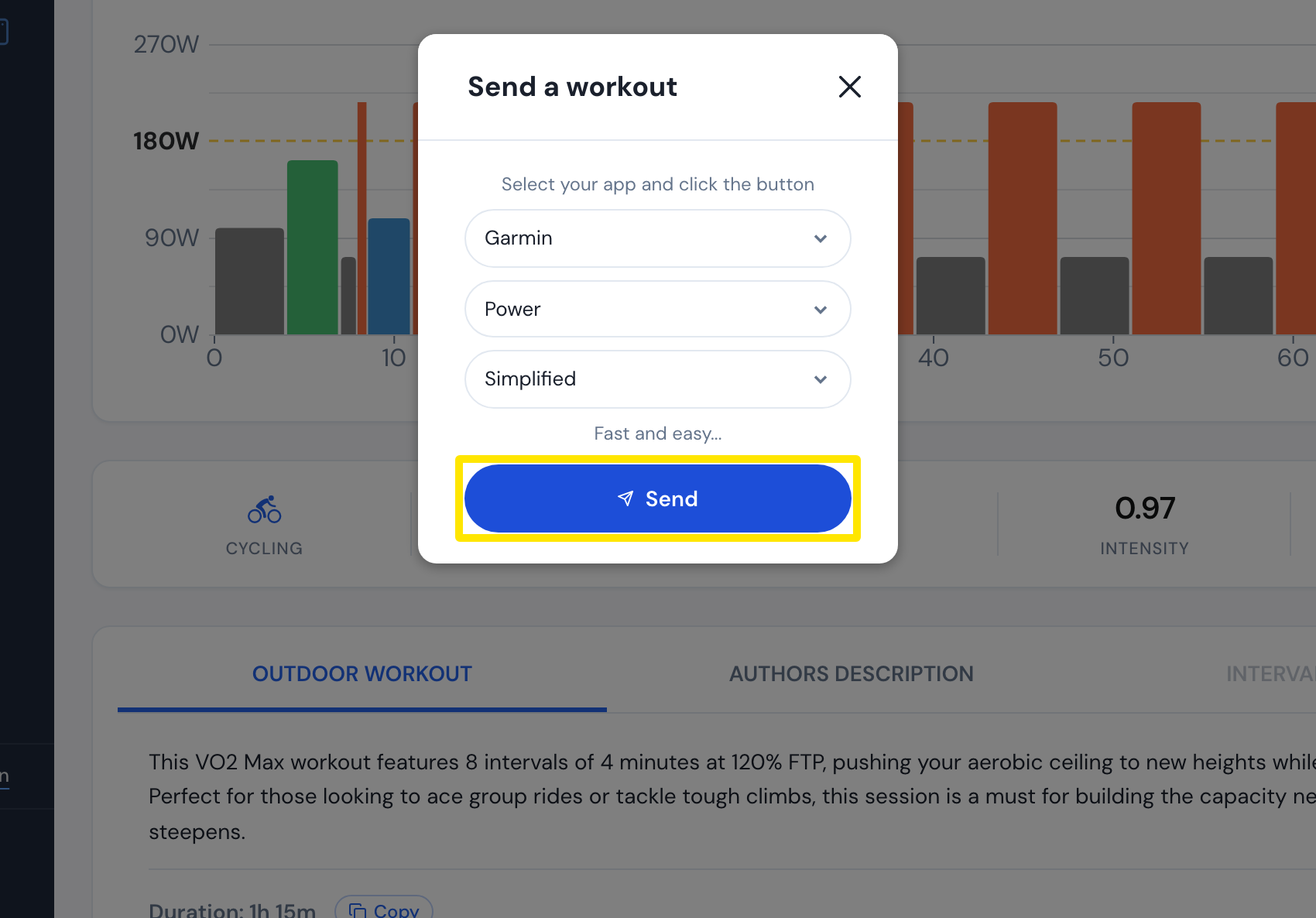 Where: Website · a workout's page
Good to know: Garmin shows up in Send to only when Garmin is connected.
Works on: website (sending from the mobile and desktop apps was not checked).