

How do I sync my TrainerDay calendar or training plan to Garmin?
Turn on Calendar Sync on the Garmin card of the TrainerDay website's Connections page, and the workouts on your TrainerDay calendar, including a training plan you have added there, go to your Garmin calendar automatically.
A training plan only syncs once it is on your TrainerDay calendar. If it isn't there yet, add it first: How do I add a training plan to my calendar?
- On the website, open the Connections page and click the Garmin card. Connect Garmin if it is not connected yet.
- Turn Calendar Sync on (a Pro setting). A sync starts at once. Workouts on your TrainerDay calendar from today to the end of next week go to your Garmin calendar, and changes on your TrainerDay calendar follow automatically.
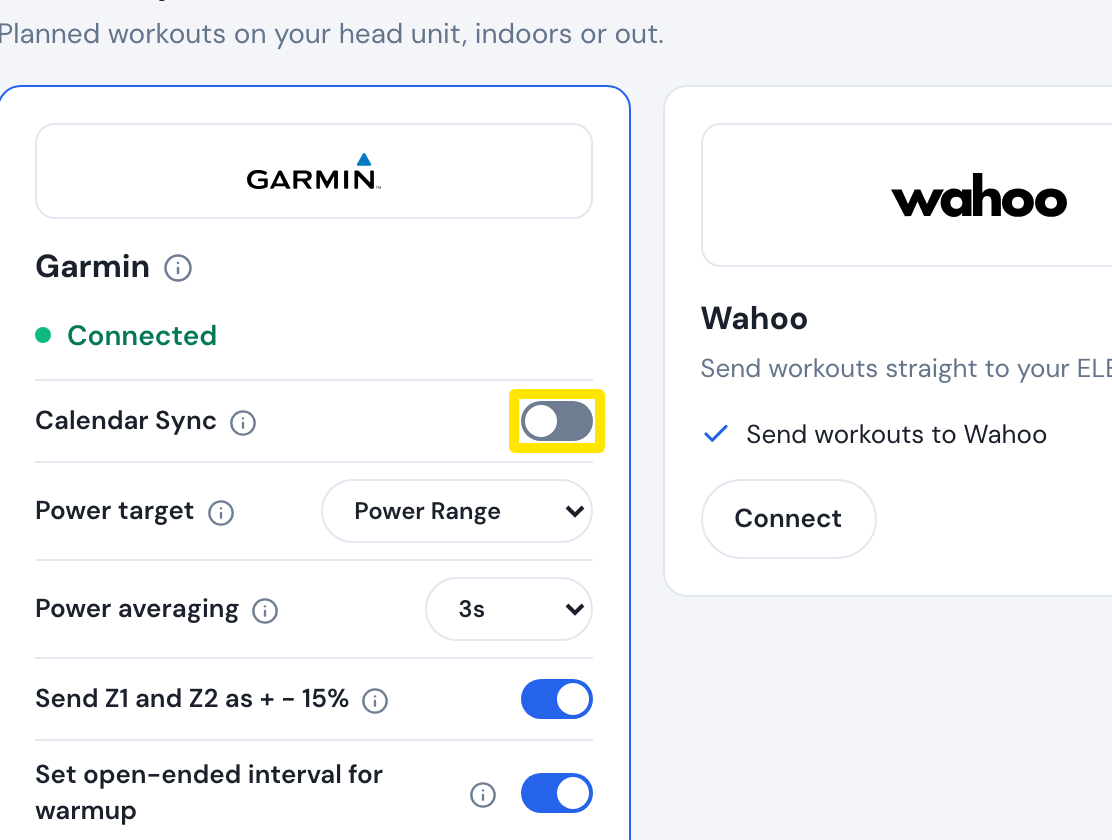 Where: Website · Connections · open it
- To stop it, turn Calendar Sync off in the same place.
Good to know: Only today through the end of next week is sent, so later days of a plan show up in Garmin as those weeks come closer. Private workouts are sent too, and workouts past Garmin's limit are cut to fit.
Works on: Website (Connections), desktop app (Settings → Connections → Garmin card, same Calendar Sync checkbox), mobile app (Settings → Connections → Garmin).