

How do I add a cadence target to a workout?
Add a cadence target on the TrainerDay website's workout editor by turning on the Cadence column in Fields: and typing an rpm range for each interval.
- On the website, open the workout editor at https://app.trainerday.com/workouts/create, or edit one of your own workouts.
- Open the Fields: dropdown and tick Cadence. The column stays hidden until you do.
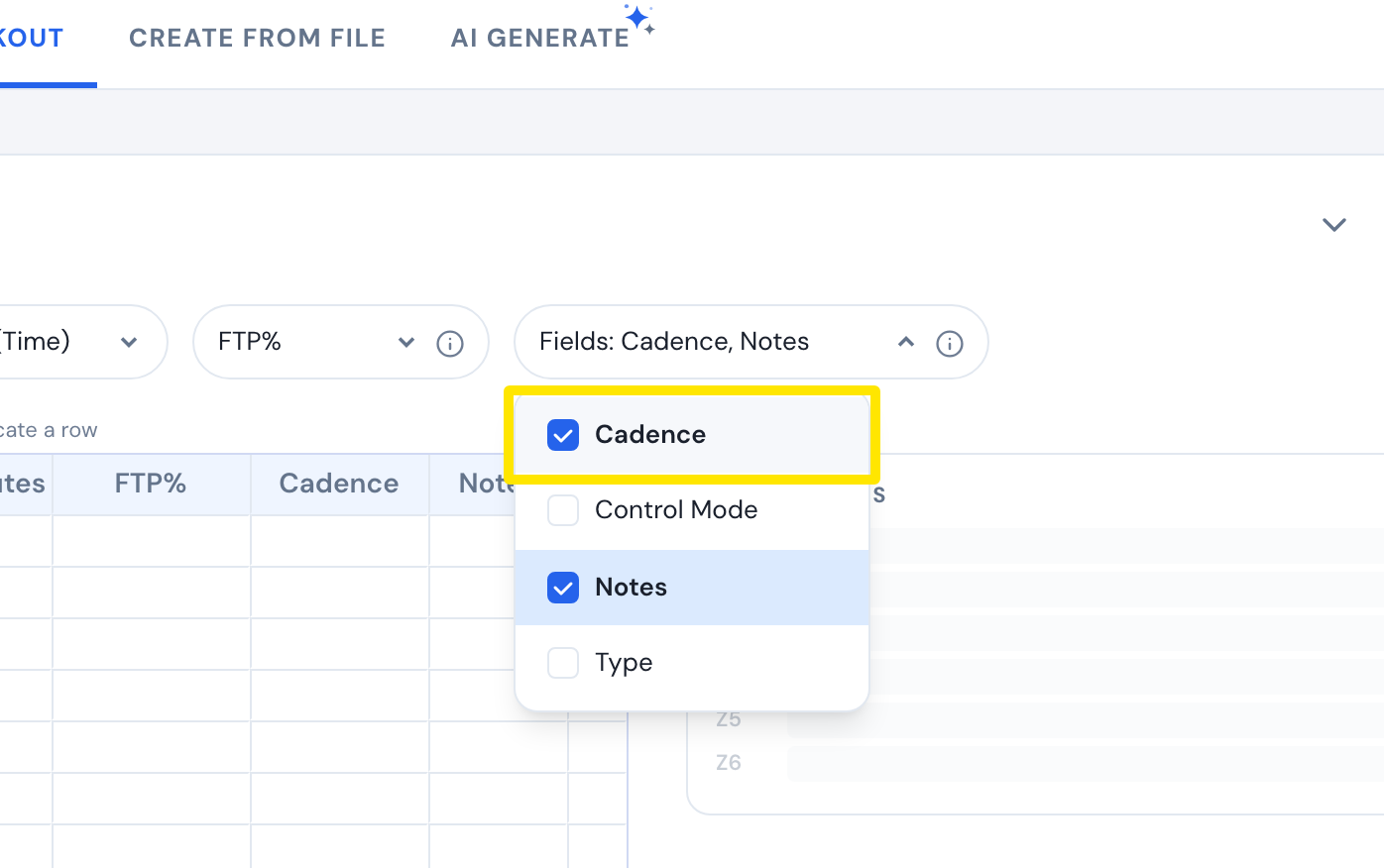 Where: Website · Create Workout · open it
- In each interval's Cadence box, type the rpm range, for example 85-95.
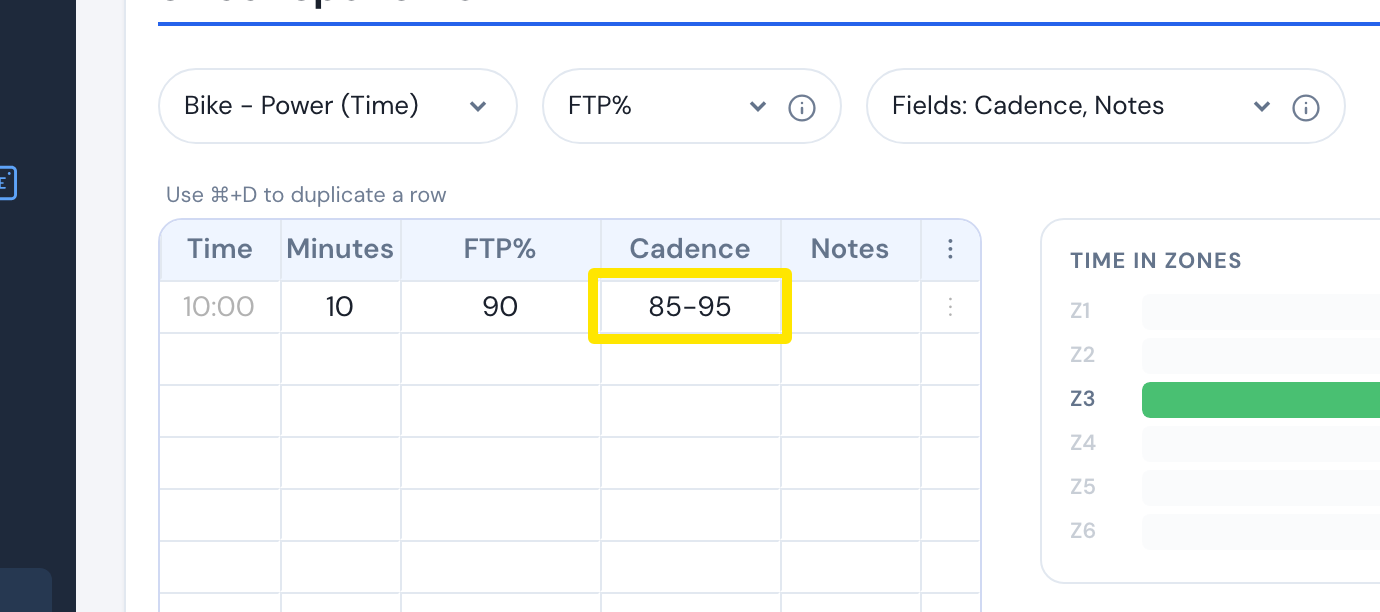 Where: Website · Create Workout · open it
- Click Save workout. In the window that opens, click Save.
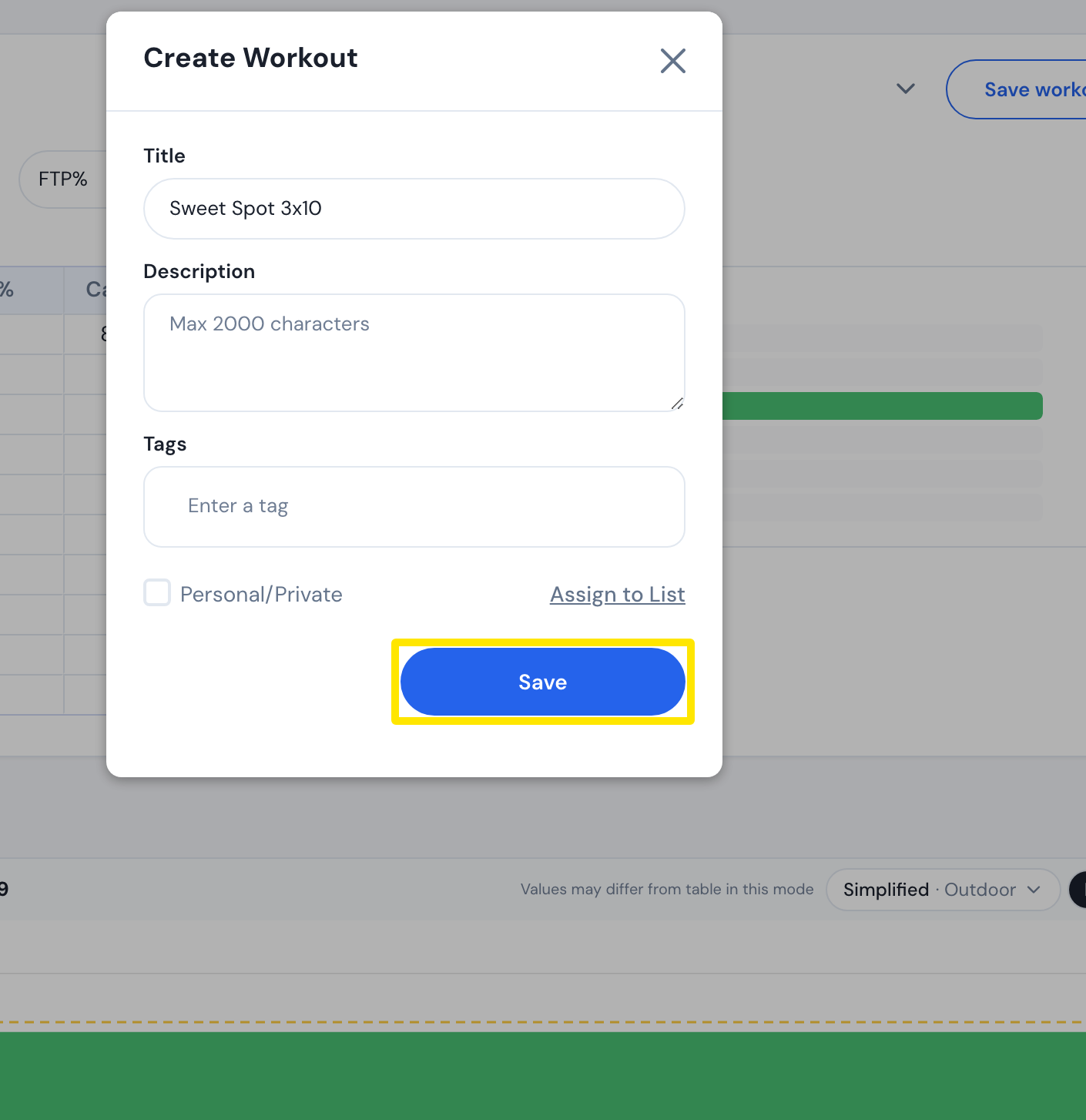 Where: Website · Create Workout · open it
Good to know: Cadence is not offered for rowing workouts. The mobile and desktop apps show the cadence target while you ride.
Works on: Website only for adding targets. The mobile app's AI Workout Builder may add rpm targets, and the desktop app has no editor.