

How do I keep free ride, heart rate and slope steps when exporting a workout to other apps?
On the TrainerDay website, download a workout as a ZWO file from its page to keep free-ride steps; heart rate and slope steps can't be kept in any file and come out at their power target.
- On the website, open the workout's page (click it in Search Workouts or My Workouts) and click the three-dots menu at the top right of the workout. If Download file is greyed out, the page is showing the heart rate view: switch the view back to Indoor first.
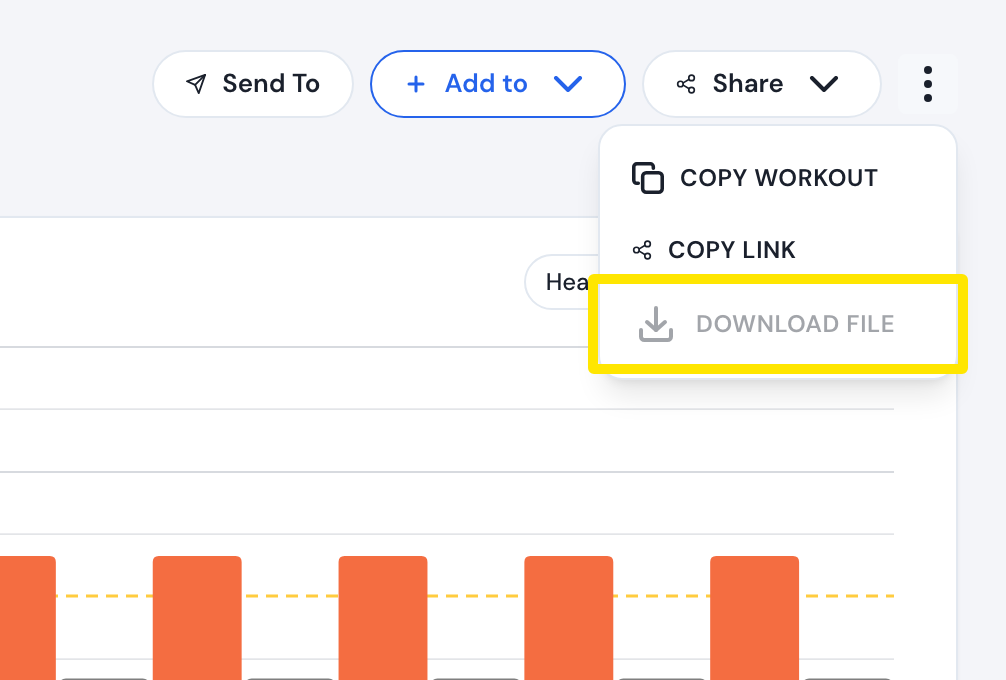 Where: Website · a workout's page
- Click Download file, choose ZWO (MRC is selected by default) and click Download. Free-ride steps are written as Zwift FreeRide steps.
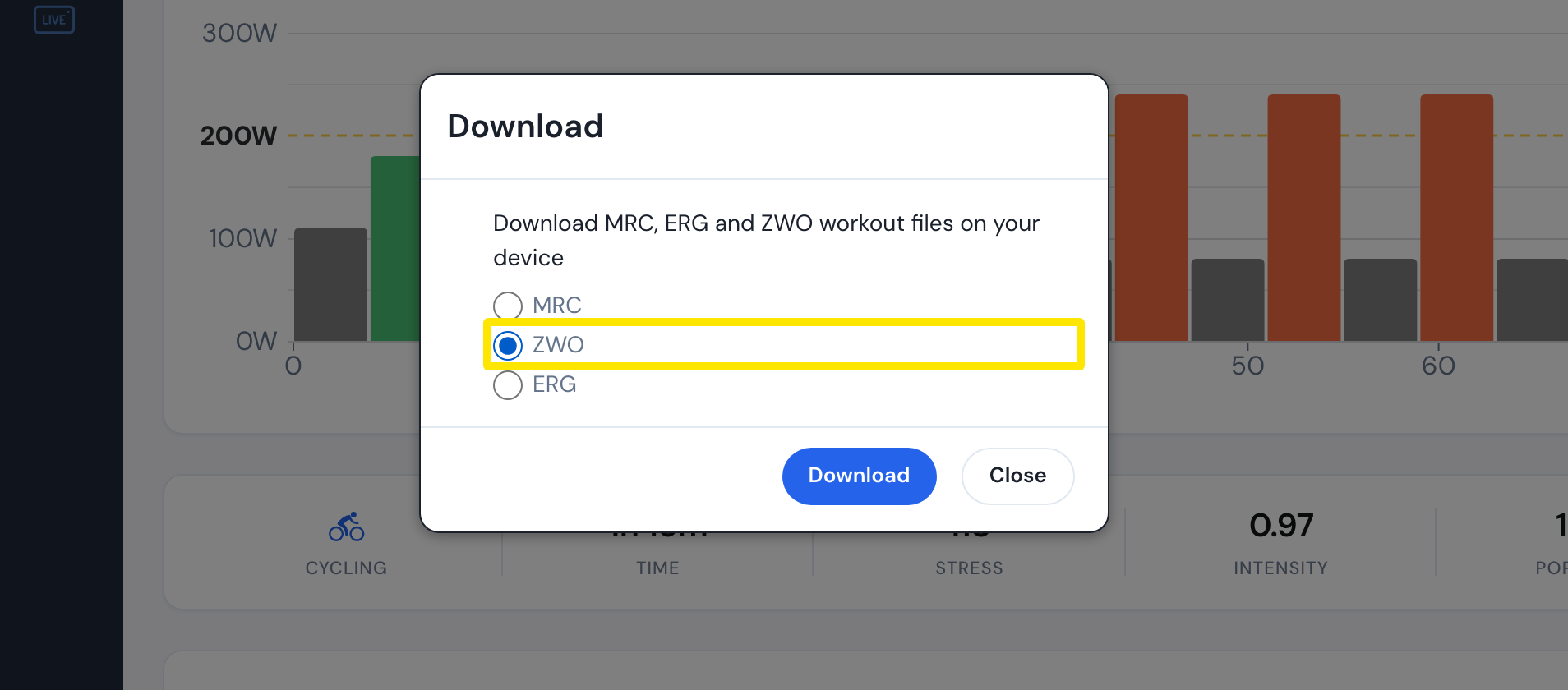 Where: Website · a workout's page
Good to know: ZWO, MRC and ERG carry only power, so heart rate and slope steps come out at their power target, and in MRC and ERG free-ride steps become plain power steps. To ride heart rate and slope steps as written, ride the workout in the TrainerDay mobile or desktop app.