

How do I reuse blocks from one workout in another?
Reuse blocks on the TrainerDay website by copying rows from one workout's editor and pasting them into another workout's editor.
- On the website, open the workout that has the blocks from My Workouts or Search Workouts. Click its three-dots menu and choose Edit workout (Copy Workout for someone else's).
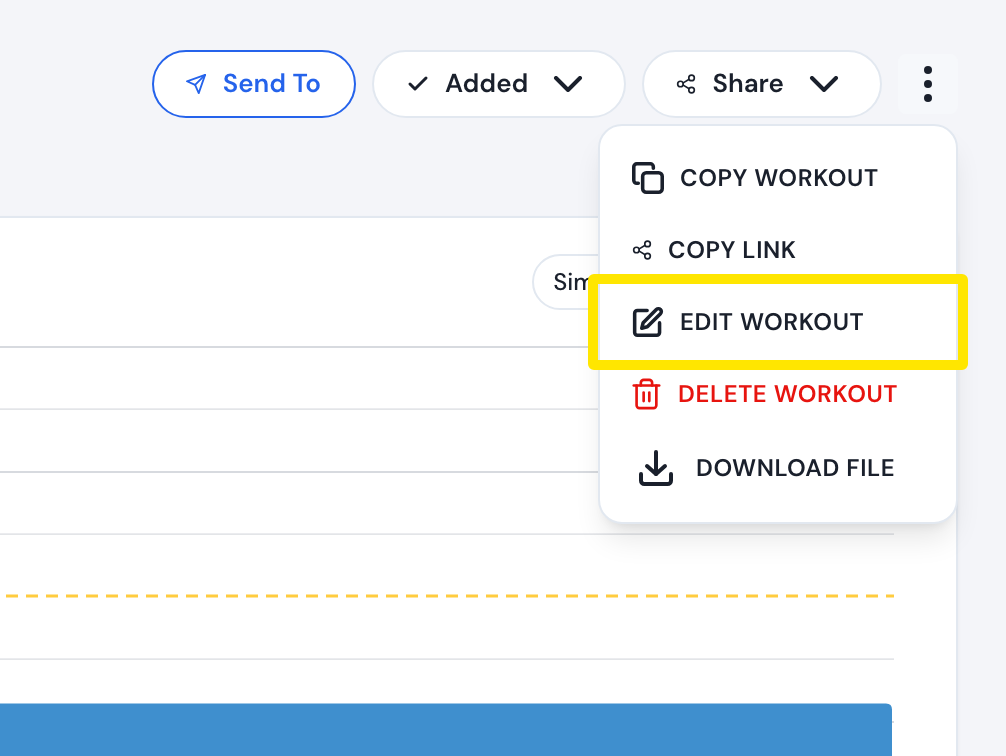 Where: Website · a workout's page → three-dots menu
- In the editor, click the first row's Minutes cell and drag down to the last row (or hold Shift and press the down arrow). Press Cmd+C (Ctrl+C on Windows).
- In the left sidebar, click Create Workout. Show the same Fields as the first workout.
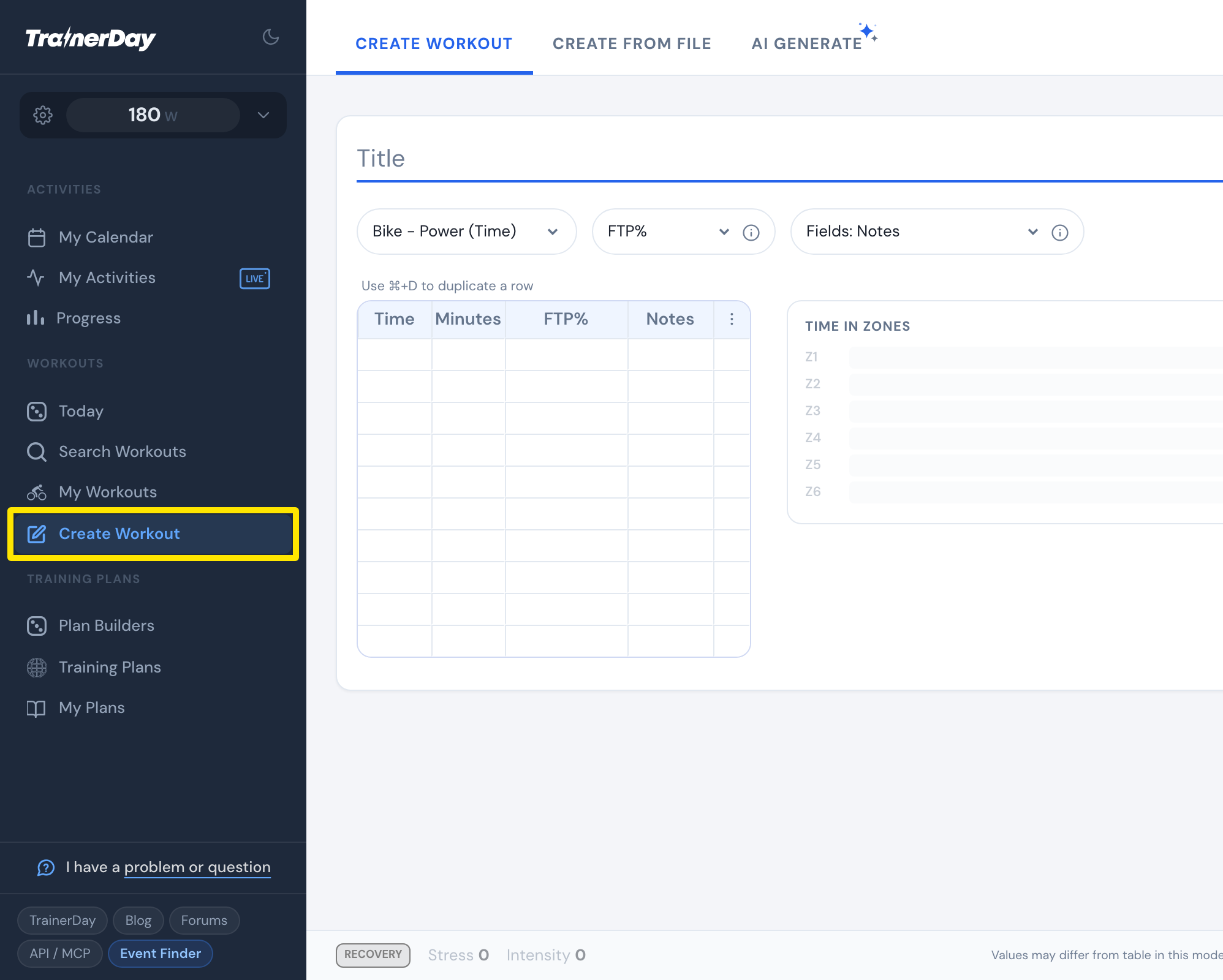 Where: Website · Create Workout · open it
- Click the Minutes cell of the empty row under the last row and press Cmd+V (Ctrl+V).
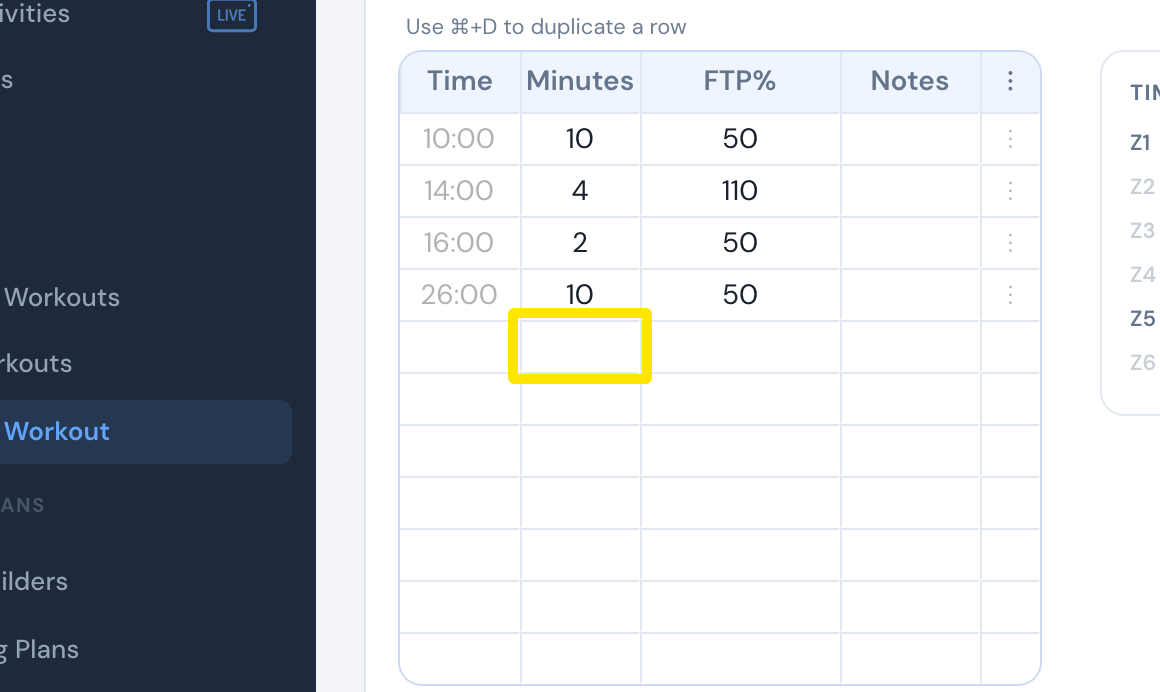 Where: Website · Create Workout · open it
- Click Save workout, then Save.
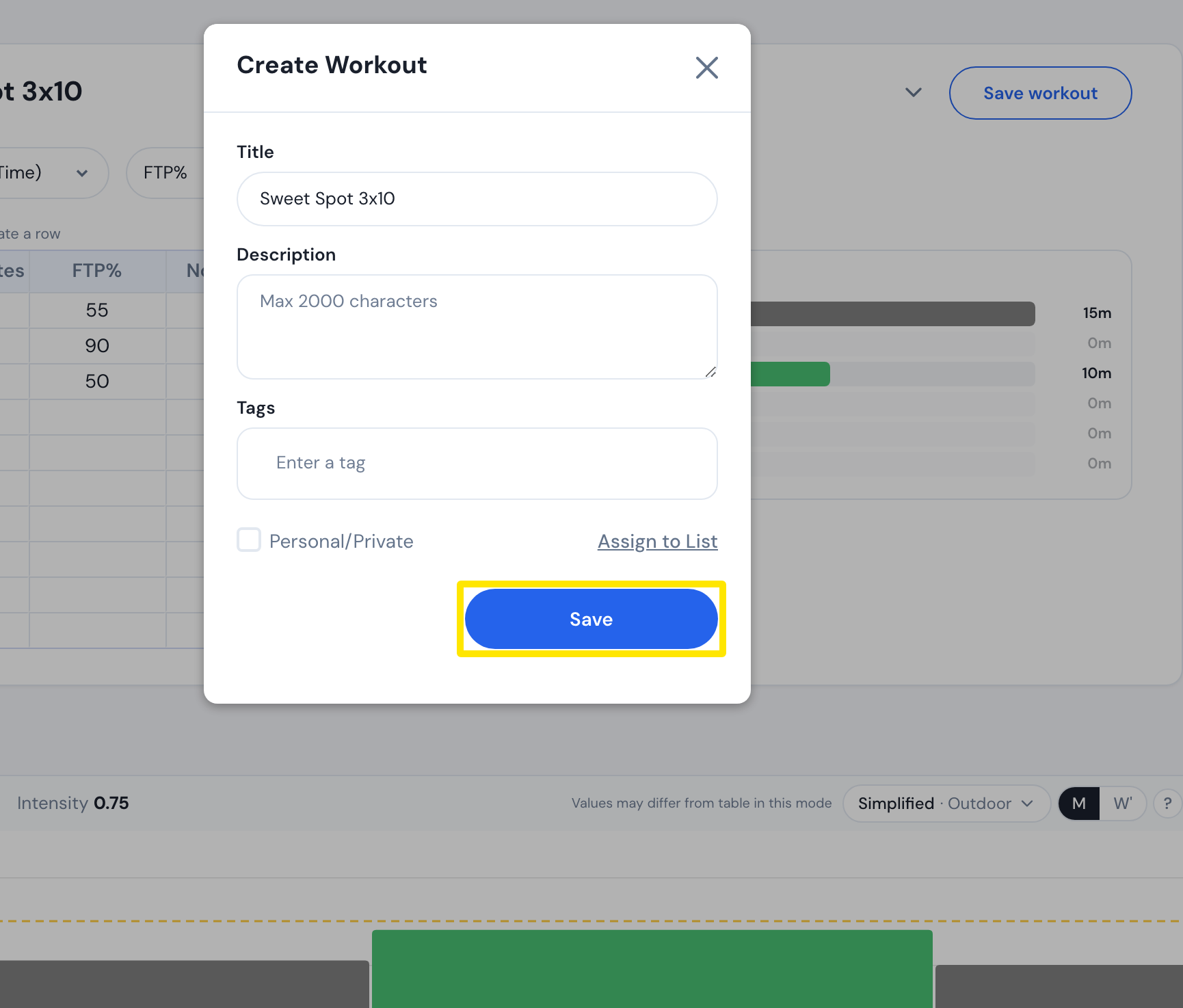 Where: Website · Create Workout → Save workout · open it
Good to know: There is no saved-blocks library. Repeat blocks keep their repeat count and notes come along. To paste into an existing workout instead, open it from My Workouts with its three-dots menu → Edit workout in step 3.
Works on: Website only. The mobile and desktop apps have no editor.