

Sets and Reps: Build Interval Workouts Fast
Alex VanLaningham · Founder of TrainerDay ·
Interval workouts are built from repeated efforts: a hard row, a recovery row, then the same again. In TrainerDay you build these in the Create Workout editor on the website, one row at a time. Each row has its own Minutes and FTP%, so every effort and every rest is exactly what you type.
Where to find it:
- Website → Create Workout in the sidebar · open it
- Mobile app: no row editor; the AI Workout Builder instead
- Desktop app: not available
Build the rows
- Click Create Workout in the sidebar.
- Type a Title.
- For each row, type the Minutes and the FTP%. Time fills in by itself.
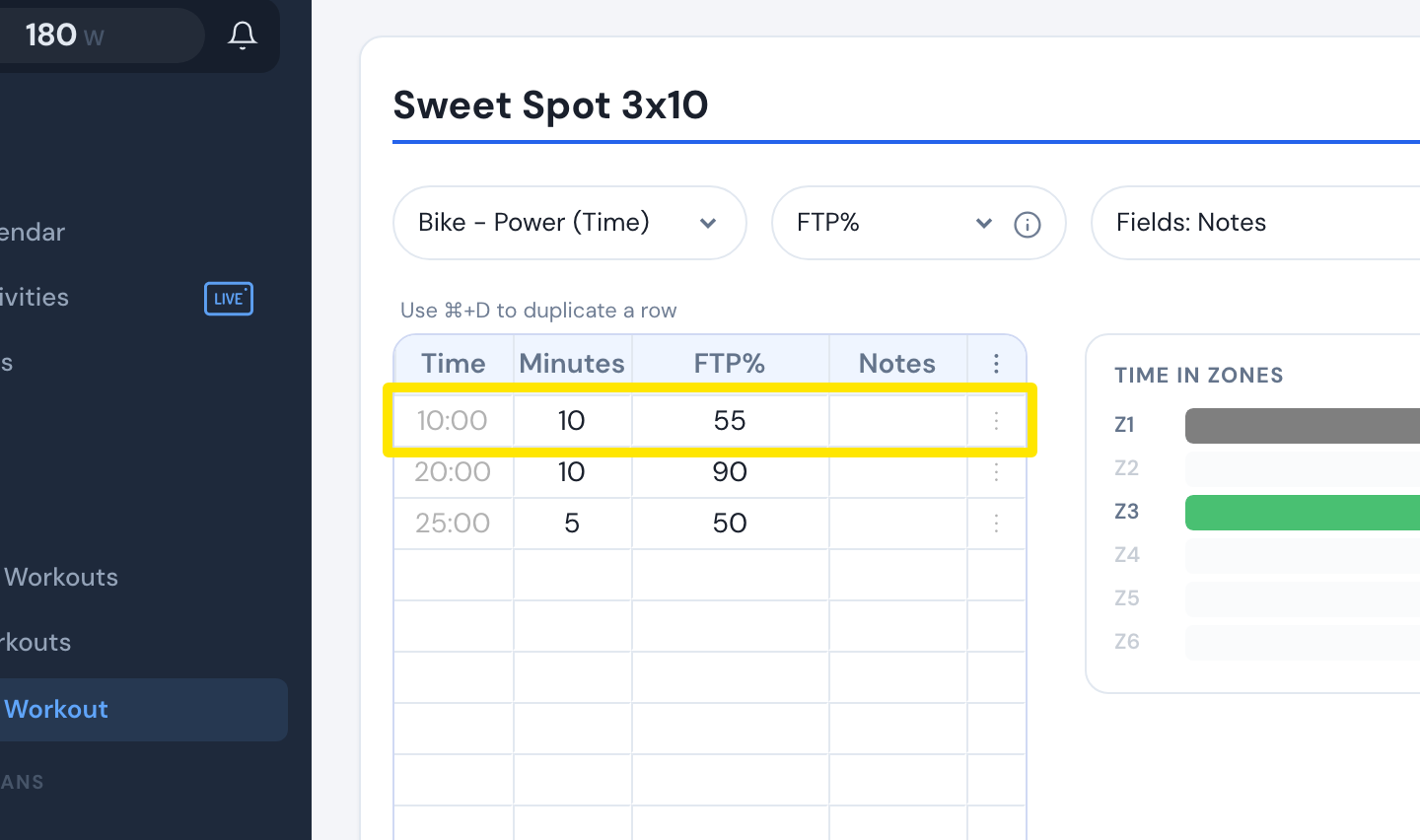 Where: Website · Create Workout · open it
Short sprints and ramps
For efforts under a minute, type :30 in the Minutes cell for 30 seconds. Typing .5 also gives 30 seconds. The chart shows the short block so you can check it.
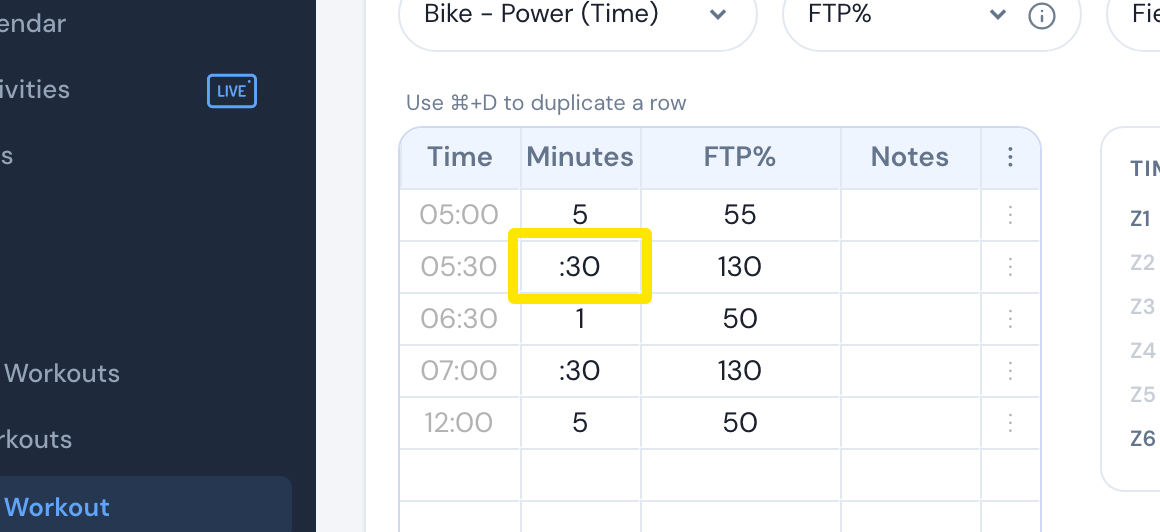 Where: Website · Create Workout · open it
For a ramp, type two numbers with a dash in the FTP% cell, such as 50-100, and press Enter. Put the higher number first for a cooldown. A single number gives a flat step.
Add and remove rows in a block
- Click the ⋮ at the end of a row (the Actions column).
- Click Add segment above or Add segment below. Inside a repeat block, the labels end in "in block".
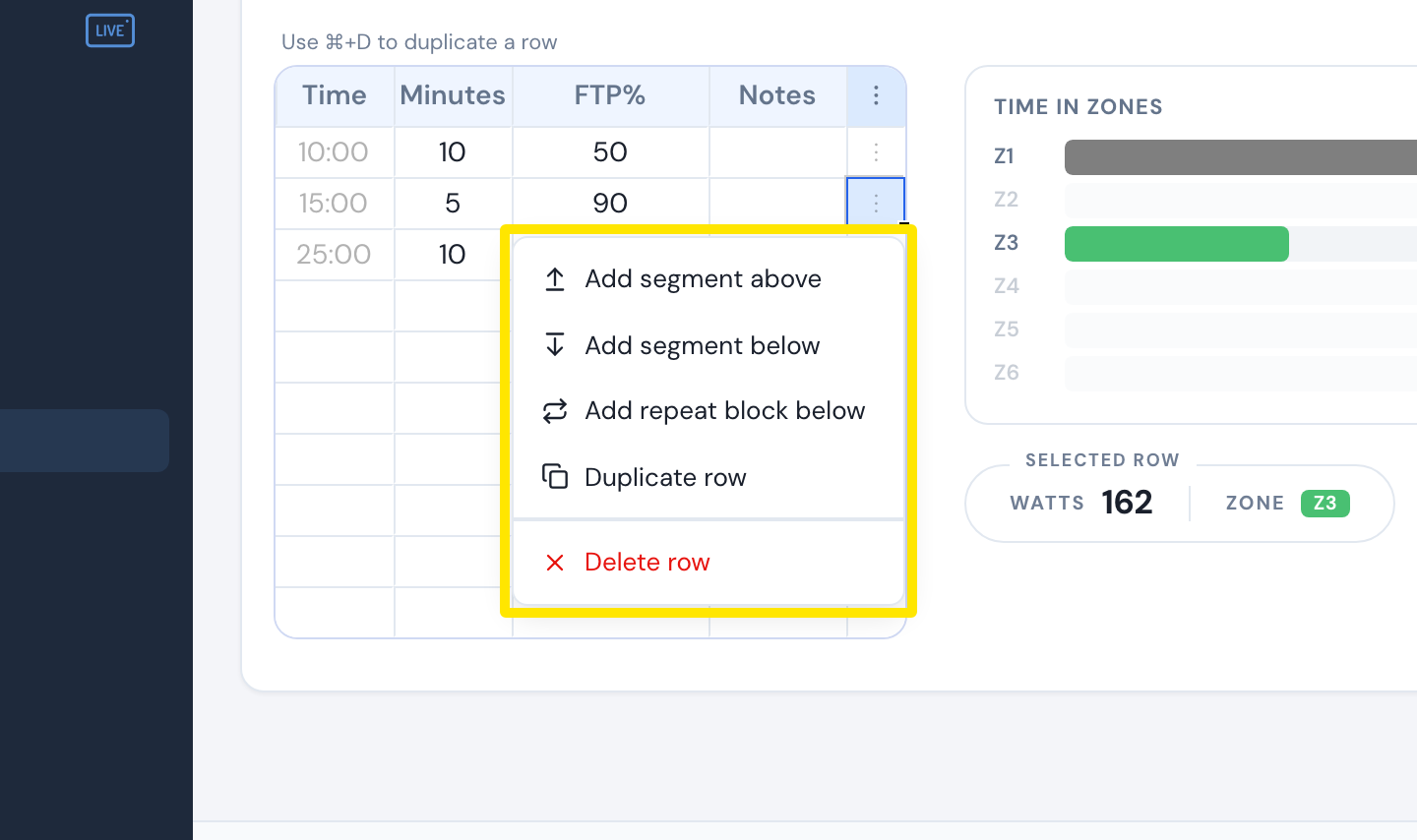 Where: Website · Create Workout · open it
Cmd+D (Ctrl+D on Windows) duplicates the selected row directly below it, which is handy for repeated efforts. You can also type a value into the empty row under the last block to add a new block.
To remove one effort, open the same ⋮ menu and click Delete row. The rest of the repeat or set block stays. Delete block removes the whole repeat or set.
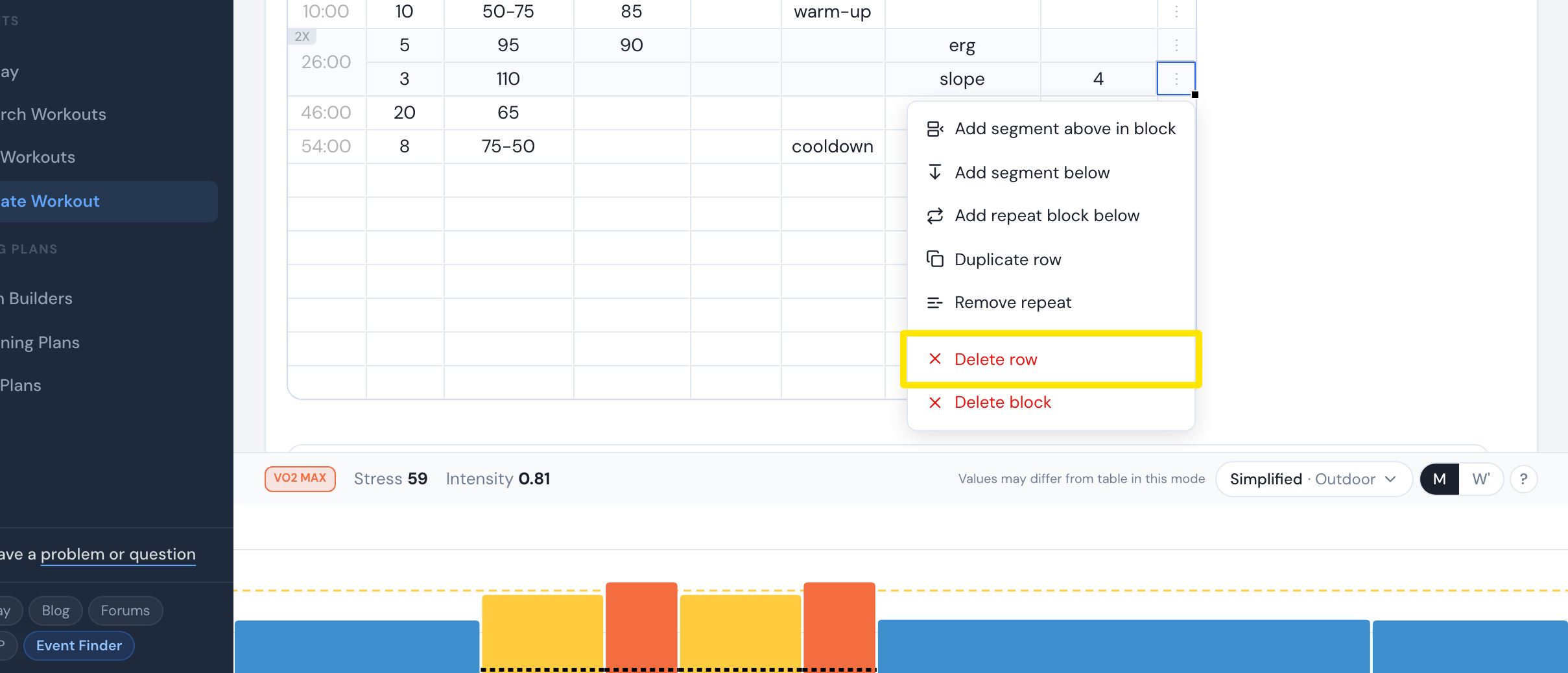 Where: Website · Create Workout · open it
Save it
- Click Save workout at the top right. If a row is invalid, a message names the first problem. The workout needs at least one power record and must be longer than 1 minute.
- Enter a Title in the dialog.
- Optional: click Assign to List next to Personal/Private.
- Click Save. My Workouts opens.
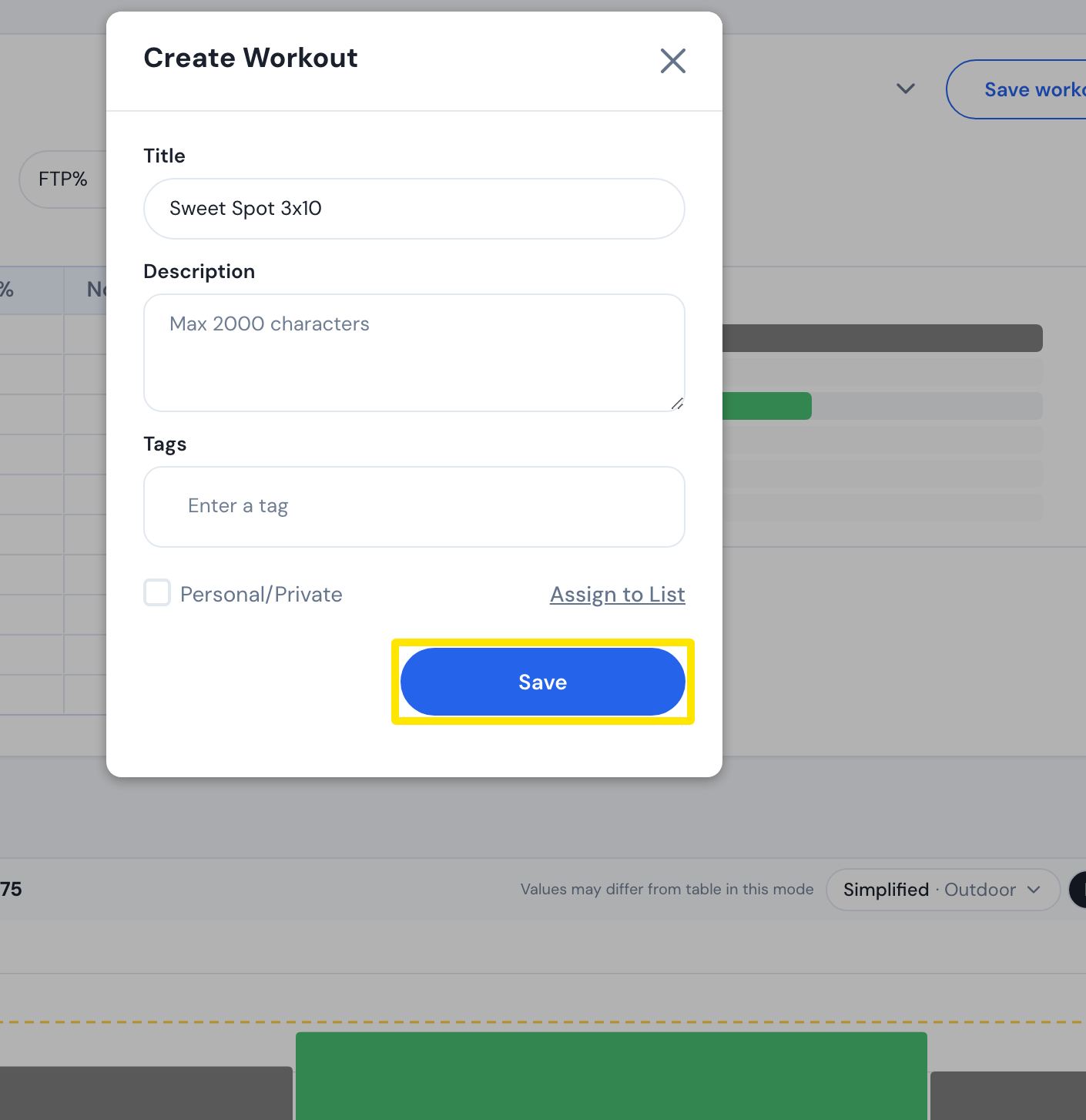 Where: Website · Create Workout · open it
You must be logged in, or Save does nothing.
Change it later
Open the workout's page, click the three-dots menu, then Edit workout. For someone else's workout, click Copy Workout to save your own version.