

No Power Meter on Your Bike? No Problem: Heart Rate Training
Alex VanLaningham · Founder of TrainerDay ·
Power meters are great especially for short duration higher intensity intervals. But they are not a necessity for training smarter or getting faster. I would argue that many riders would be better off focusing on heart rate. I say this partially because it has been shown that easy rides are a corner stone of performance. Easy and heart rate based training go hand in hand. I would also argue that learning to judge your hard intervals by RPE (rate of perceived exertion) is a valuable step in cycling performance.
Where to find it:
- Website → My Calendar → workout's three-dot menu → Convert to HR · open it
- Mobile app: Calendar → workout's menu → Ride as → Heart rate
- Desktop app: no conversion
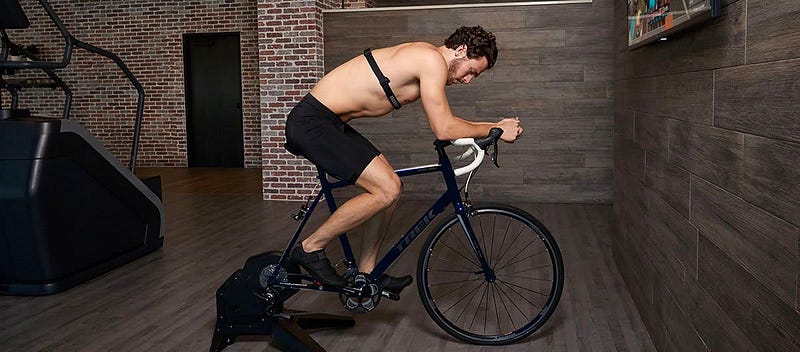
As recently popularized, there are 3 primary training zones or intensity targets. Easy, moderate and hard. Arguably, breaking it down farther than this is not a critical component to getting faster. Most people do too much moderate and not enough easy and hard. You can google "Polarized Training" to get a better understanding of this.
So you can use TrainerDay to execute your heart rate based training. Before you start, set your Threshold HR in your Profile (Account → Profile). This is the heart rate you can hold for about an hour, not your max. In the mobile app it is under Settings → Other Options → HR Threshold.
Any workout on your calendar, including Coach Jack workouts, can be converted to heart rate. In My Calendar, click the workout's three-dot menu and choose Convert to HR (Pro). Each power zone becomes a percent of your threshold HR, and calendar sync sends it to Garmin and other apps with heart rate targets. To switch back, choose Convert to Indoor.
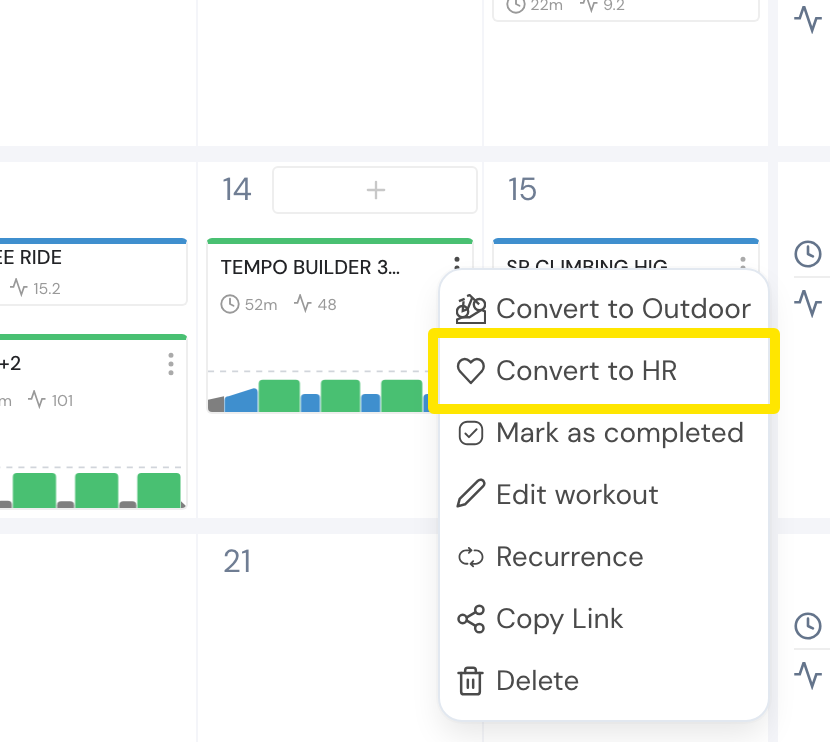 Where: Website · My Calendar · open it
You can also build a Coach Jack plan with heart rate days. In the plan's training days, click the pencil next to a day's hours. Then click the day type button (for example Indoor) and choose Heart Rate. Those workouts reach your calendar as heart rate workouts.
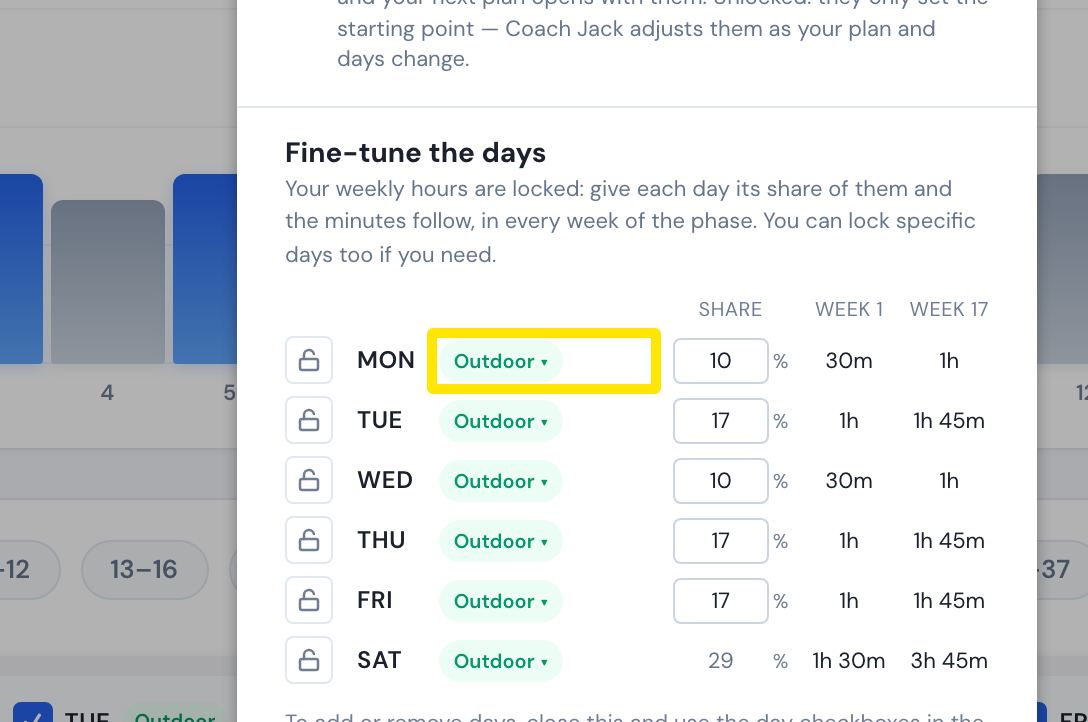 Where: Website · Coach Jack phase editor
You can also just search and find workouts and send them to the platform of your choice to perform heart rate based workouts. In Search Workouts, open the view button at the top right and choose Heart Rate · HR to see every result in heart rate.
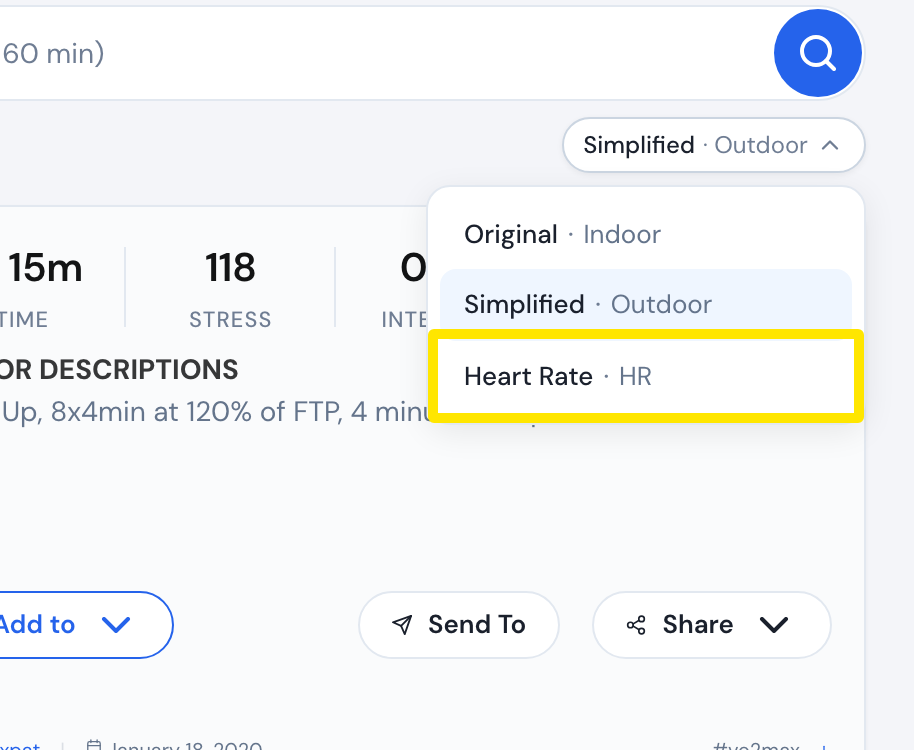 Where: Website · Search Workouts · open it
On a workout's page, click Send To. Pick the platform (Garmin, Wahoo, COROS, TrainingPeaks or Intervals.icu), change the second dropdown from Power to Heart rate, and click Send. For TrainingPeaks, targets go as percentages of the threshold HR set in TrainingPeaks.
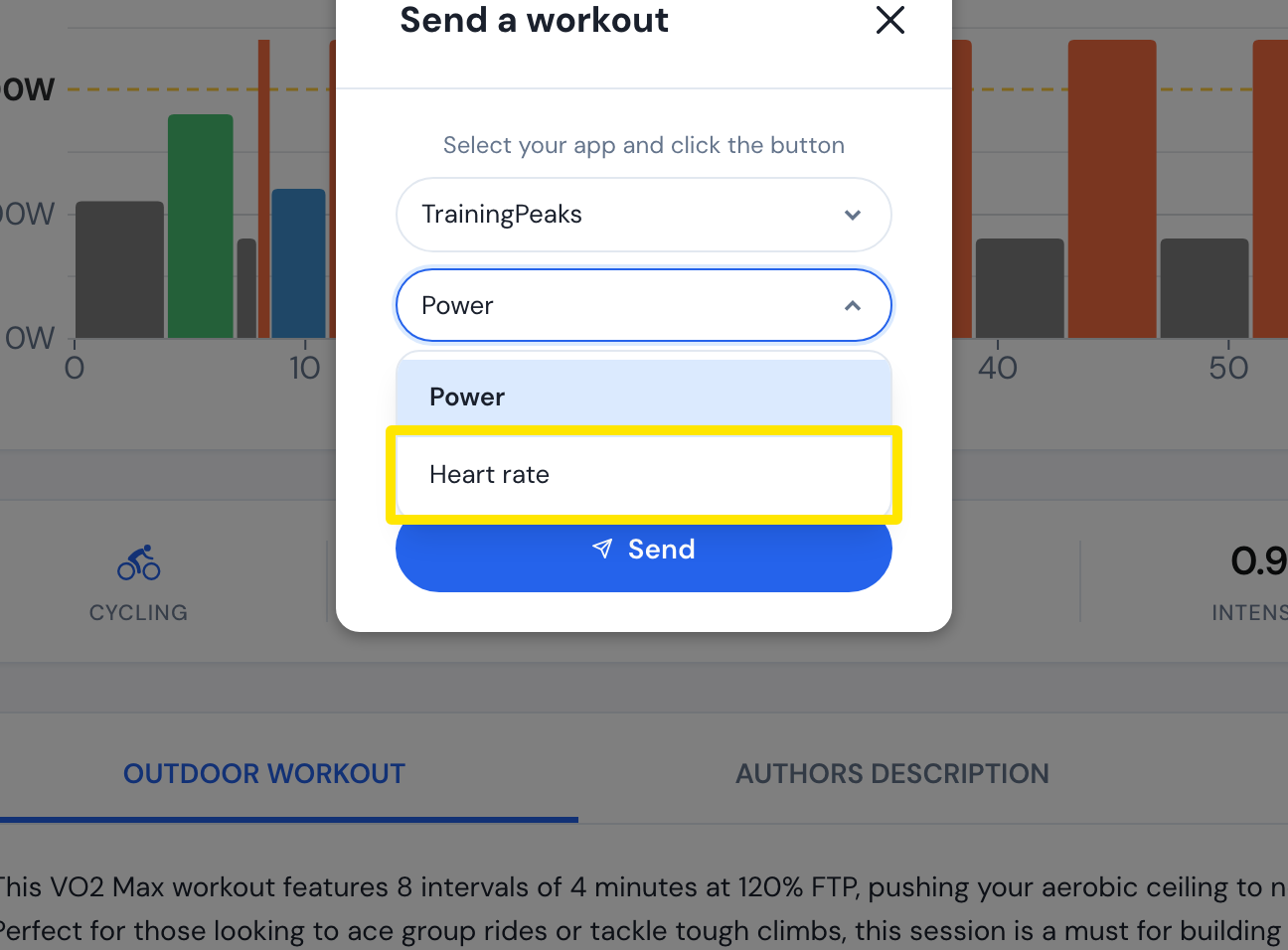 Where: Website · a workout's page
If you train with power some times (for example indoors) and have a feeling of what Zone 3 should feel like, you can set up your own custom conversions from power to heart rate. Click the gear icon in the left sidebar → Sports, Zones, FTPs → Cycling Heart Rate tab, edit Average HR %, and click Save.
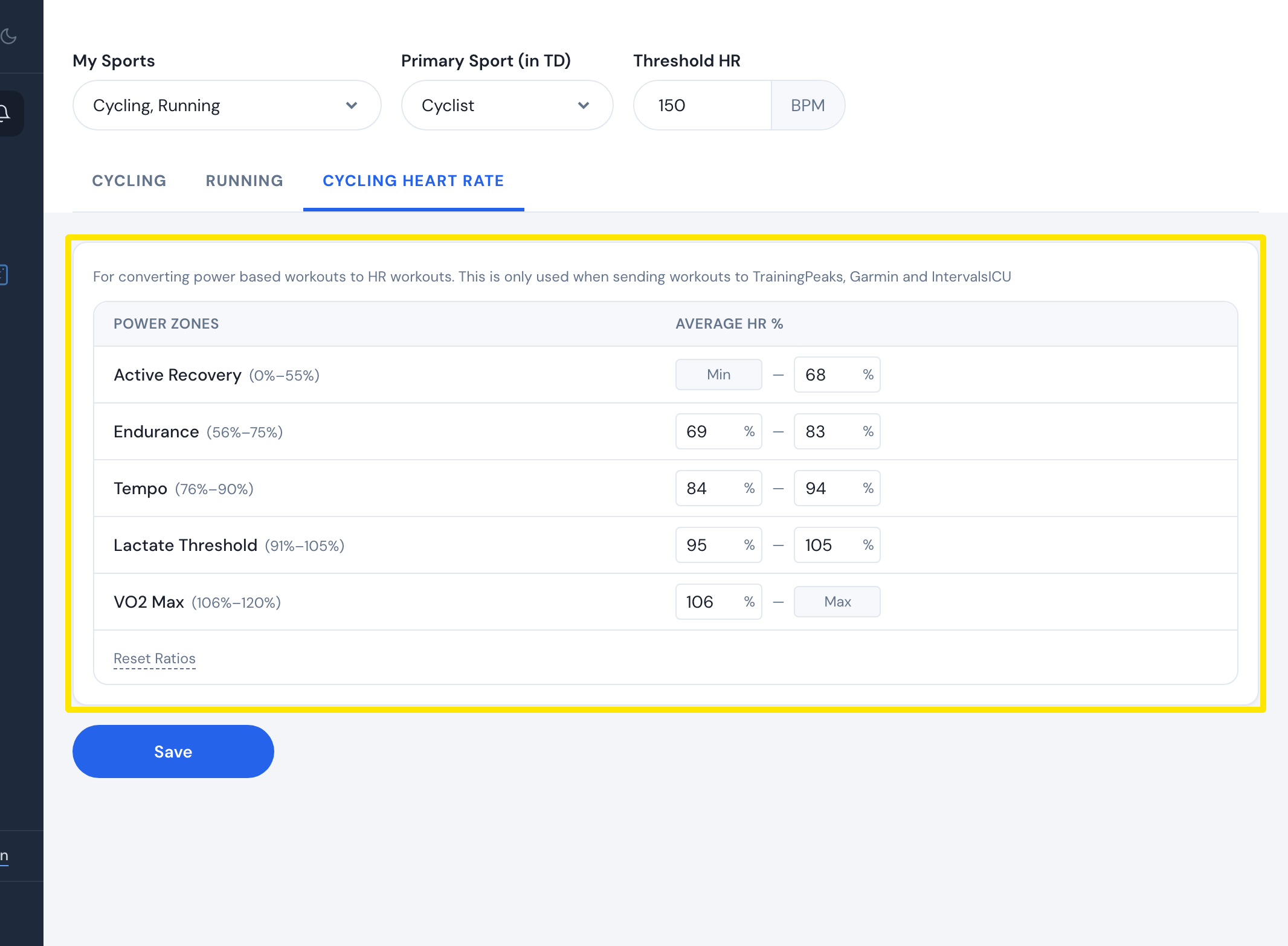 Where: Website · Sports, Zones, FTPs · open it
Give it a try. Find power based workouts in TrainerDay now and convert them to heart rate.
Quick answers
- How do I convert a power workout to heart rate targets?
- How do I make a Coach Jack plan with heart rate rides?
- How do I find heart rate workouts?
- How do I set heart rate targets when sending a workout to TrainingPeaks?
- How do I create a heart rate workout for outdoor rides?
- Where did the threshold heart rate option go in the mobile app?