

How can I see which TrainerDay account I'm logged into?
See which TrainerDay account you are logged into on the website's Account page, which shows your username, email and subscription.
- On the website (app.trainerday.com), click the gear icon at the top of the left menu and choose Account.
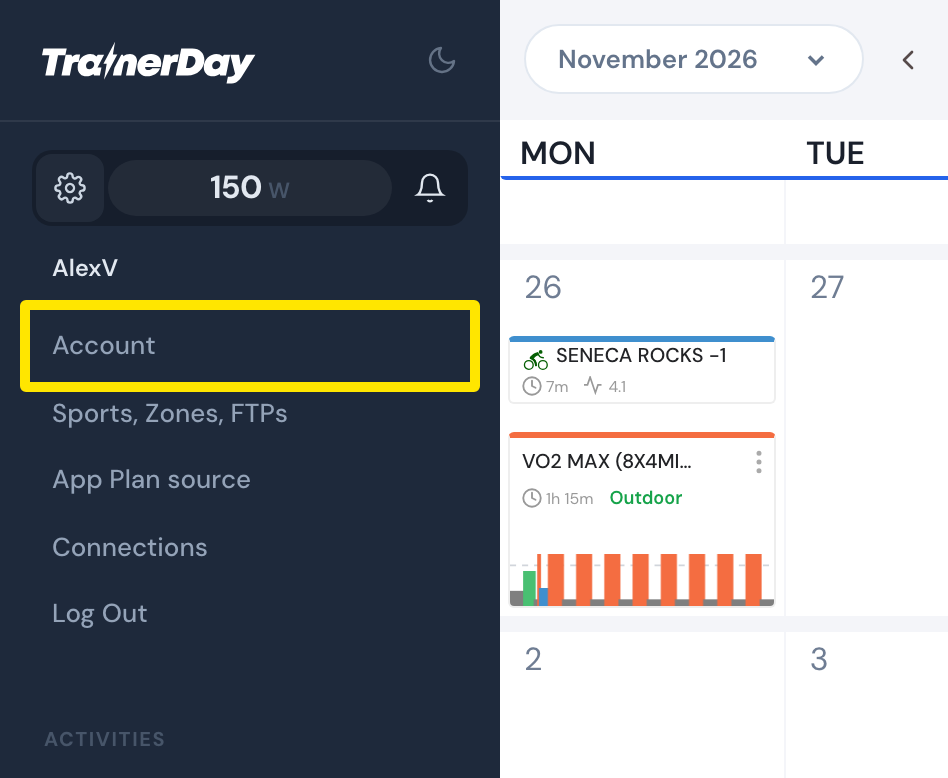 Where: Website · My Calendar · open it
- On the PROFILE tab, under Account Information, Username is the account you are logged in as. Under Personal, Email is that account's email.
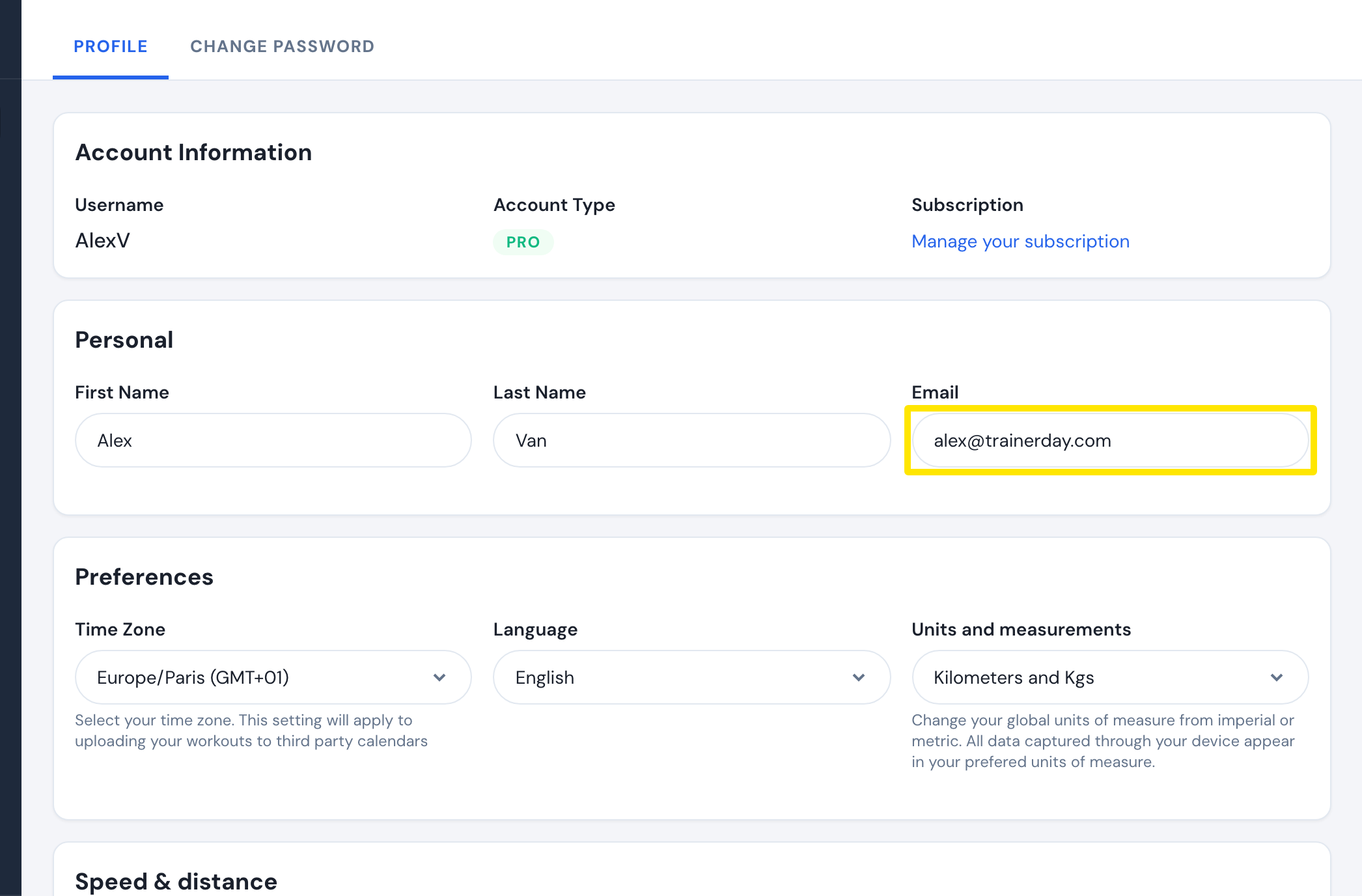 Where: Website · Account · open it
- To see whether this account has your subscription, click Manage your subscription under Account Information, next to Subscription.
Good to know: In the mobile app, go to Settings → User Account Info to see the username.
Works on: Website (username, email, subscription), mobile app (username).