

How do I delete my TrainerDay account?
Delete your TrainerDay account on the website from the Account page's Change Password tab, or in the mobile or desktop app's Settings; this permanently removes your data.
If you only want to stop paying and keep your account, cancel your TrainerDay subscription instead.
- On the TrainerDay website (app.trainerday.com), click the gear icon at the top of the left menu, then Account.
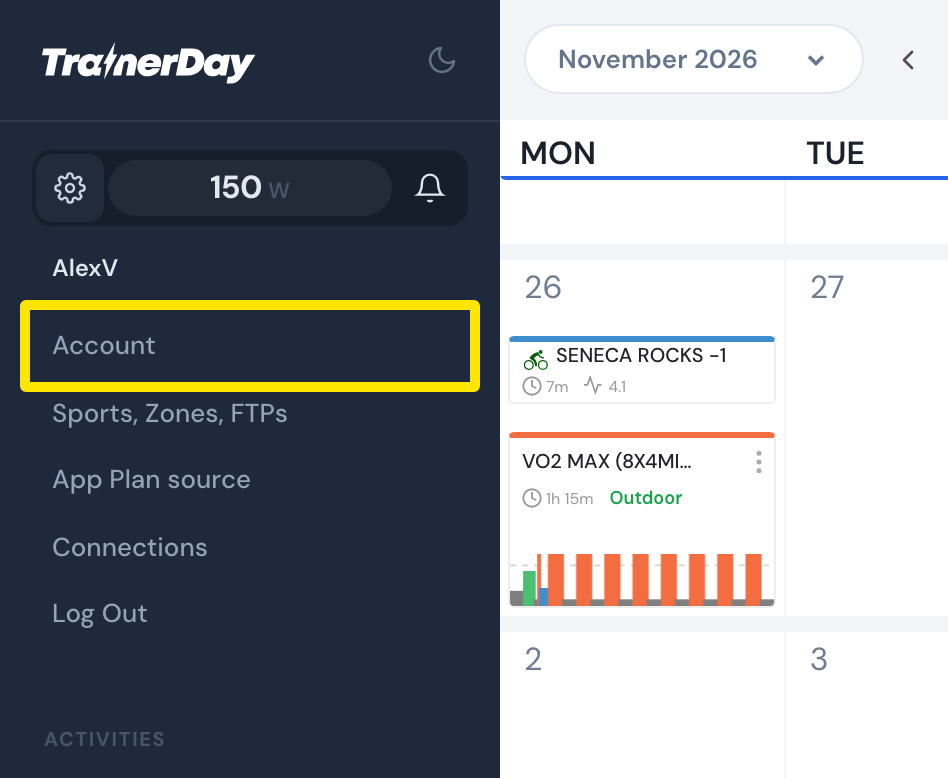 Where: Website · My Calendar · open it
- Click the Change Password tab at the top of the page.
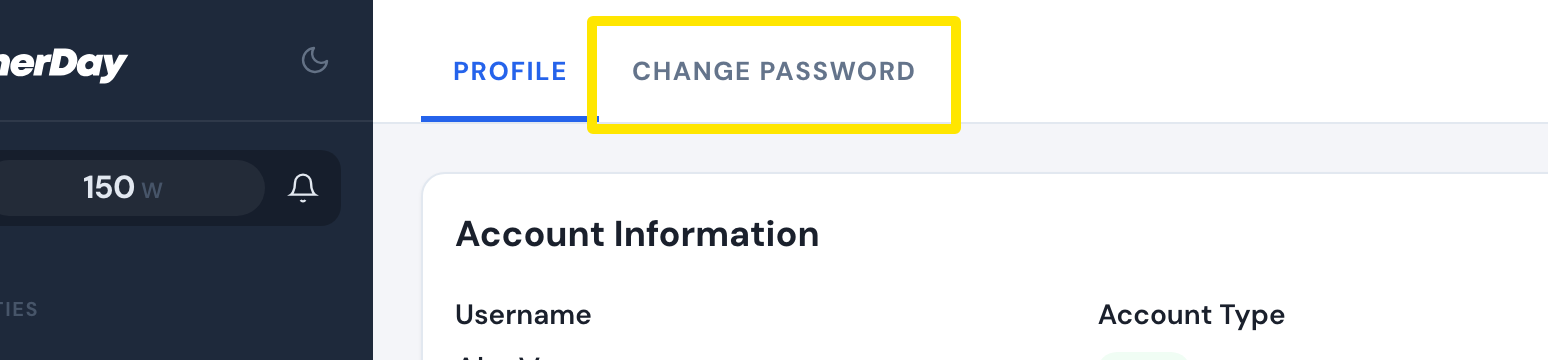 Where: Website · Account · open it
- Click Delete Account (red, bottom right).
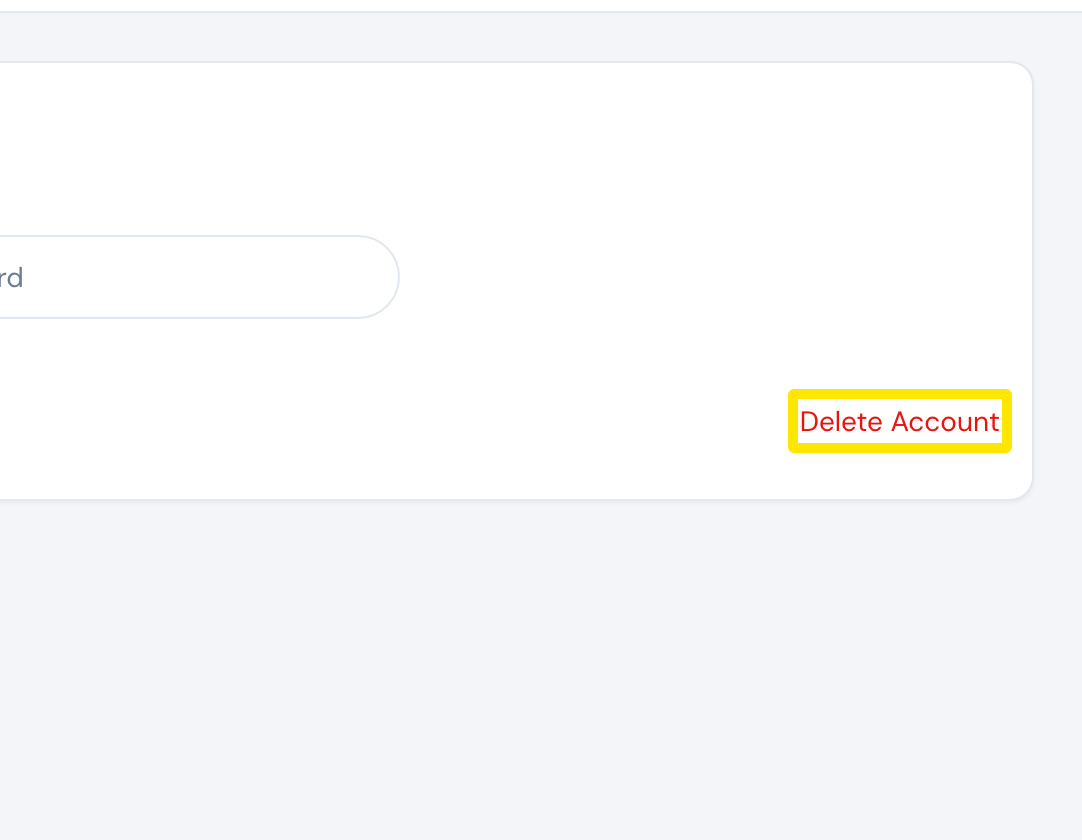 Where: Website · Account · open it
- In Are you sure?, click Delete Account. You see "Your account has been successfully deleted." and are logged out.
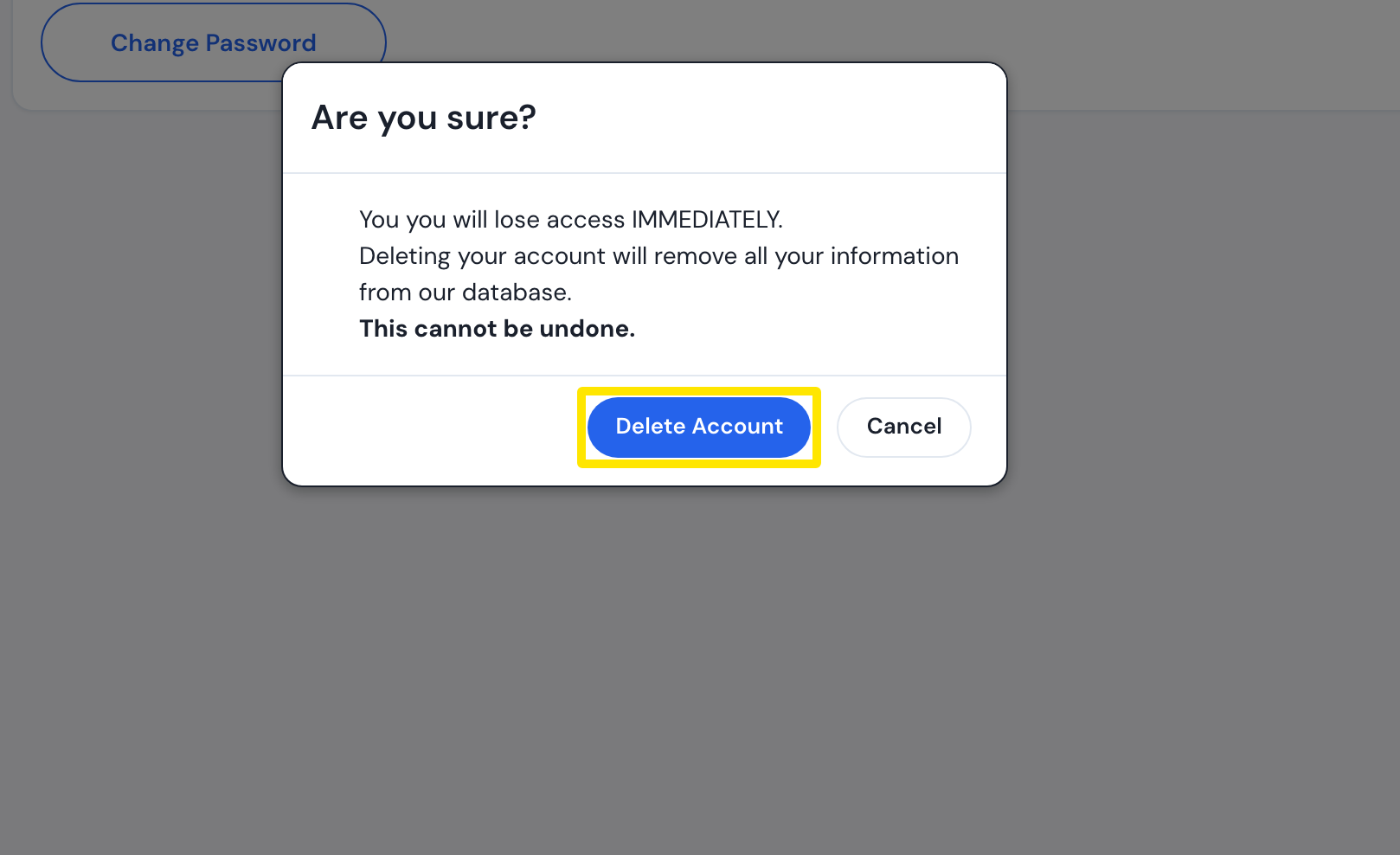 Where: Website · Account · open it
Good to know: This removes your workouts, plans, calendar, activities and connections and cannot be undone. Website subscriptions are cancelled for you; cancel an Apple or Google subscription in the App Store or Google Play.
Works on: Website; mobile app (Settings → Other Options → Account Deletion, type your username, then Delete); desktop app (Settings → Danger Zone → Delete Account, type your username, then Confirm Delete).