

How do I subscribe on the TrainerDay website?
Subscribe on the website by opening trainerday.com/pricing while logged in, clicking Upgrade Now under Pro, choosing Annual or Monthly, and paying by card.
- On the TrainerDay website, log in, then open trainerday.com/pricing and click Upgrade Now under Pro.
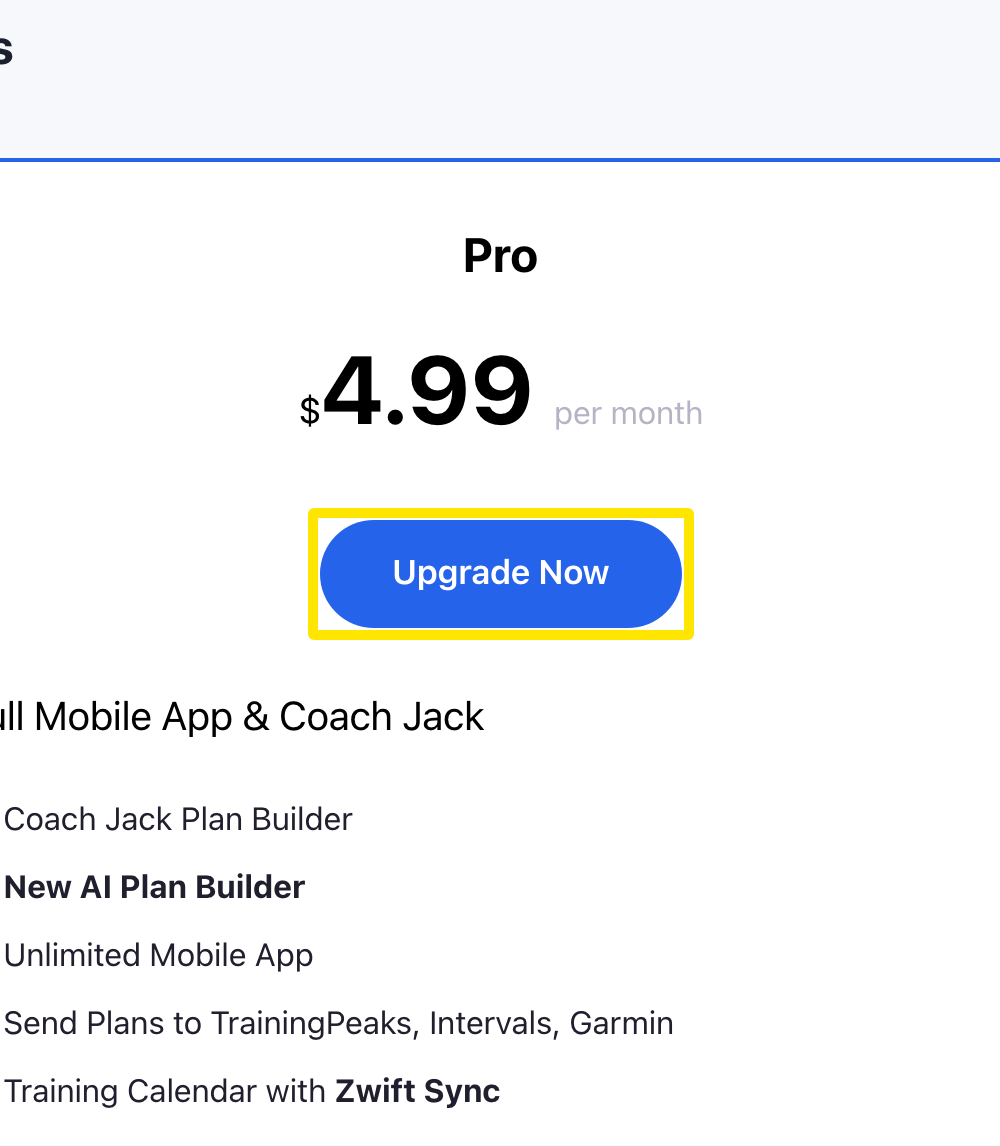 Where: Website · trainerday.com/pricing
- On the subscribe page, choose Annual or Monthly.
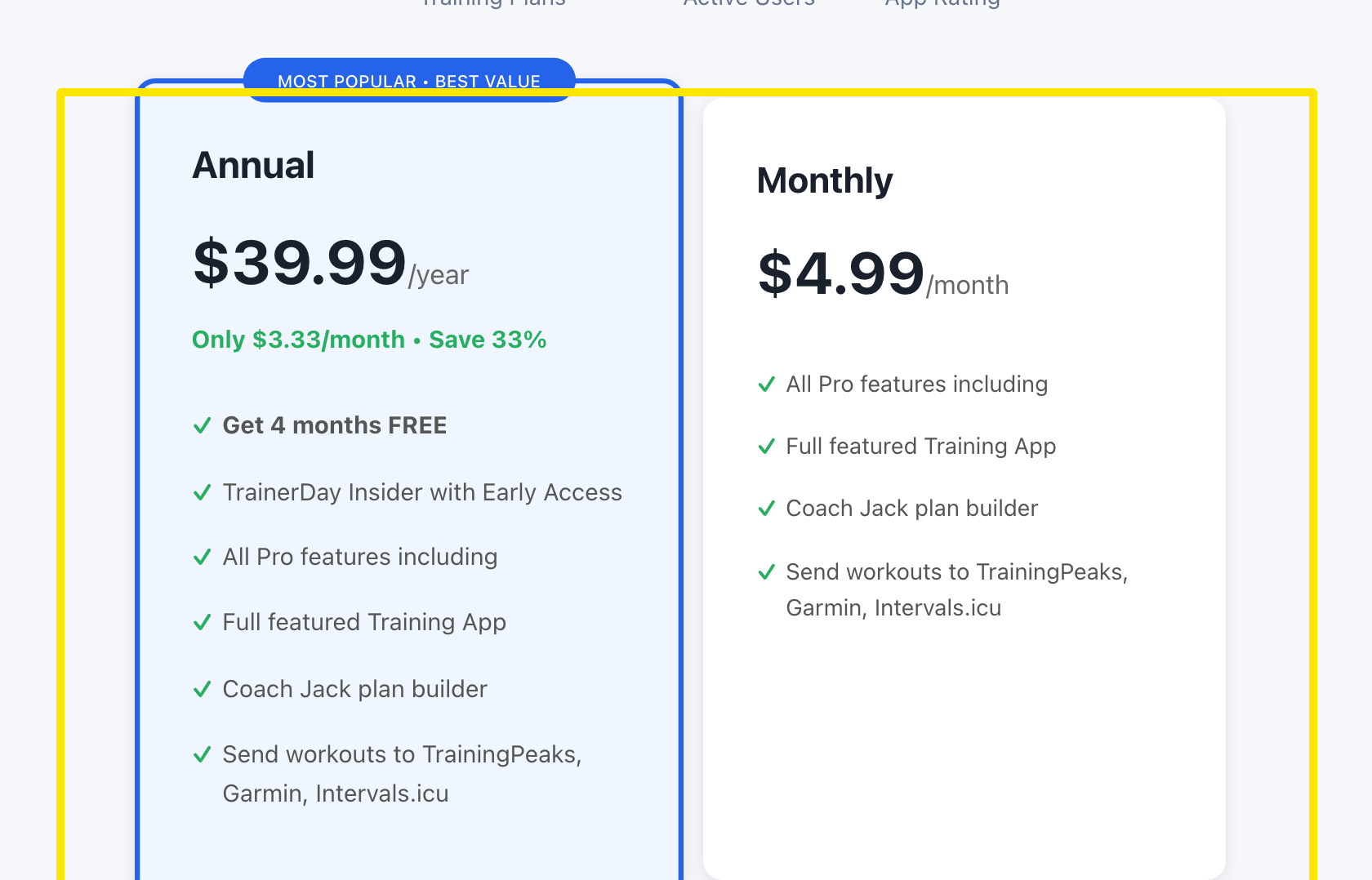 Where: Website · trainerday.com/subscribe
- Fill in Card Number, expiration date (MM/YY), CVV, Name on Card, country and Postal Code.
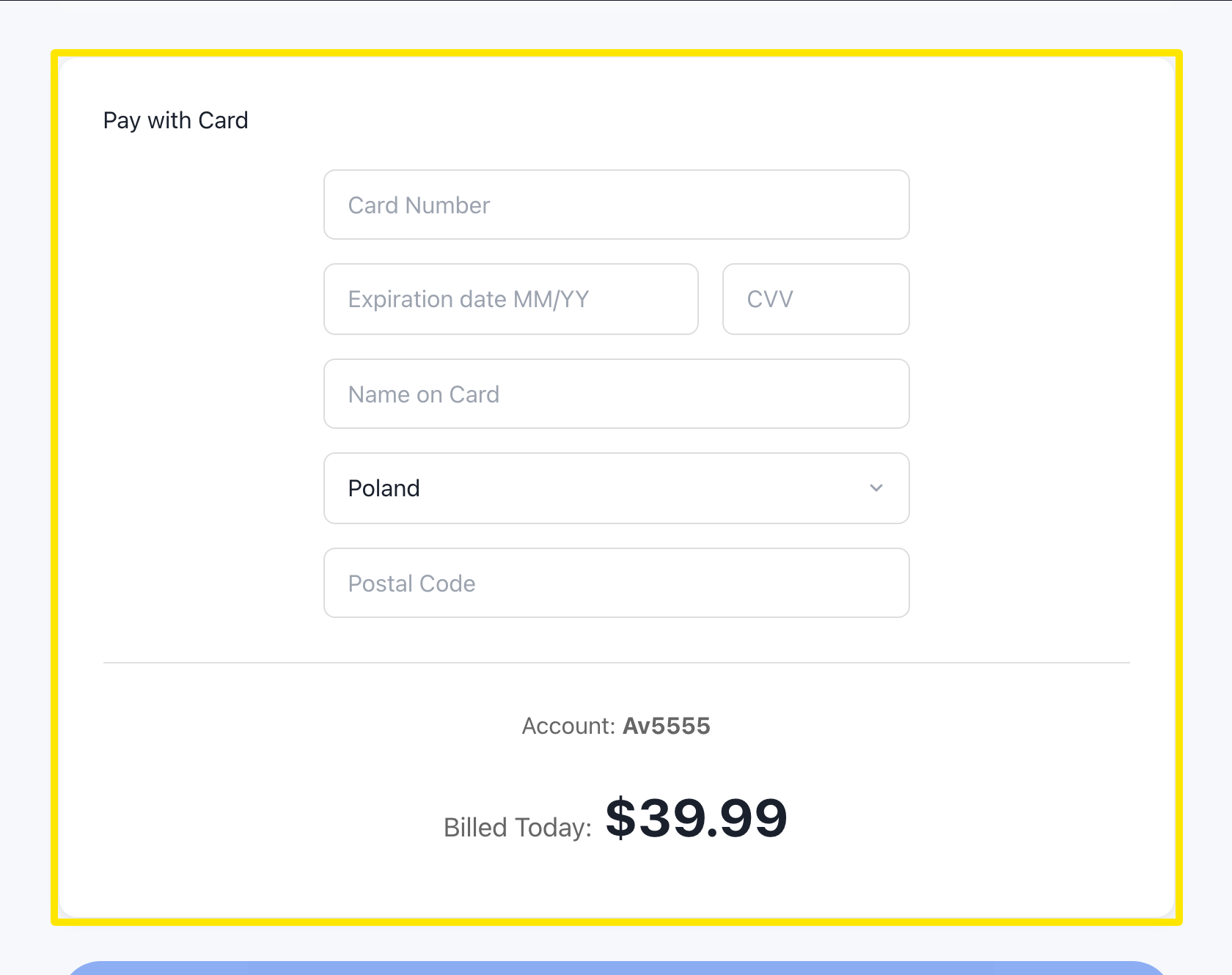 Where: Website · trainerday.com/subscribe
- Press Get Instant Access - Save 33% → (Annual) or Continue to Secure Checkout → (Monthly). Pro starts at once on your account, on the website and in the apps.
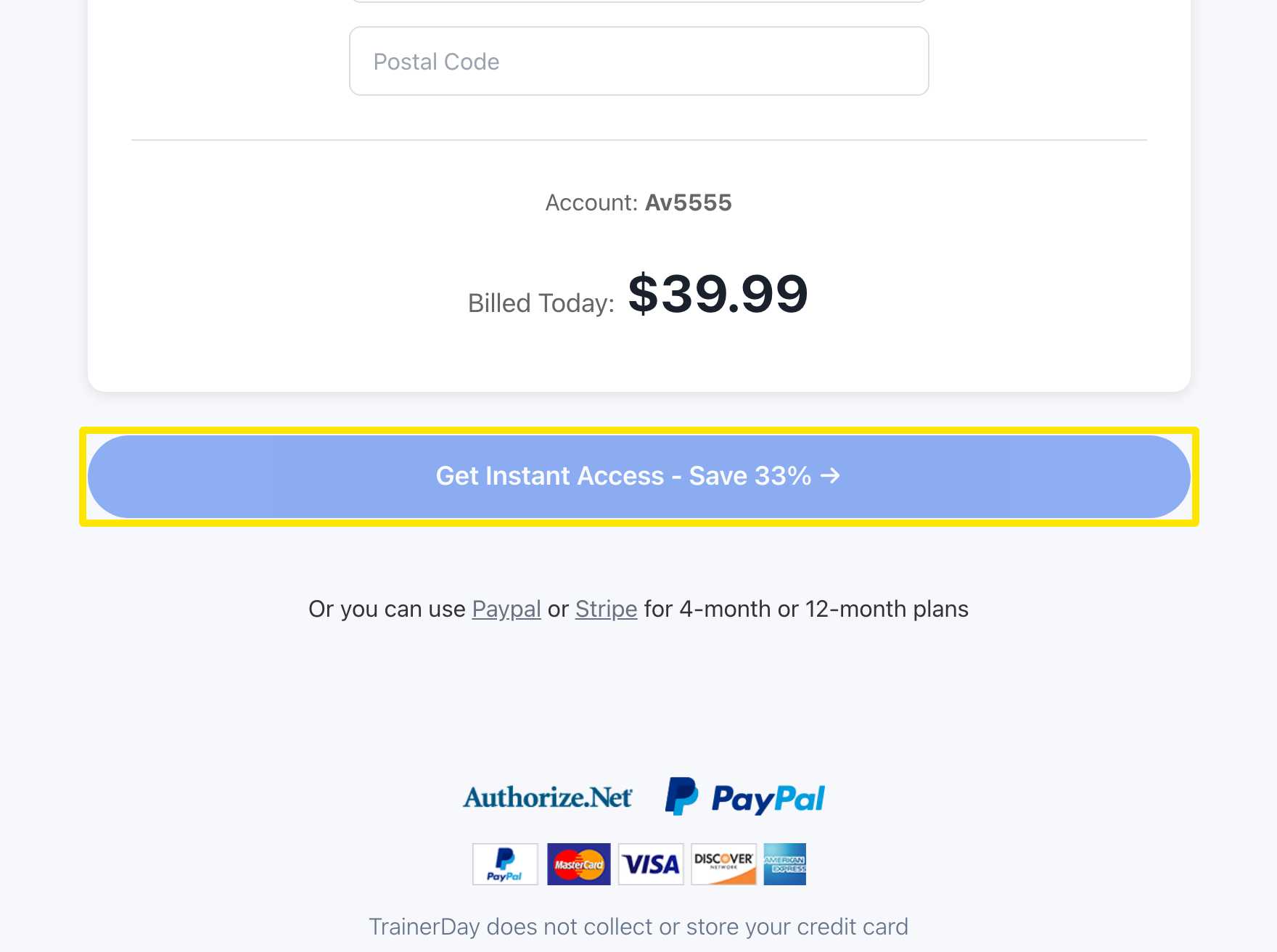 Where: Website · trainerday.com/subscribe
Good to know: If you subscribed in the mobile app, the subscribe page asks you to cancel that subscription in the app first, then come back to subscribe on the website.