

Does TrainerDay work with my smart trainer?
TrainerDay works with a smart trainer that speaks Bluetooth FTMS, Wahoo, FE-C over Bluetooth or Echelon (ANT+ FE-C in the desktop app); to check yours, connect it in Devices in the mobile or desktop app and look for the Control and Power tags.
There is no published list of supported trainers. Any trainer that connects, shows power and can be controlled by TrainerDay works.
On mobile
- In the mobile app, open the Settings tab and tap Add Devices.
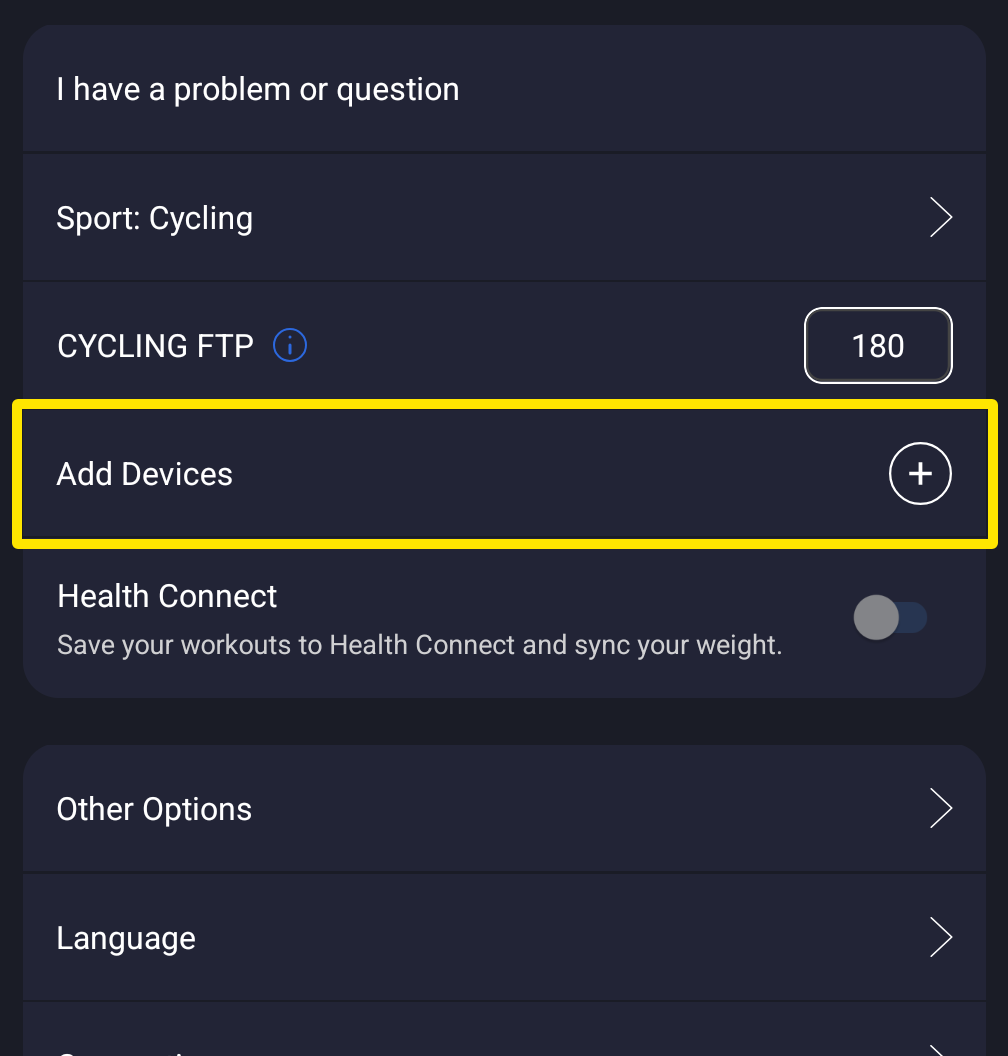 Where: Mobile app · Settings tab
- Wake the trainer. When it shows under Available, tap +.
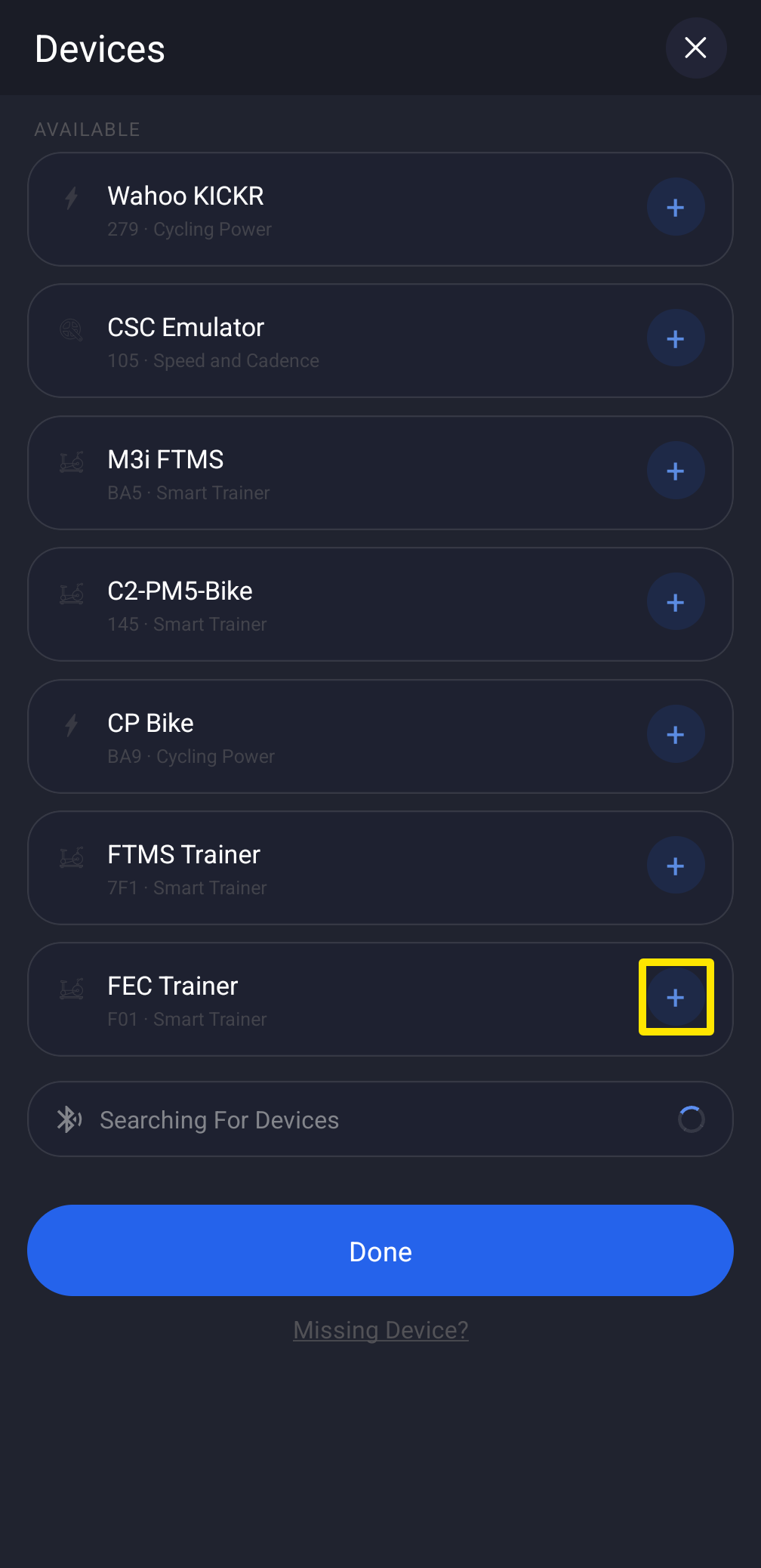 Where: Mobile app · Settings tab → Add Devices
- Check that Control and Power show on your trainer. If they do, your trainer works.
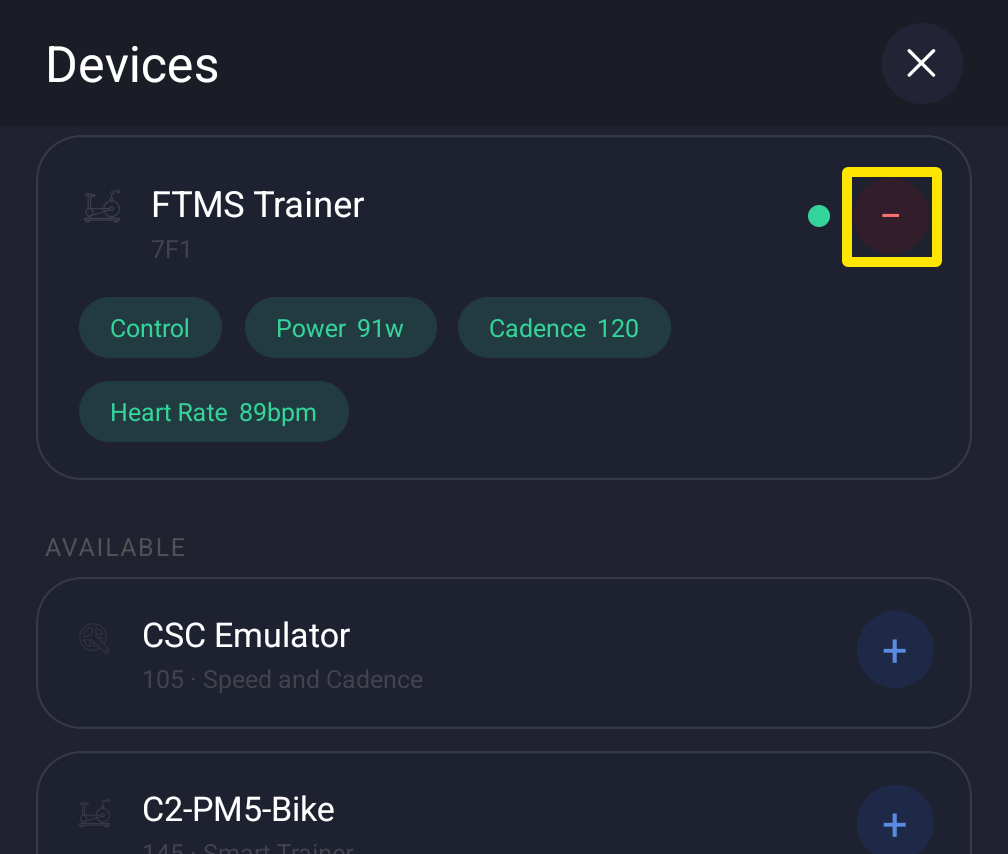 Where: Mobile app · Settings tab → Add Devices
On desktop
- In the desktop app, click the Bluetooth/ANT+ button at the top right. Devices opens.
- Click Connect beside your trainer. Check that Control and Power show on it.
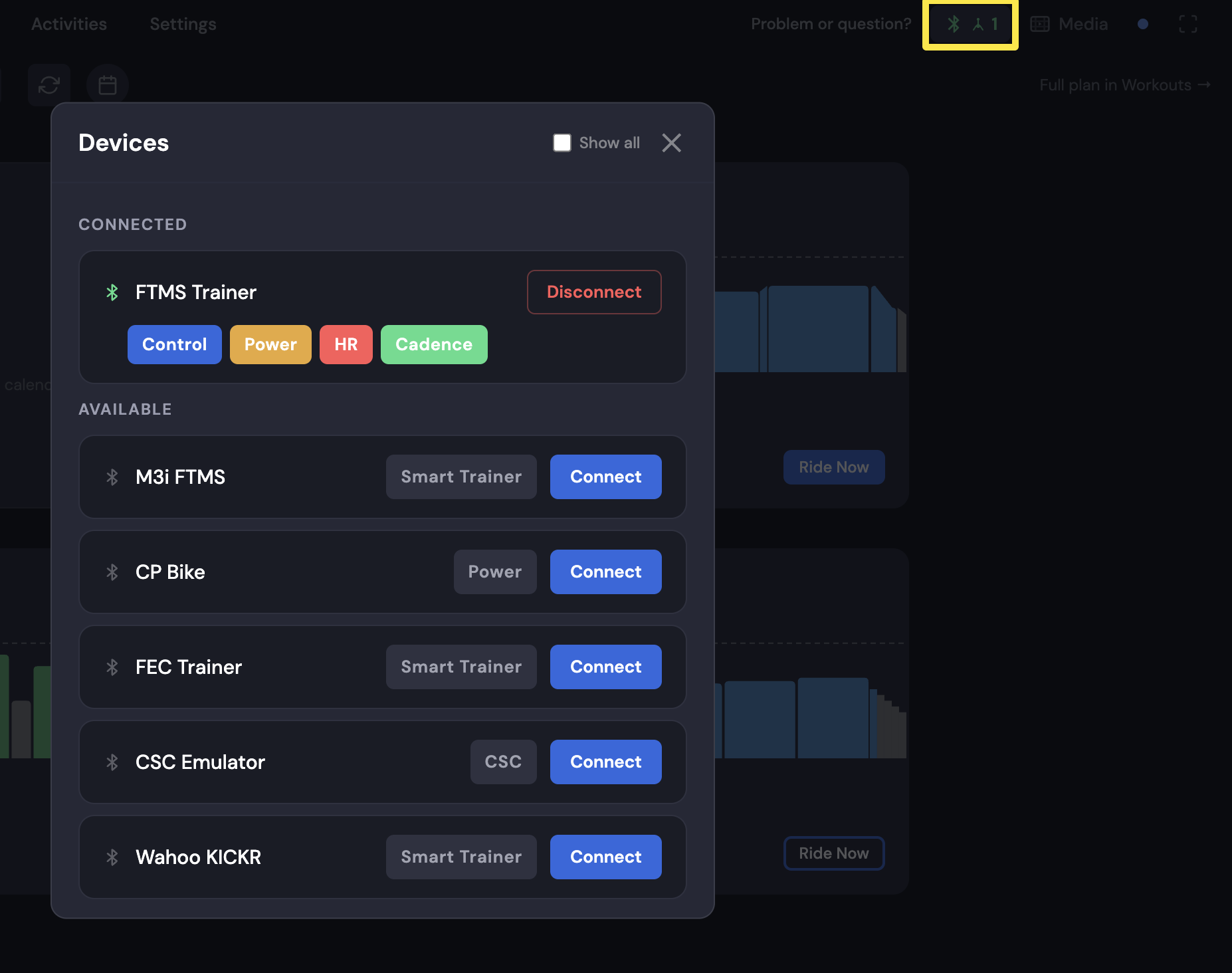 Where: Desktop app · Bluetooth/ANT+ button → Devices
Good to know: Bluetooth is the most stable connection. Bkool trainers do not work over Bluetooth.
Works on: Bluetooth on mobile and desktop; ANT+ only in the Mac and Windows desktop app with a USB ANT+ adapter.