

How do I add time off or a vacation to my training plan?
Add planned days off to your Coach Jack plan in the website's plan builder, or push a plan back a week on My Calendar.
- On the website, open your Coach Jack plan in the builder: My Plans → your plan → Edit Plan.
- In the bar at the bottom, click Days Off (it is there on plans with an event date).
 Where: Website · Coach Jack plan builder
- In Planned days off, select the date range, click Add, then Save. Those days get no workouts.
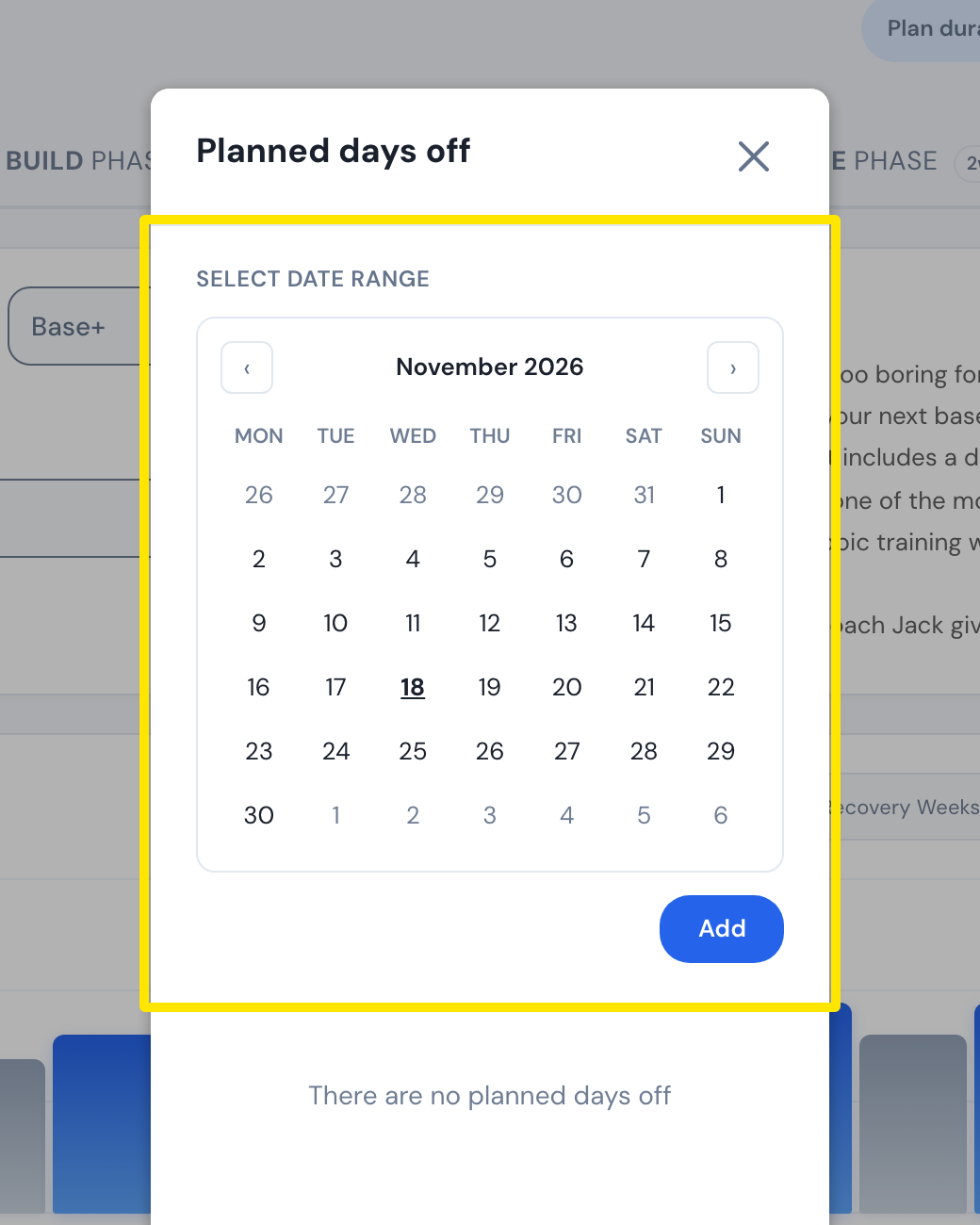 Where: Website · Coach Jack plan builder → Days Off
- Click Save & Next, then Sync with My Calendar.
- For any plan already on your calendar: in My Calendar, open the 3-dots menu at the right of the week you will be away and click Insert week above. Everything from that week on moves one week later.
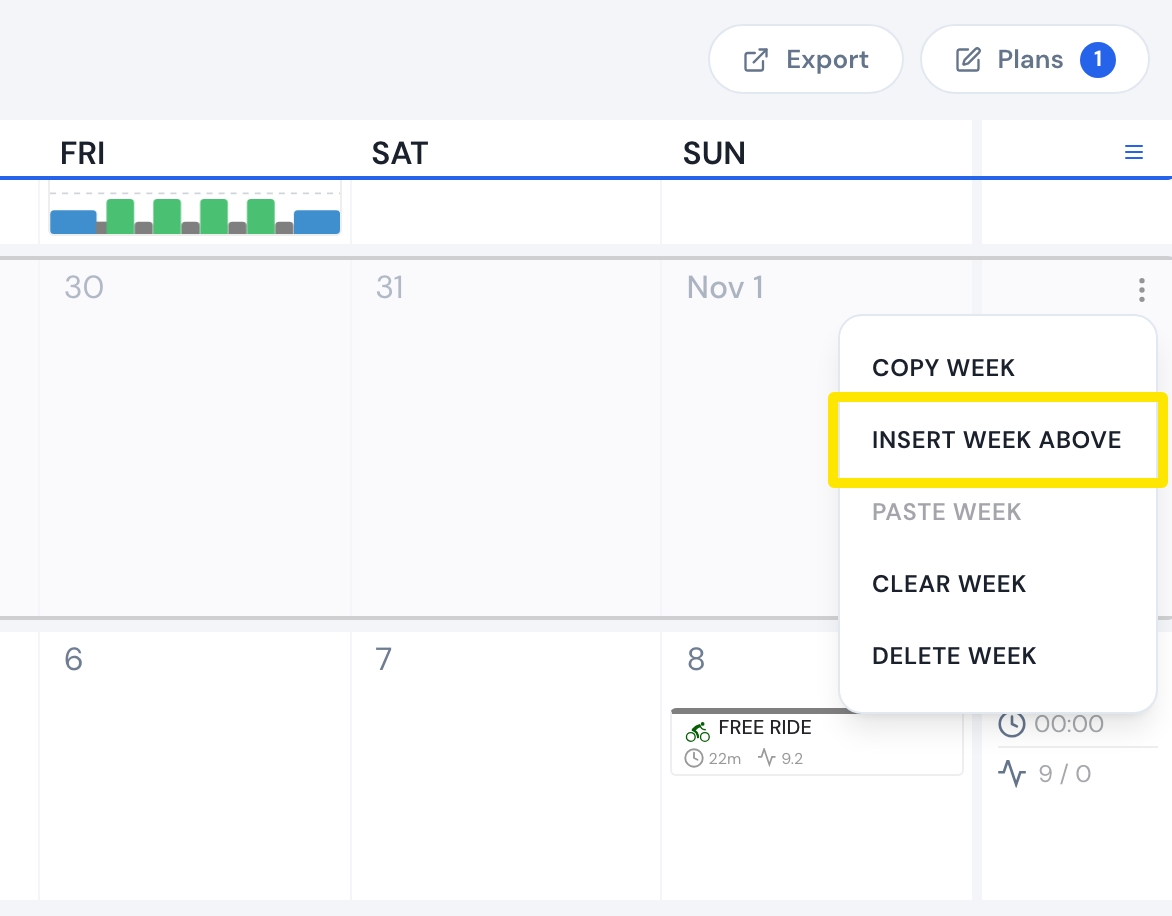 Where: Website · My Calendar · open it
Good to know: There is no pause button. After a week with more than two days off, the plan repeats the week before instead of stepping up.
Works on: Website only. The mobile and desktop apps have no plan builder; they ride what is on My Calendar.