

How do I fit outdoor and group rides into my training plan?
In the Coach Jack plan builder on the TrainerDay website, set your group-ride day to Outdoor so the plan leaves room for it. For one-off rides, move or delete that day's workout on My Calendar.
- On the website, open your plan in the Coach Jack builder: My Plans → your plan → Edit Plan.
- Click the button above the weekly hours chart that shows the hours for the current phase (or the hours under a day). This opens the phase hours window.
- On your group-ride day, change Indoor ▾ to Outdoor and click Save.
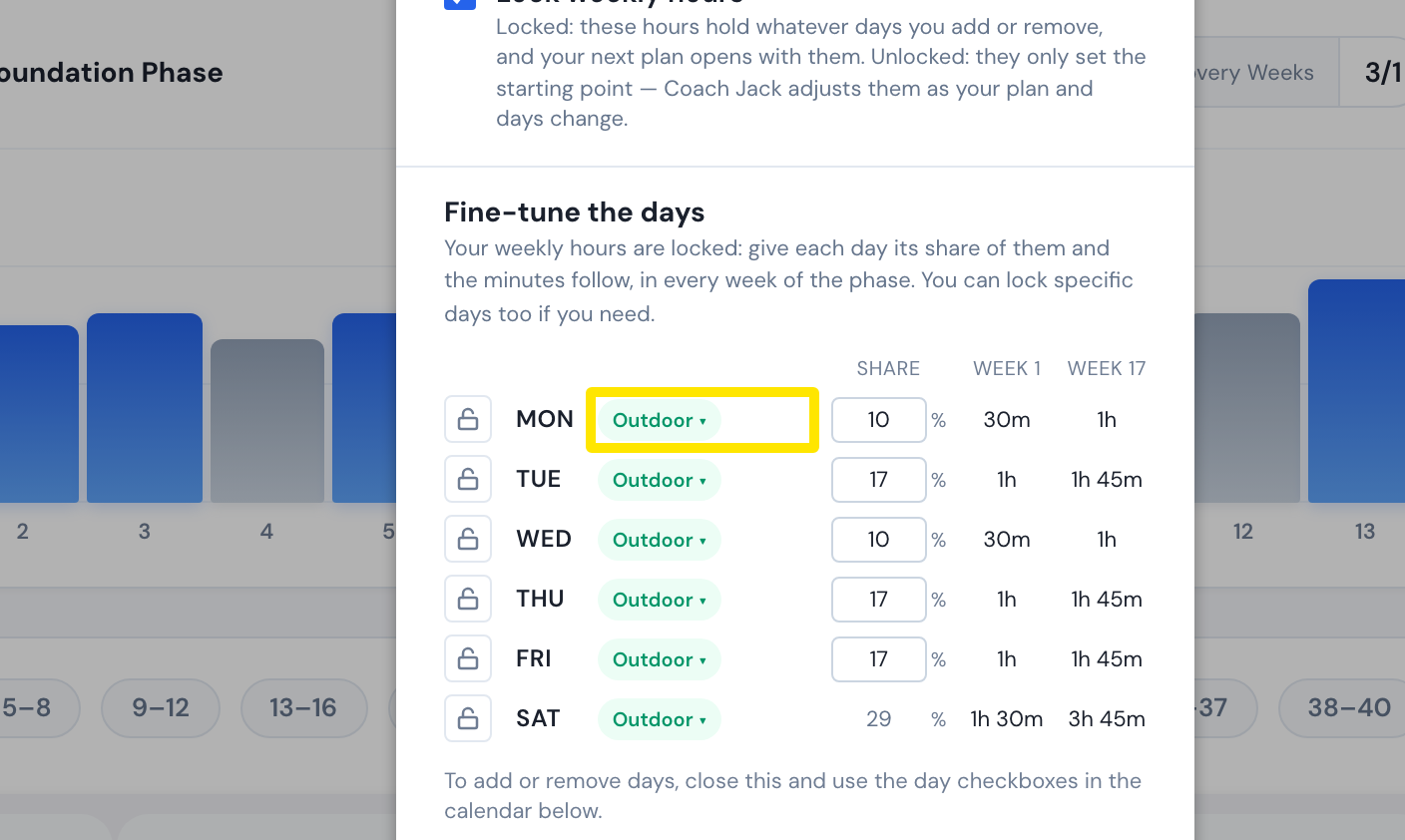 Where: Website · Coach Jack plan builder
- Click Save & Next, then Sync with My Calendar.
- For a one-off ride, open My Calendar. Drag that day's planned workout to another day, or open its 3-dots menu and click Delete. Your outdoor ride appears on the calendar once it syncs from Strava, Garmin or another connected app.
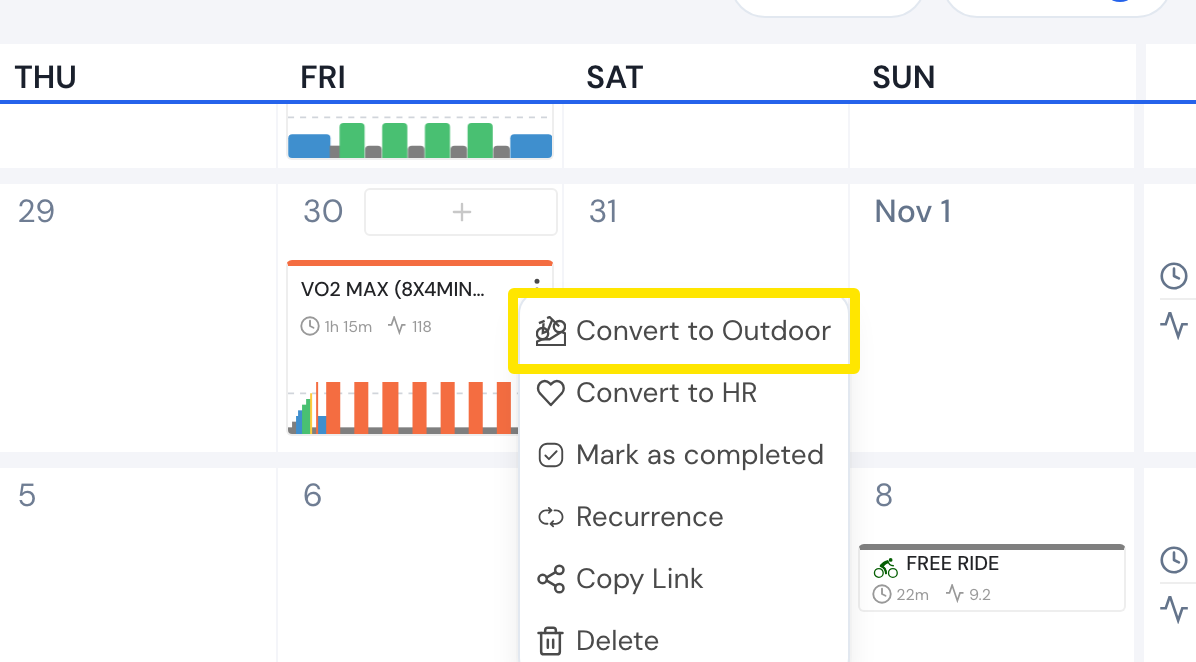 Where: Website · My Calendar · open it
Good to know: Coach Jack plans do not adjust by themselves after rides you do. Coach Jack reads your Strava rides only when a new plan is built, and skipped workouts are not rescheduled.
Works on: Website (plan builder and calendar). Mobile app (move planned workouts on its calendar). Desktop app (no calendar editing).